U.S. Field Service Contractors

Field Service Management Software from Dispatch to Invoice

Last updated: September 28, 2026

Field service management software runs the work that happens away from the office: requests, schedules, dispatch, work orders, technician updates, photos, signatures, quotes, invoices and reporting. Field Ascend keeps all of it on one job record, so the dispatcher and the technician are looking at the same thing. Published U.S. pricing from $13/user/month.

It covers scheduling, dispatch, work orders, workforce management, the mobile crew, quotes, invoices and recurring maintenance.

Transparent pricing from $13/user/month - no quote call needed to see the starting cost.

  • Scheduling, dispatch, work orders, quotes and invoices
  • Mobile app for technicians and field teams
  • Recurring maintenance, asset history and reporting
  • One price per seat, office or field. No separate technician tier, no setup fee, no locked add-on modules for core workflows

Built for service businesses with an office and a field crew. A one-person calendar app will be cheaper.

Field service software for the full job lifecycle

From the first customer request to invoice-ready job records, Field Ascend keeps the office, technicians and customer history connected in one system. New to the category? Our explainer covers what FSM software is and when a contractor needs it.

1

Request

2

Schedule

3

Dispatch

4

Mobile Work Order

5

Photos & Signature

6

Quote

7

Invoice

8

Report

Built for the trades that run on callouts and contracts

The same scheduling, dispatch, mobile updates, asset records and recurring maintenance, set up for how each trade actually works.

What does field service software actually do?

It takes the job from the first phone call to the paid invoice without re-keying: booking, scheduling, dispatch, the work order on the technician's phone, photos and signatures, the quote, the invoice, the next maintenance visit and the report. If you are weighing a sales CRM against field operations software, read the FSM vs CRM guide for trade businesses.

For teams that have outgrown spreadsheets

Field Ascend is built for contractors that need everyday job control without adding another disconnected calendar, spreadsheet or paperwork process. The office, the technician app and the customer record share one system.

Scheduling and dispatchSee work, technicians and daily capacity clearly.
Mobile work ordersSend job details and updates between office and field.
Job photos and signaturesCapture proof of work while the technician is on site.
Quotes and invoicesKeep commercial follow-up connected to the job record.
Preventive maintenanceRun planned service alongside reactive jobs.
Asset and equipment historyKeep service history tied to the customer, site and asset.
Customer recordsGive the office one reliable place for customer and site context.
ReportingTrack workload, billing handoff and operational performance.
ProductField service software for contractors
Best fitGrowing US service businesses with office and field teams
Starting price$13/user/month, 3-user minimum
Trial30-day free trial
Core workflowsScheduling, dispatch, work orders, mobile, quotes and invoices
Strong forPreventive maintenance, asset history and field-to-office control

From dispatch board to invoice-ready record

Four screens from one job: the dispatcher's board, the technician's work order, the evidence captured on site, and the record the office bills from.
Field Ascend dispatch board with the day's jobs assigned to technicians by time slot

Dispatch board

Schedule jobs and assign technicians from one planner the whole office can see.
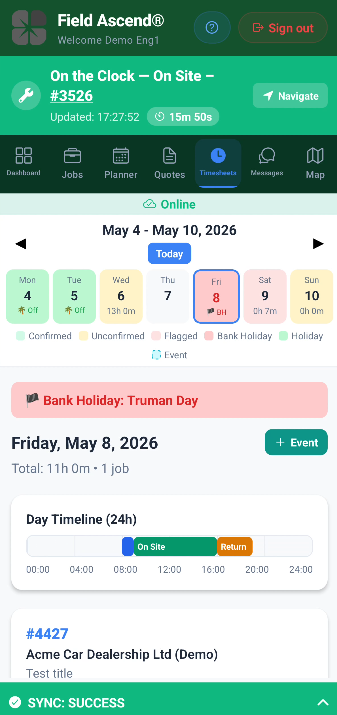
Field service mobile app showing a technician updating a work order from site

Mobile work order

Technicians update jobs, status and details from site on the mobile app.
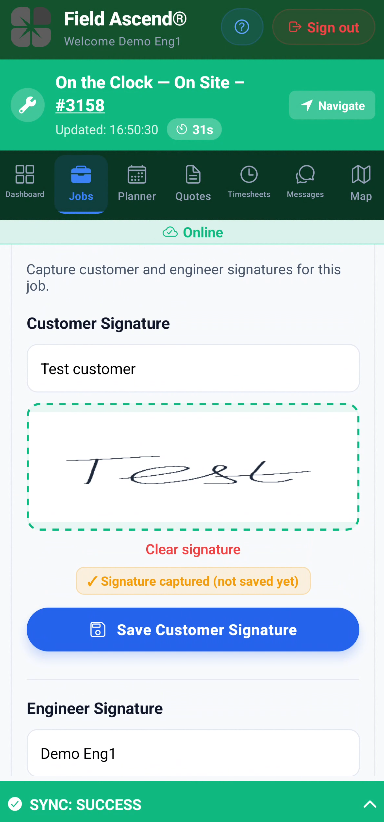
Field service mobile app capturing a customer signature, photos and job notes against the work order

Job evidence

Photos, signatures, notes and forms stay attached to the job record.
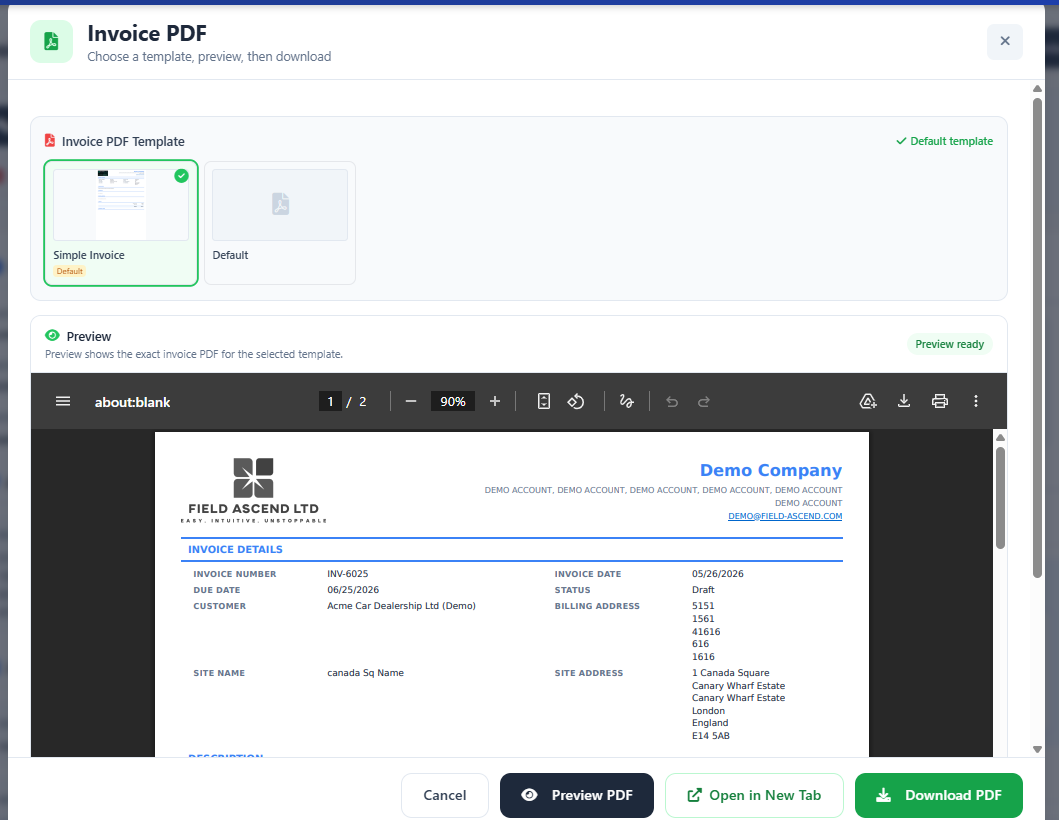
Invoice-ready field service work order record ready for the office team to bill

Invoice-ready record

Office teams review completed work and turn it into an invoice faster.
Where Field Ascend sits between a booking app and an enterprise platform

Booking-and-payments apps suit a one-van business. Enterprise platforms suit a 200-technician rollout with an implementation team. Field Ascend is for the contractor in between: an office that dispatches, a crew on phones, maintenance contracts, and no appetite for a six-month project.

Buyer need Field Ascend Booking-and-payments apps Enterprise FSM platforms
PricingPublished: $13/user/month, 3-user minimumUsually published; plan limits and extra users change the totalQuote-led, often with an implementation fee
Office dispatchDrag-and-drop planner with a live technician mapCalendar viewDeep, with more setup and process design
Mobile work ordersOffline-first: photos, signatures, notes and timings sync when signal returnsVaries by product and planYes, as part of the wider implementation
Asset history and preventive maintenanceEquipment records, service history, recurring schedules alongside reactive workOften limited or absentYes, often needing configuration
AccountingQuickBooks Online and Xero sync includedCommonly included, depth varies by planBroad finance integrations, rollout work
Time to first dispatchSign up, add users, start dispatchingSame dayOften weeks to months
Best forGrowing contractors with an office and a field crewOne-person or very small teamsLarge organizations with complex process requirements

Positioning summary, not a feature-by-feature audit of any specific product. Capabilities vary by plan and vendor.

Independent reviews

Aggregate rating used in schema: 4.9/5 from 6 third-party reviews across G2 and Capterra. Figures are shown per source so you can check them yourself. Last checked: August 2026. Review volume is still small.

★★★★★

“Field Ascend delivered in a week what our old software couldn’t do in two years.”

Emeka Ojulah - Electrical Operations Manager, UK electrical contractor

The feature he waited two years for elsewhere was a UK tax-scheme invoicing rule (CIS) posting to Xero. The point that travels: a specific accounting need, built and live in a week. For US teams, Field Ascend posts invoices to QuickBooks Online with tax and account codes mapped.

Read the full review

I am incredibly impressed with this FSM software and the team behind it. The speed at which they roll out new features is phenomenal.

The biggest game-changer for my business was the CIS invoicing integration with Xero. With my previous software provider, I waited for over two years for this feature, and it still was never implemented. This team had it up, running, and linked to my Xero account within a single week.

The customer support and development team have been absolutely fantastic throughout. There are so many great features on offer that I am still getting to grips with everything, but I am slowly and successfully integrating them into my everyday business workflows.

If you are looking for an FSM platform that actually listens to its users and moves fast, I highly recommend them!

One record for the office and the field

Jobs, technicians, customers, sites, work orders, planned maintenance, quotes and invoices live in one place. Instead of a calendar here, a photo app there and a spreadsheet for billing, the job management layer holds the whole lifecycle, and each step reads what the last one wrote. Urgent repairs, planned preventive maintenance and repeat service visits sit on the same board, and the visit the technician closes on the phone is the record the office bills from.

No enterprise sales process to get there: sign up, add your users, start dispatching.

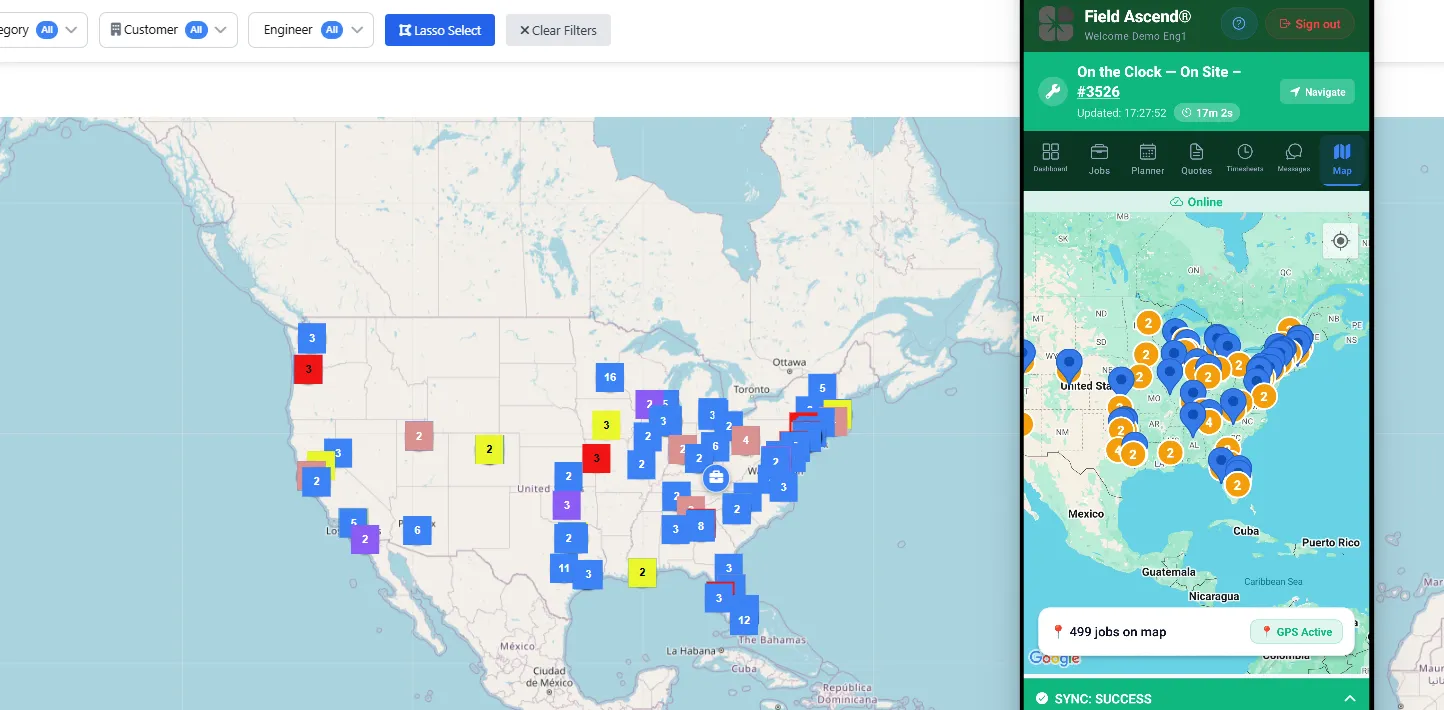
See the desktop dispatch board in action

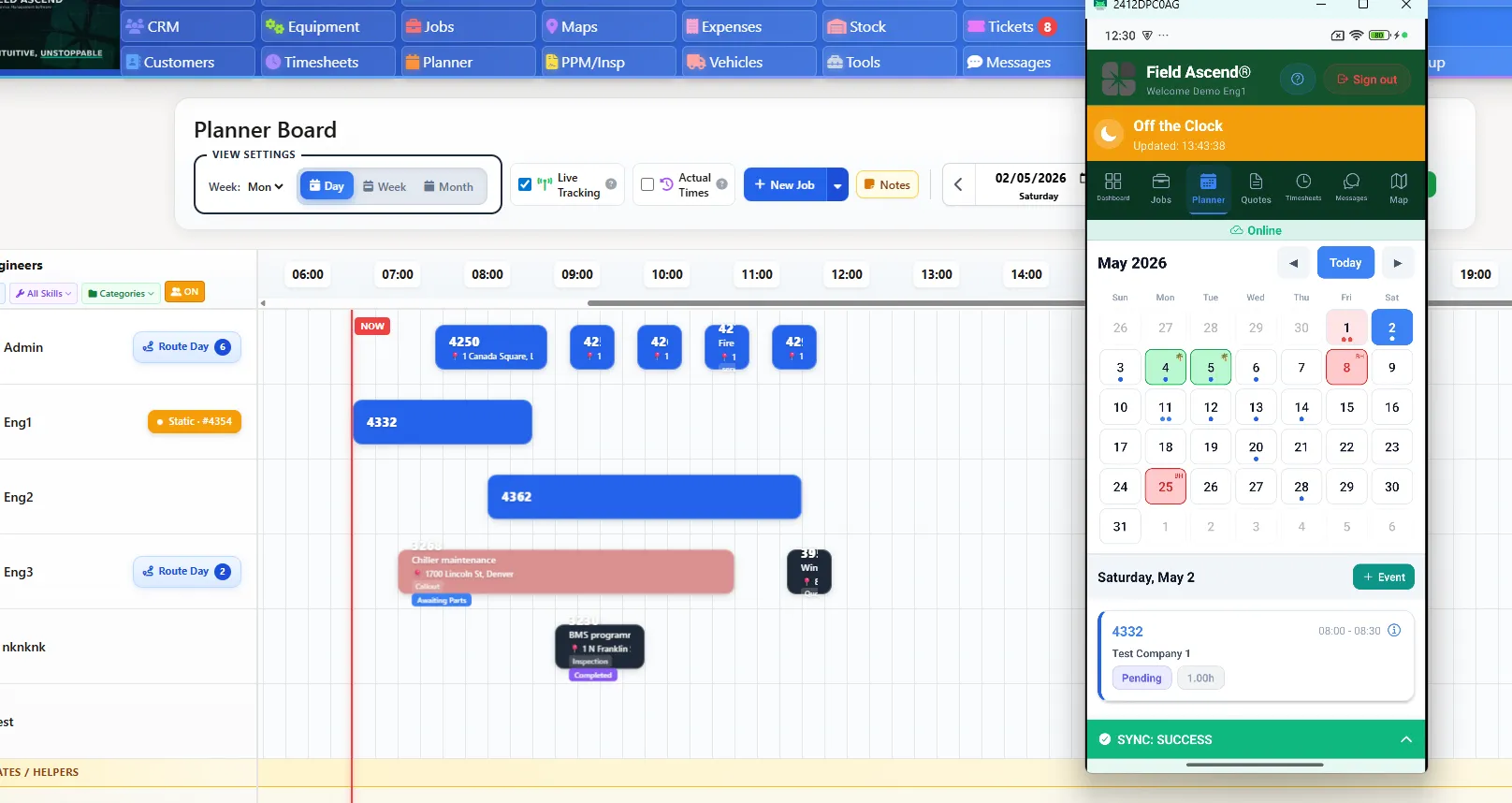
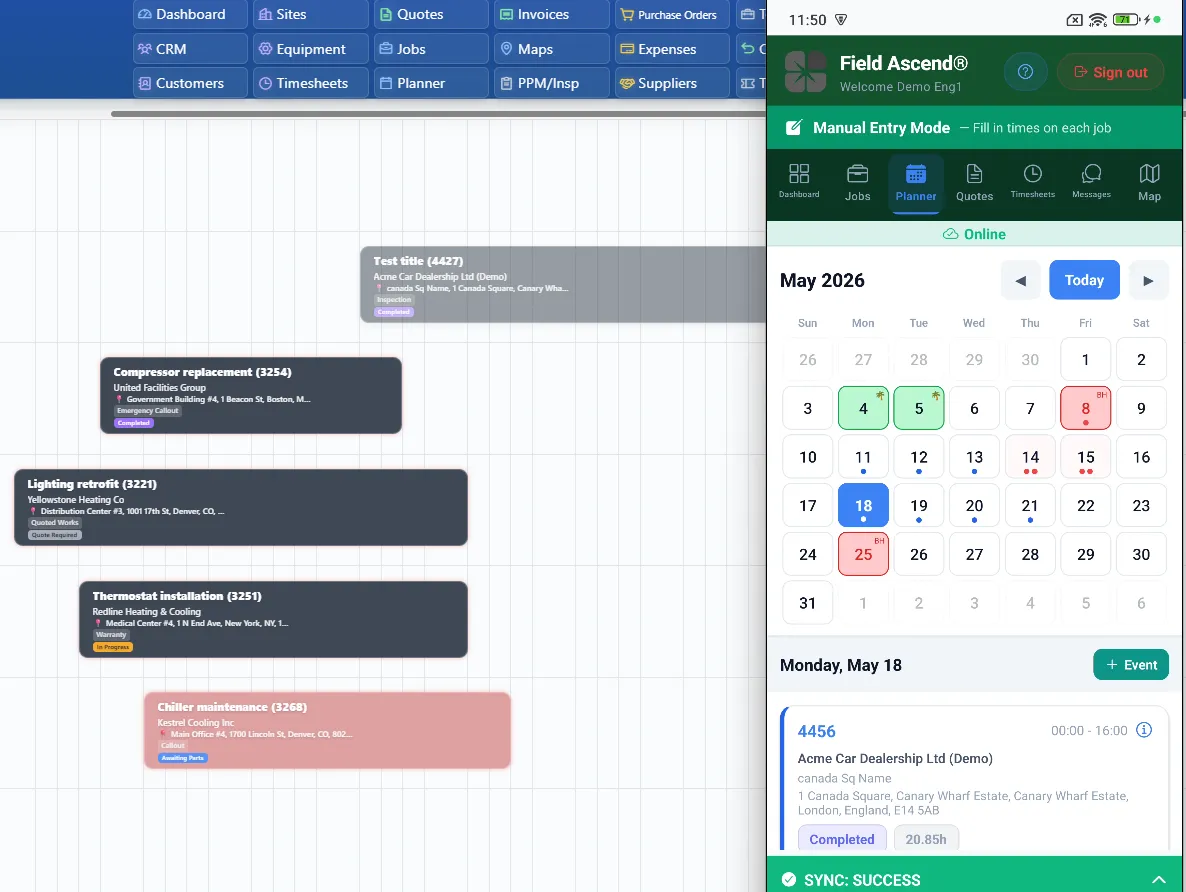
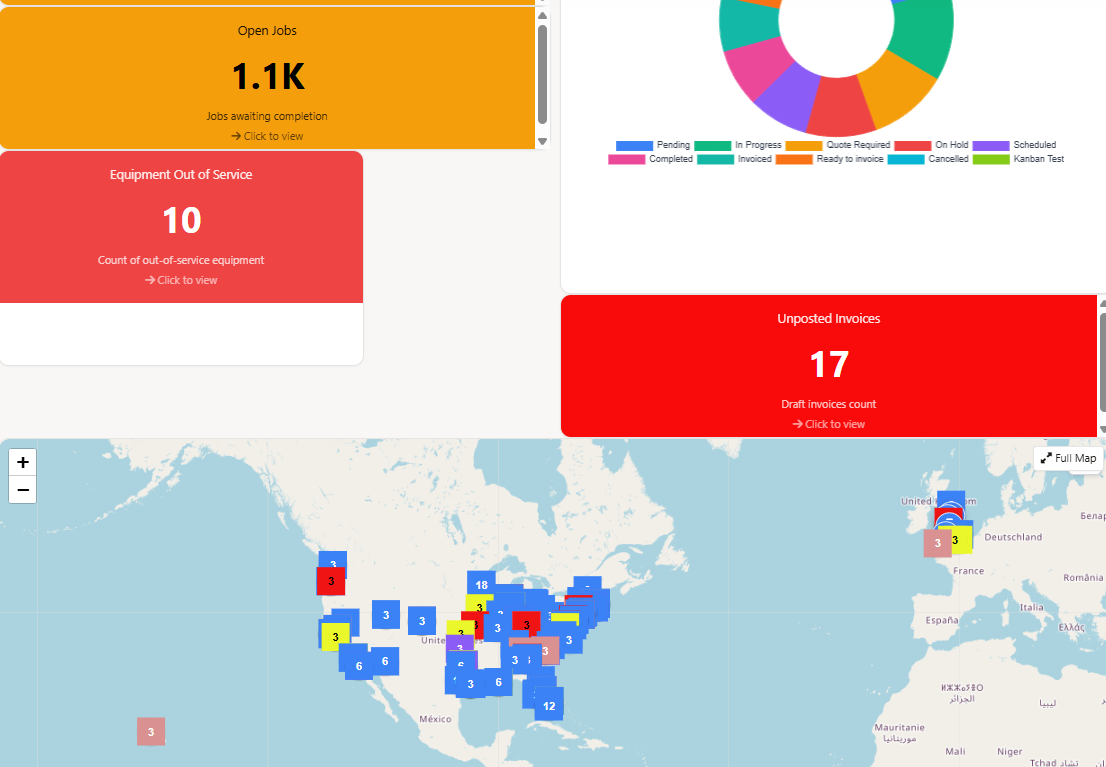
View scheduled jobs, technician activity, customer records, work orders, maintenance tasks, quotes, invoices and reporting from one operational dashboard. Office teams can see what is booked, what is in progress, what needs follow-up and what is ready to invoice.

Field Ascend desktop planner with live technician map and drag-and-drop job scheduling Field Ascend mobile field service app showing job timer, photos and technician work order updates

Watch the full product tour

A walkthrough of Field Ascend field service software, from the dashboard and jobs through customers, equipment, the planner, invoices, and setup.

The office screens and the technician app, in the order a new account would use them.

What is in the box: scheduling, dispatch and mobile work orders

Field Ascend is built around the outcomes service teams need every day: a clear schedule, accurate work orders, informed technicians, customer-ready records and faster billing.

Scheduling and dispatch

Use connected field service scheduling software and field service dispatch software to manage daily capacity and keep urgent work visible.

Work order management

Create, assign and complete work orders with customer notes, site history and job status connected in one record.

Mobile technician app

Give technicians job details, history, forms, photos, signatures and updates from the field service mobile app.

Quotes and estimates

Use field service quoting software to send professional quotes, capture approvals and keep approved work connected to the job record. When you need a faster first draft from a completed work order or uploaded specs, AI quoting software builds an editable estimate from that same field context.

Invoicing and billing

Move completed visits toward invoice-ready records without rebuilding the job from handwritten notes or disconnected apps. Invoices post to QuickBooks Online with customers, tax and account codes mapped, and payment status comes back. Field Ascend is listed on the QuickBooks App Store. Xero users get the same sync. Field Ascend is a certified Xero app partner (Xero App Store listing).

Customer communication

Keep customers informed with cleaner job records, service updates, documents and a more organized office handoff.

GPS visibility

Understand technician movement and job progress so dispatch decisions are based on live operational context.

Asset and equipment history

Keep service records, defects, maintenance history and equipment details close to the work order.

Preventive maintenance

Run recurring maintenance alongside reactive jobs so planned work is not trapped in a separate spreadsheet.

Reports and dashboards

Track work in progress, completed jobs, billing handoff and day-to-day performance without waiting for manual updates.

Photos, signatures and job evidence

Capture proof of work in the field so the office can review, invoice and answer customer questions with confidence.

Customer and team portals

Give customers a branded customer portal to track work orders, approve estimates, view invoices and submit tickets - without duplicating admin.

Want to compare the full workflow?

Review published Field Ascend pricing or start a trial with the core platform included.

Pricing without hidden platform fees

Field Ascend is not cheap software with a low sticker. It is capable field service software with plain pricing: $13/user/month, billed directly in USD with a 3-user minimum from $39/month. See Field Ascend pricing for the current details.

A dispatcher and a technician are the same $13 seat. There is no separate technician tier, no setup fee for core onboarding and no locked add-on modules for the workflows listed on the pricing page: scheduling, dispatch, work orders, the technician mobile app and the office field service management app, quotes, invoices, customer portals, reporting, preventive maintenance and asset history.

Every account starts with a 30-day free trial. A card is required at signup, but it is not charged until the trial ends.

Branded Field Ascend invoice generated from a completed field service work order

Who Field Ascend is best for

The right choice depends on how your business actually operates. If you are still building a shortlist, start with the field service software buyer guide before comparing features and pricing.

Best for

  • Growing service contractors
  • Businesses with office and field teams
  • Companies managing reactive jobs and planned maintenance
  • Contractors needing work order history, customer records and mobile updates
  • Teams wanting capability without enterprise complexity

Not ideal for

  • One-person businesses wanting only a simple calendar
  • Enterprise organizations needing a very long custom implementation
  • Companies wanting only one isolated tool rather than a connected FSM platform

If your team is growing past spreadsheets or a basic booking app, our small-business field service software guide is a useful next step.

Frequently Asked Questions

What is field service software?

Field service software helps service businesses manage work performed away from the office, including requests, scheduling, dispatch, work orders, technician updates, photos, signatures, quotes, invoices and reporting.

What is field service management software?

Field service management software is the broader system that connects office scheduling, field technician activity, customer records, site history, work order evidence and billing in one operational workflow.

How much does field service software cost?

Costs vary by vendor, user count, feature access and onboarding model. Field Ascend publishes U.S. pricing at $13 per user per month, billed directly in USD with a 3-user minimum and a 30-day free trial.

What's the best field service software for HVAC / plumbing / electrical contractors?

The best choice is the one that fits how your trade business runs: scheduling, dispatch, mobile work orders, job evidence, quotes, invoices, recurring maintenance and asset or equipment history. Field Ascend is built for HVAC, plumbing and electrical contractors that need office-to-field control without a heavy enterprise rollout.

Does the technician app work offline?

Yes. The mobile app is offline-first: work orders, photos, signatures, notes and timings are saved on the phone and sync back when signal returns. Basements, plant rooms and rural sites do not stop the day.

Does Field Ascend connect to QuickBooks?

Yes. Invoices post to QuickBooks with customers, tax and account codes mapped, and you can monitor payment status from Field Ascend. Details on the QuickBooks integration page.

Is there a version for smaller teams?

Same product, same price. If you are a team of 3 to 15 comparing pricing traps and setup effort, the field service software for small business page is written for that decision.

Run scheduling, dispatch, work orders and invoicing from one place

Start with published U.S. pricing from $13/user/month and give your office and field teams one system for jobs, technicians, customers, quotes, invoices and recurring maintenance.