Quick Answer
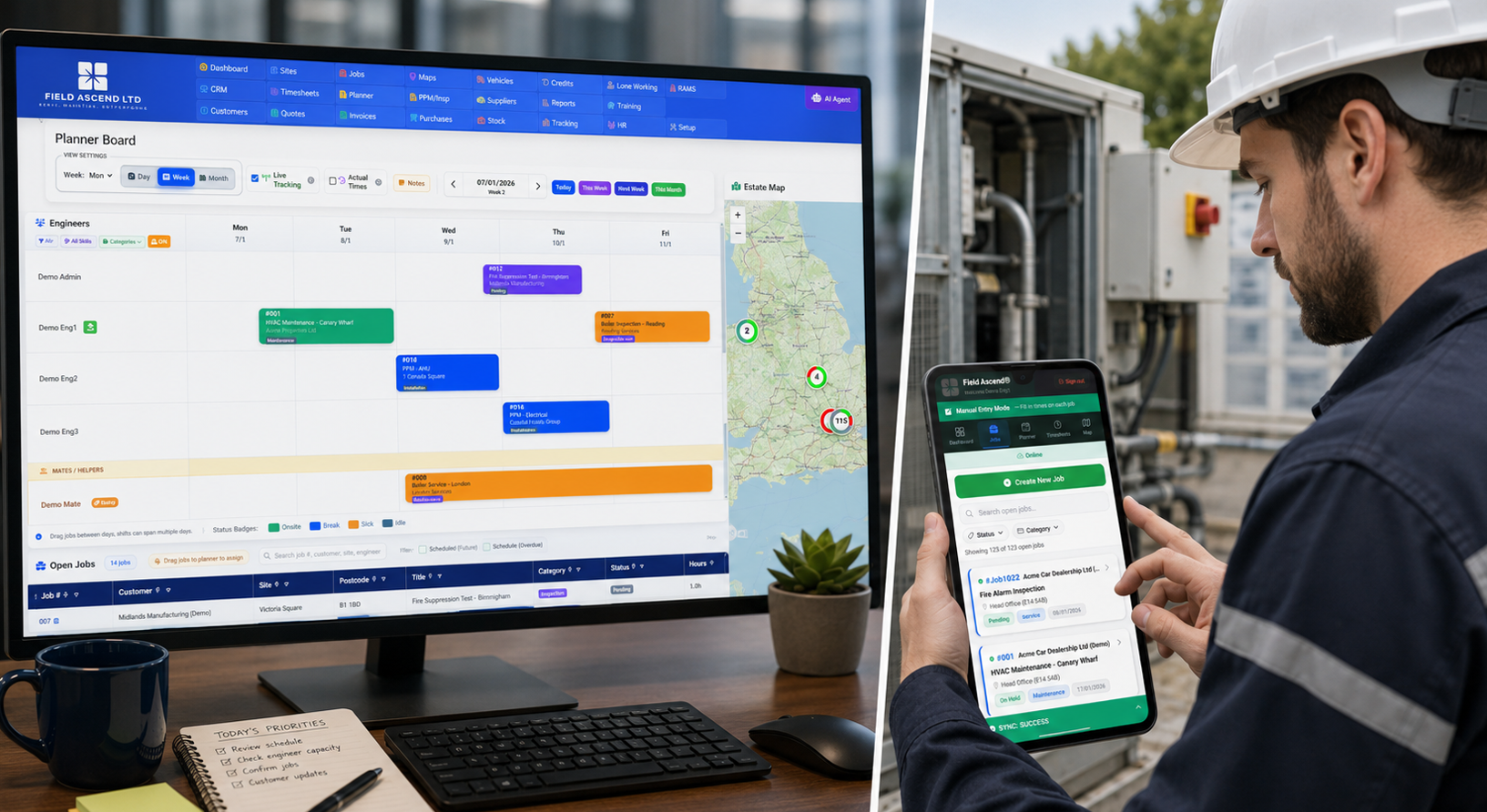
Mobile workforce management software gives technicians their jobs, forms, photos, signatures and time capture on the device they use in the field - and gives the office live visibility and invoice-ready data back. Field Ascend delivers this through an offline-first technician app connected to scheduling, dispatch and billing in one field service management software platform.
For a field service business, workforce management happens where the promise is either kept or broken. The office can plan a perfect schedule, but the day changes when an emergency call arrives, a technician loses signal, parts are missing, a customer needs proof of work, or a job runs longer than expected.
That is why mobile workforce management is more than a calendar. It is the operating layer between dispatchers, technicians, customers, jobs, assets, maintenance visits and invoices. Done well, it helps every person work from the same live job record.
Looking at the bigger workforce picture?
This guide covers the mobile side: the technician app, offline capture and proof of work. For office-side workforce planning (technician scheduling, dispatch, leave-aware availability, on-call coverage and timesheets) see our field staff management software page.
What Is Mobile Workforce Management Software?
Mobile workforce management software is software that helps a business schedule, dispatch, support and track employees who work away from the office. For field service teams, that usually means technicians completing work orders at customer sites.
A good system gives the office a clear view of the day and gives technicians the information they need on a phone or tablet. It should support the complete field workflow: job details, customer notes, site history, checklists, photos, signatures, materials, time, status updates and completion notes.
In Field Ascend, mobile workforce management sits inside the wider field service management software workflow. That means field updates can feed scheduling, work order management, preventive maintenance, invoicing and reporting instead of living in a disconnected app.
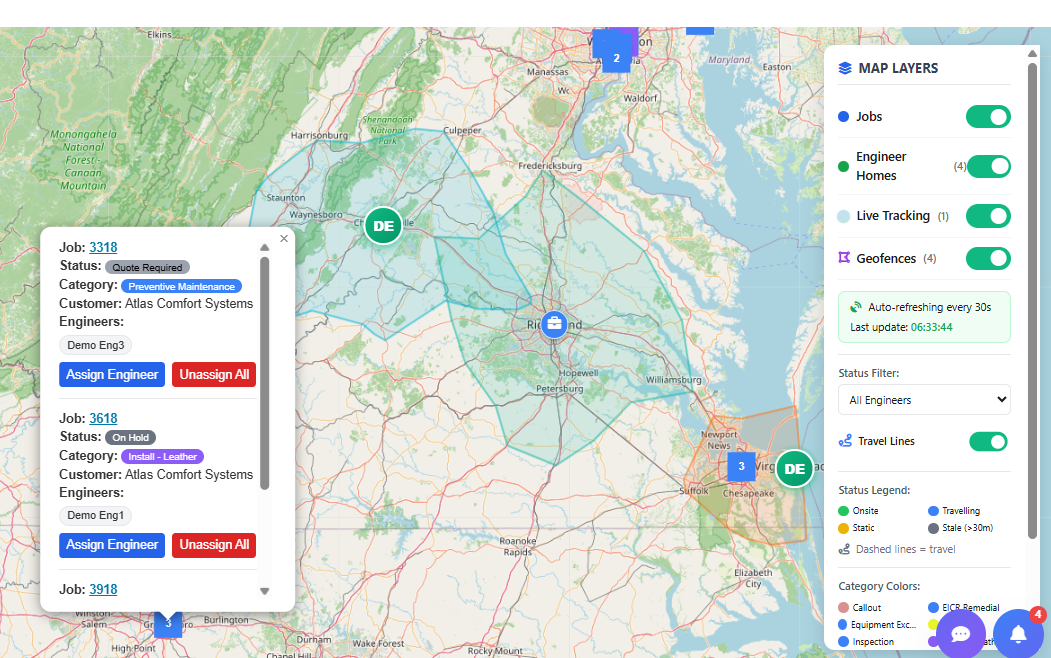
Dispatch visibility matters because the office needs to know who is available, where jobs are, and what has changed during the day.
Mobile Workforce Management vs Field Service Management
The terms overlap, but they are not identical.
- Mobile workforce management focuses on field people: schedules, technician app workflows, job updates, locations, time and proof of work.
- Field service management covers the wider business workflow: customers, sites, assets, quotes, jobs, maintenance, documents, invoices, accounting and reporting.
Most growing contractors eventually need both. A standalone mobile app may help technicians capture notes, but the bigger gain comes when the mobile data connects to the back office. A completed job should be ready for review, billing and customer communication without manual reconstruction.
The Core Features U.S. Teams Should Look For
1. Technician scheduling and dispatch
The schedule should show who is assigned, when the work is booked, what status each job is in and whether the plan still makes sense. For high-volume teams, this ties directly into scheduling and dispatch software.
2. Mobile work orders
Technicians need job details on the device they actually use in the field. That includes customer/site notes, asset history, scope of work, forms, materials, photos, status updates and completion steps. See the field service mobile app page for the Field Ascend mobile workflow.
3. Offline reliability
U.S. service technicians work in mechanical rooms, basements, rural sites, high-rises and plant areas where signal can be weak. If the app depends on a live connection for every action, the workflow breaks exactly when the field team needs it most.
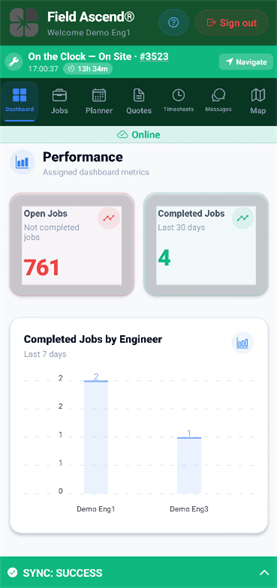
The field app should make the next action obvious: open the job, record the work, capture evidence and move the job forward.
4. Proof of work
Photos, notes, checklists, customer signatures and timestamps turn a completed job into a defensible record. That helps with customer questions, warranty claims, compliance checks and invoice review.
5. Time and location context
Time capture and GPS technician tracking help the office understand travel, onsite time, job progress and dispatch decisions. The point is not surveillance for its own sake; it is operational clarity.
6. Invoice-ready handoff
When job evidence, time, materials and completion notes are captured cleanly, billing can happen faster. That makes the connection between mobile workforce management and field service invoicing software important.
Where Mobile Workforce Management Saves Admin Time
The biggest savings are rarely from one magic feature. They come from removing repeat admin from the daily loop.
Admin work that should shrink
- Calling technicians for job updates.
- Rekeying paper job sheets into the office system.
- Waiting for photos, forms or signatures after a visit.
- Guessing whether a job is complete enough to invoice.
- Rebuilding travel and onsite time from memory.
- Searching emails and messages for customer evidence.
For contractors running recurring maintenance, the same principle applies. Preventive maintenance software works better when the field team can complete checklists, record readings, flag defects and attach photos during the visit.
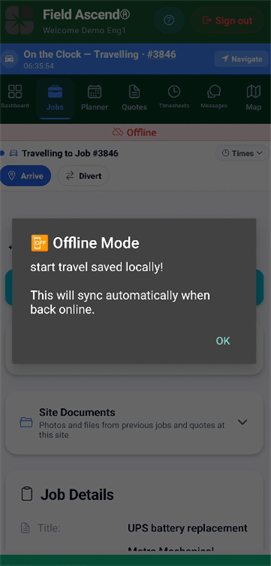
Offline capture is not a nice-to-have for many contractors. It is what keeps the field workflow moving when signal drops.
How to Evaluate Mobile Workforce Management Software
Do not evaluate the mobile workflow only from a desktop demo. Put it through a real field test.
- Create a real work order with customer notes, site details and scope.
- Assign it to a technician and check how the schedule appears on mobile.
- Open the job with poor signal and confirm the key workflow still works.
- Add notes, photos, forms and signatures from the technician device.
- Record time and status changes during the visit.
- Review the office handoff and see whether the job is ready for billing.
The practical test
If your technicians can complete a real job without signal, sync later, and give the office enough information to invoice accurately, you are testing the workflow that matters.
Common Mistakes to Avoid
Red flags
- The mobile app is just a thin web page and struggles without signal.
- Technicians still need to call the office for basic job information.
- Photos, signatures and forms are stored separately from the job.
- Time capture does not connect to job costing or billing review.
- Dispatchers cannot see field status changes quickly.
- Customers still wait days for paperwork after the visit.
How Field Ascend Handles Mobile Workforce Management
Field Ascend is built for service businesses that need the office and field team connected. The mobile app is not an afterthought. It is part of the job lifecycle: schedule, dispatch, travel, arrive, complete work, capture evidence, finish the job and send the data back to the office.
- Scheduling and dispatch for office visibility.
- Mobile work orders for technician execution.
- Offline-first job workflows for weak-signal locations.
- Photos, notes, forms and signatures attached to the job record.
- Time capture that helps with review, timesheets and billing.
- Customer, asset and maintenance context available where the work happens.
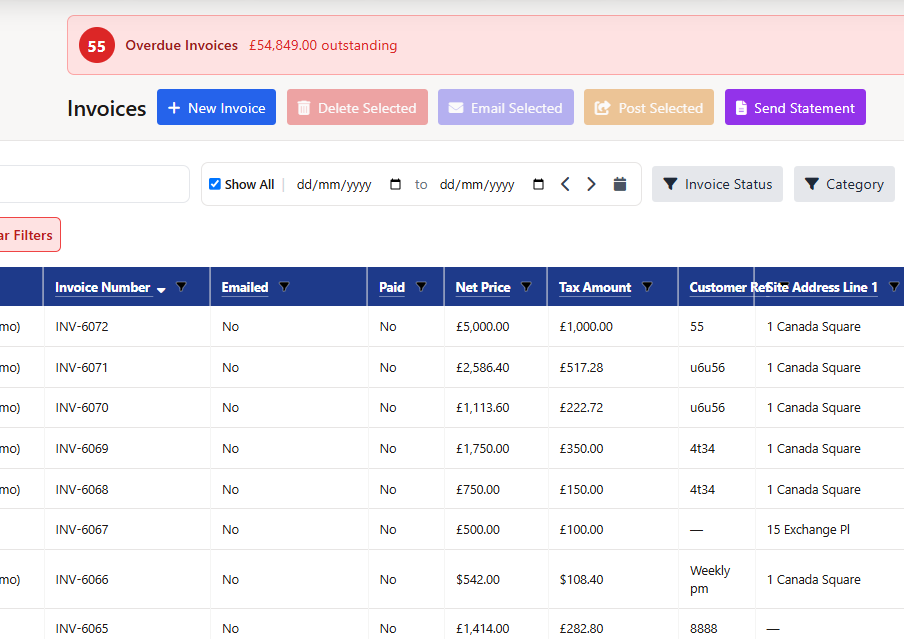
The best mobile workflow does not stop at job completion. It gives the office clean data for review, customer updates and invoicing.
Bottom Line
Mobile workforce management software should make field work easier for technicians and more visible for the office. If it only adds another app to check, it has missed the point. The right system gives technicians a clear mobile workflow and gives the business trusted job data it can use immediately.
For U.S. contractors, that means looking beyond simple scheduling. Test the mobile app, offline behavior, proof of work, time tracking, dispatch updates and billing handoff before committing.