The Field Service Management App for the Office, Not the Truck
Field Ascend Admin puts the office side of your field service management software on your phone. Work orders, dispatch board, quotes, invoices, maps, HR and team messages, with the same login and the same permissions you already have on the website. Technicians keep the separate field service mobile app.
Built for the service manager who is at a customer site when the emergency call lands, and the owner who wants to see the day without opening a laptop.


Included in the $13 per user per month plan. Needs an existing Field Ascend office account; there is no public sign-up inside the app.
What is a field service management app?
A field service management app (or field service management application) is the phone version of the system that runs a service business: the work orders, who is doing them, the dispatch board, the money and the customer records. Field Ascend splits that into two apps. Field Ascend Engineers is the offline-first app for technicians in the field. Field Ascend Admin, this page, is for the office: admins, dispatchers, service managers and owners who need to see and change the day from wherever they are. Same account, same database, same permissions as the web. It needs a connection for most screens, and Setup stays on the website.
Watch the Admin app
A short look at Field Ascend Admin, the field service management app for the office. Work orders, dispatch board, quotes, invoices, the live map, timesheets, time off, toolbox talks and audits, on your phone.
Now on the App Store and Google Play. Search Field Ascend Admin.
Two apps, one system
Technicians and office staff need different things from a phone. Putting both in one app makes it worse for each. So there are two, and they share everything underneath.
| Field Ascend Engineers | Field Ascend Admin | |
|---|---|---|
| Who | Technicians and subcontractors in the field | Admins, dispatchers, service managers, owners |
| Connection | Offline-first. Works in a mechanical room with no signal, syncs later | Online-first. Messages and audit drafts queue; everything else needs a connection |
| Day-to-day | Travel and on-site time, JSA, checklists, photos, signatures, truck stock | Assign and reschedule, change status, approve, quote, invoice, answer the team |
| Login | Technician account | Admin account, Admin Mobile App checked on the staff record |
| Permissions | Technician permissions set in Staff | Your existing web permissions. Nothing to configure twice |
| More | Field service mobile app for technicians | This page. Store links above and below |
What the office gets on a phone
Every module below is a phone-shaped version of the web screen you already use. Permissions hide what you cannot see on the web, so the app looks different for a dispatcher than it does for the owner.
Your dashboard, not a generic one
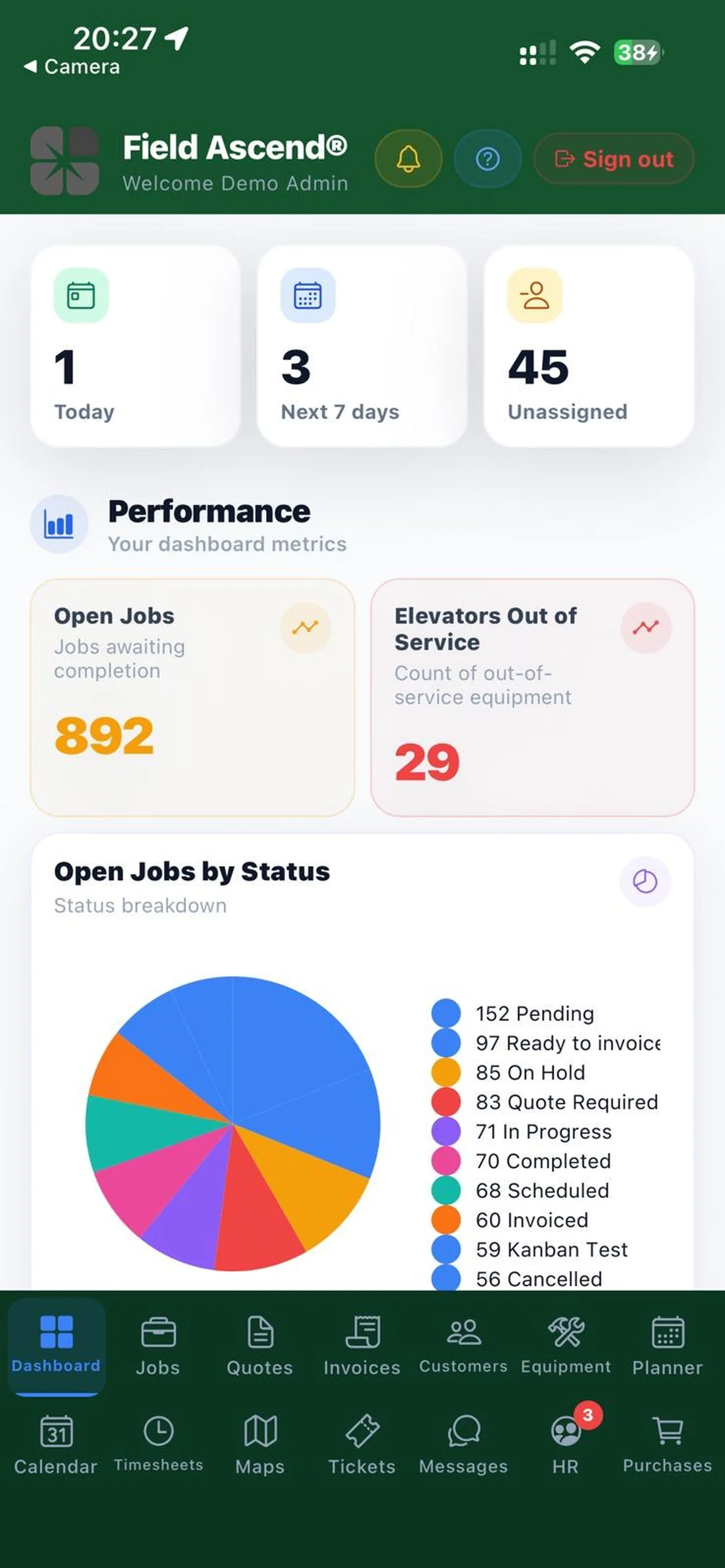
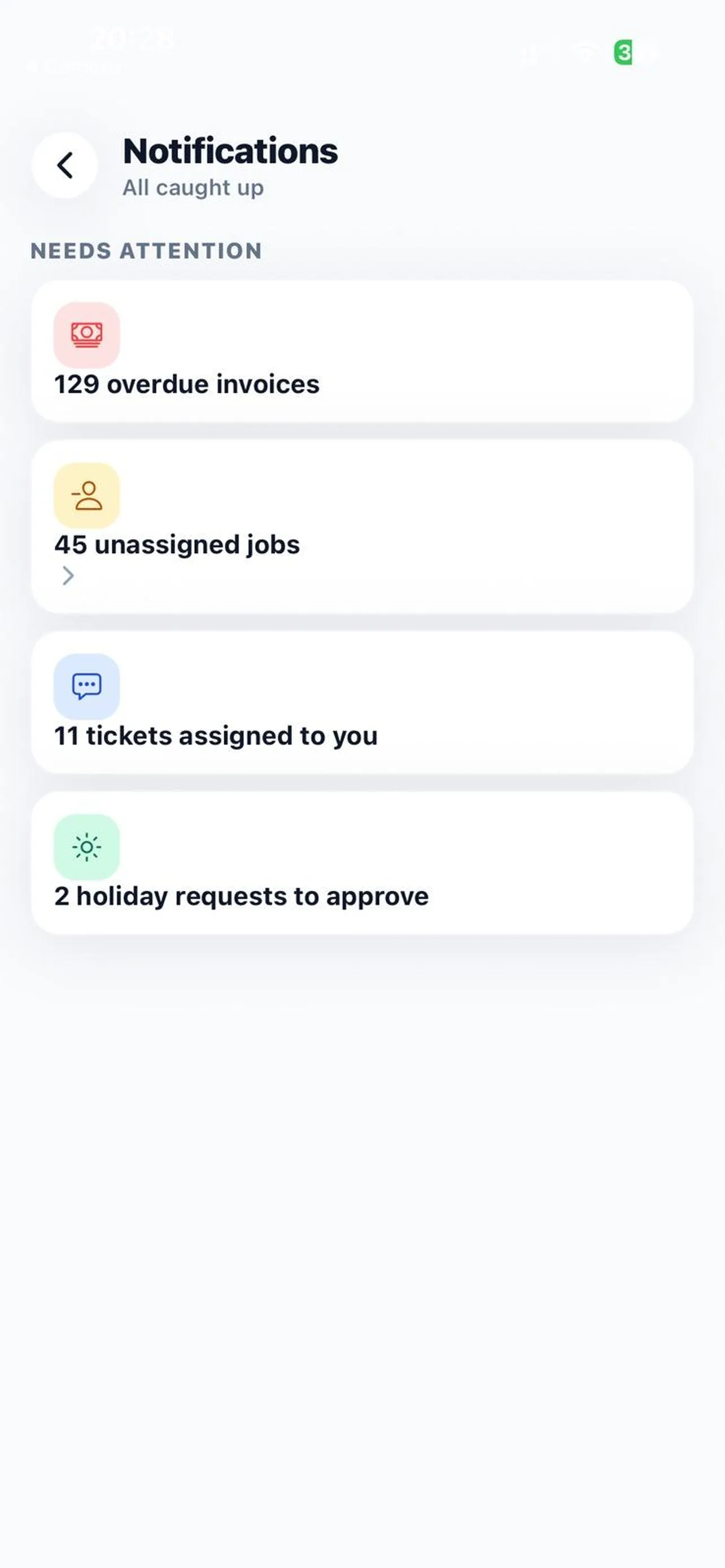
The home screen loads the same tiles as your default web dashboard. Work orders today, overdue, unpaid invoices, quotes awaiting a decision, whatever you built in the dashboard builder. Tap a tile and it opens the matching list.
- Tiles come from your company's default dashboard, so office and phone agree
- Notifications bell with read and dismiss, plus push to the phone
- Pull to refresh; tiles re-run on the server, never on the phone
Custom dashboards are built and edited on the web. The app shows them; it does not design them.
A work order you can act on
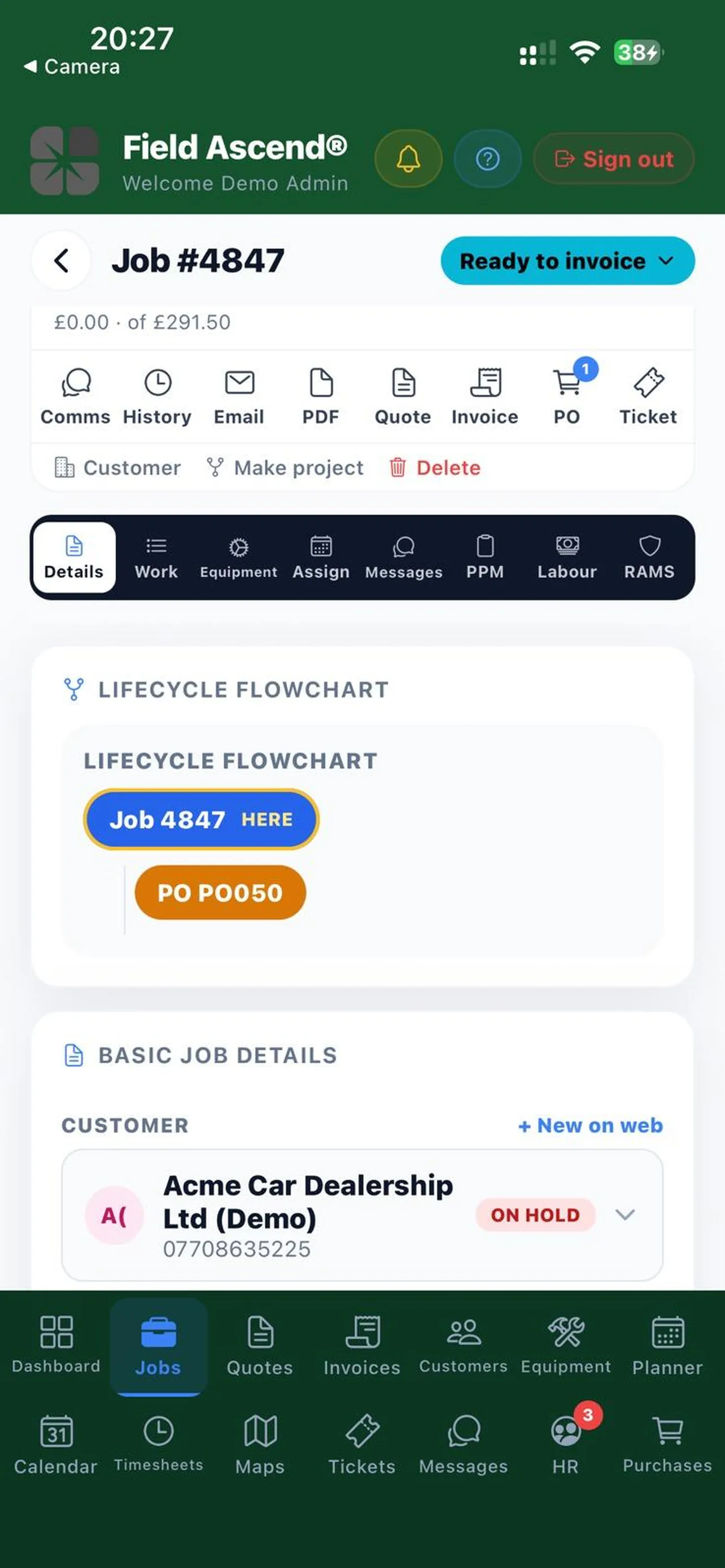
Open a work order and you get eight tabs: Details, Work, Equipment, Assign, Messages, PM, Labor and JSA. Under them sits the action bar: Comms, History, Email, PDF, Quote, Invoice, PO and Ticket, each gated by the same permission as the web button.
- Change status, add an office note, assign or swap technicians on the Assign tab
- Dispatch the work order to a subcontractor and watch the response come back
- Create a quote or invoice from the work order, or link an existing one
- Complete PM checklists, compliance checklists and certificates with the same form engine technicians use
Labor pricing is calculated on the server from the locked labor lines. The app displays it; it never recalculates it.
Dispatch board and team calendar in your pocket
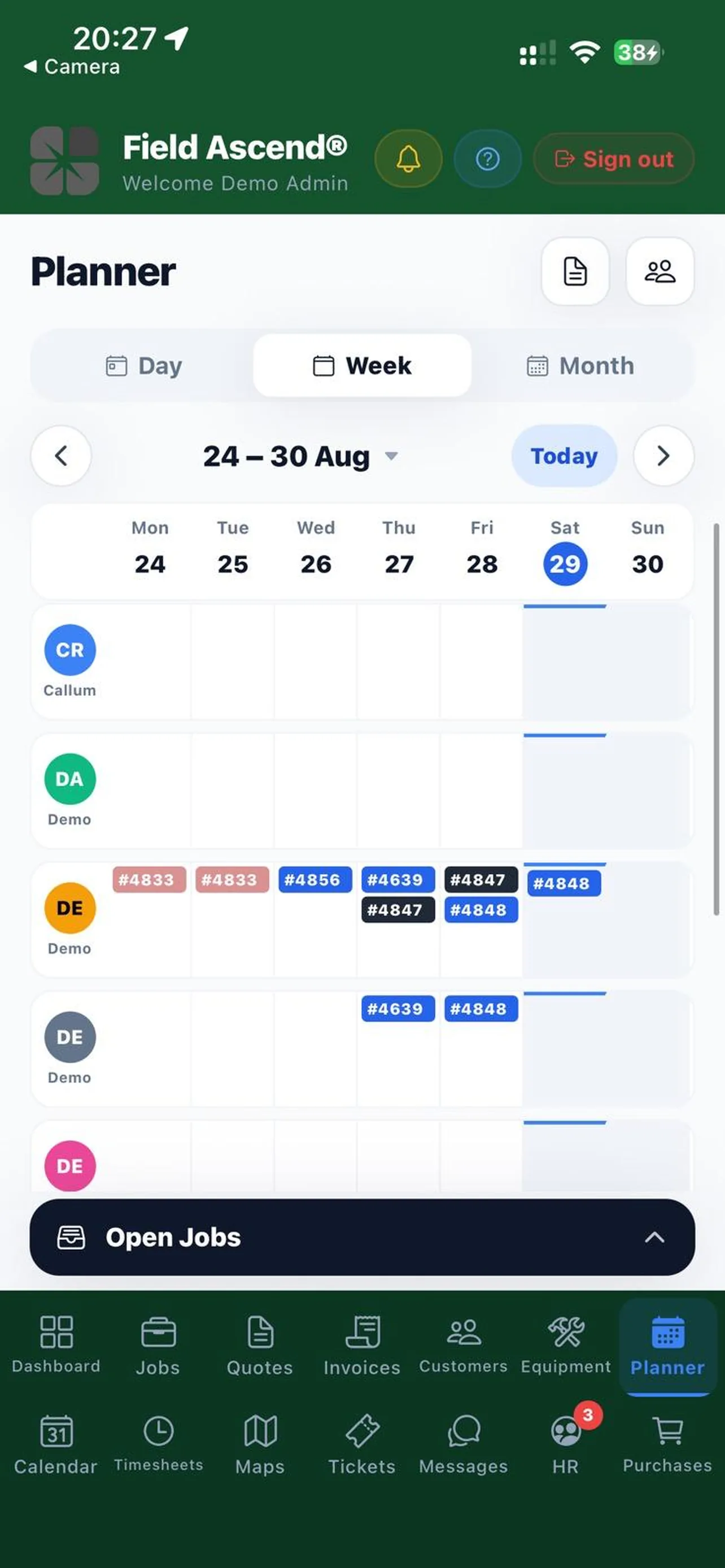
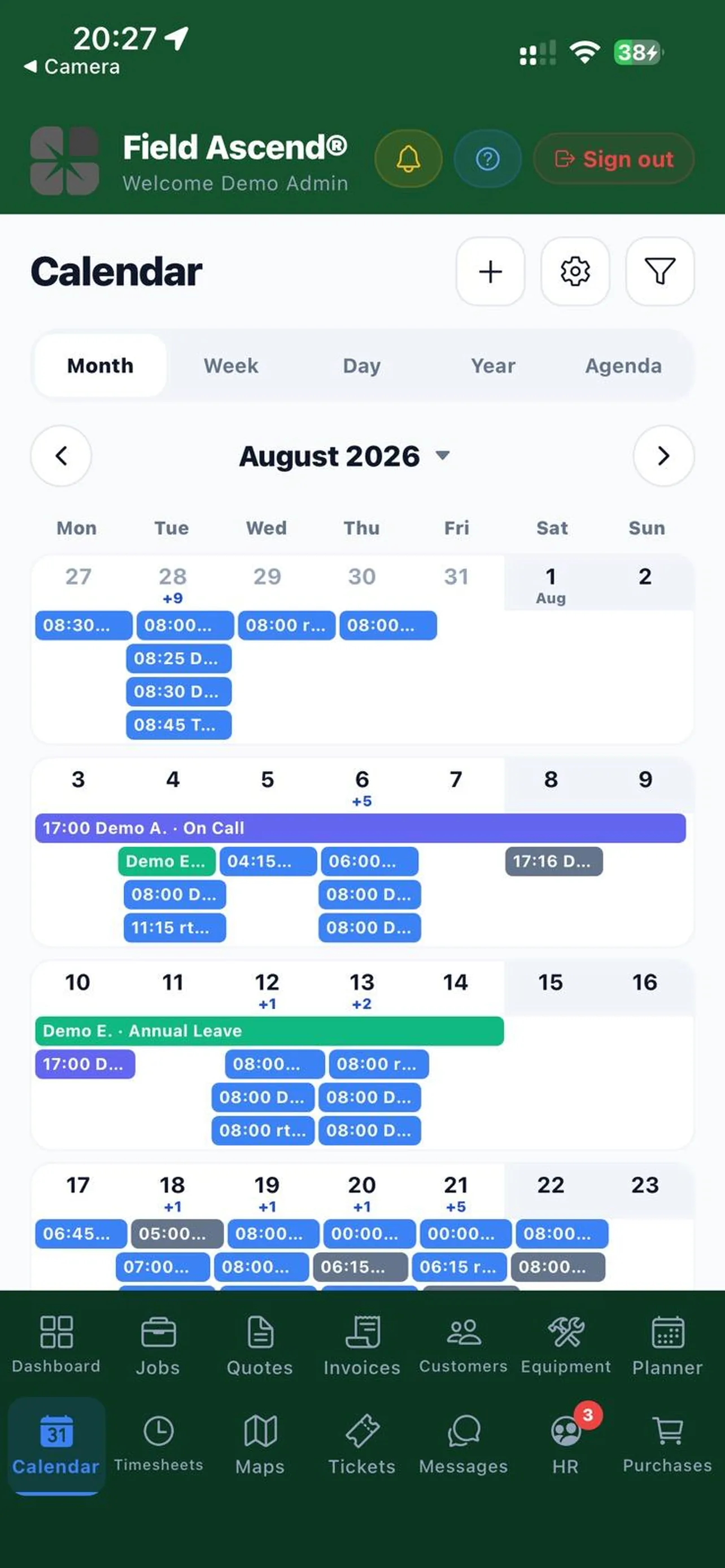
The dispatch board shows the week by technician with the Open Jobs bank docked underneath, so an unassigned work order is a tap away from a slot. The team calendar is the office view of who is where: work orders, time off, planner events and on-call in one grid.
- Move a work order to another technician or day without a laptop
- Day notes and planner events show alongside work orders
- Time off, sick leave and holidays show on the board, so you see who is out before you move a job
The lasso tool and route-day optimization stay on the web dispatch board. Phone screens are for moving one or two work orders, not replanning a whole week.
The jobs map with live technicians
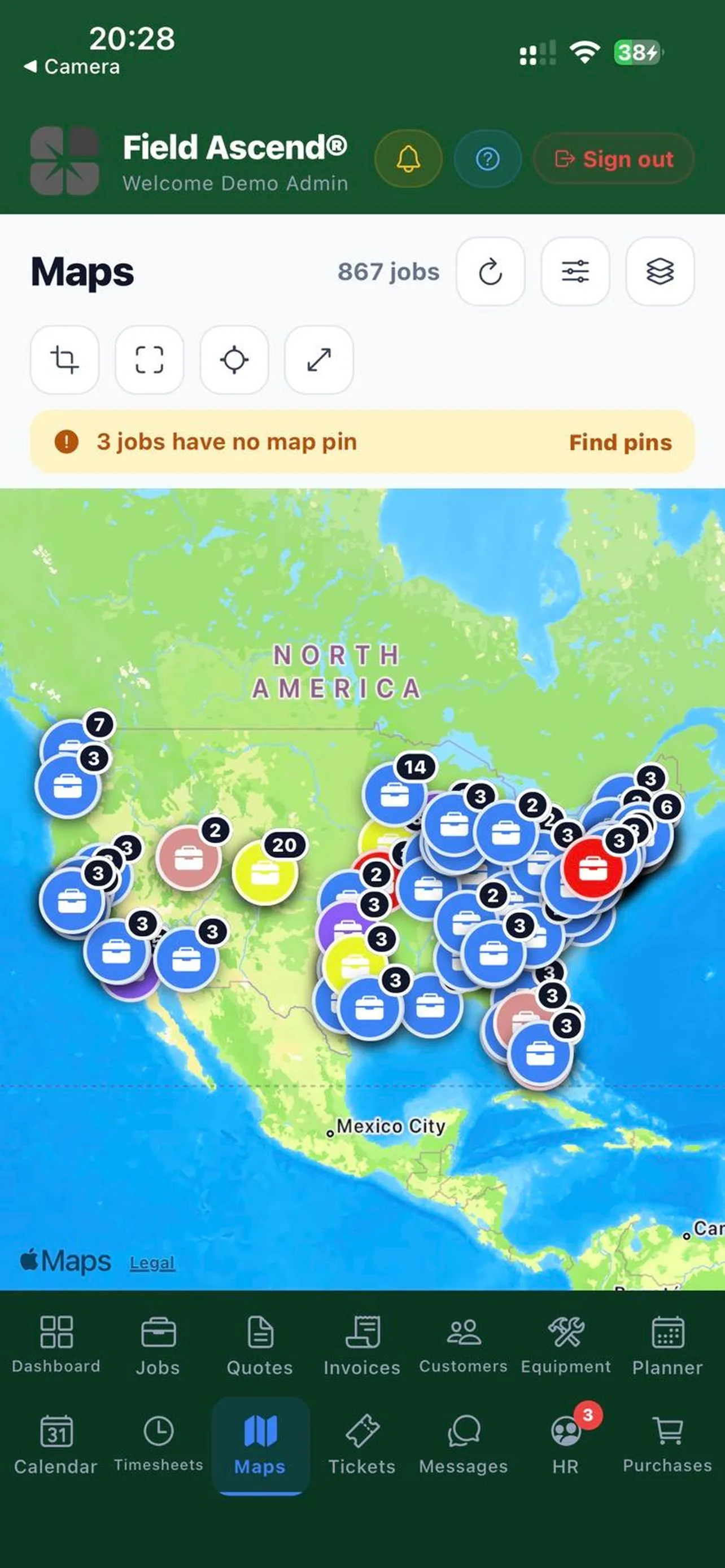
A phone slice of the web maps page: incomplete work orders as pins, technician home locations, live tracking where GPS technician tracking is enabled, and your geofences. Filter by status or technician, tap a pin, open the work order.
- Allocate a helper technician from the pin
- Live positions follow the same tracking settings as the web
- Sites, customers and equipment open from the map
Live tracking only shows technicians whose app has location enabled and who are on the clock. The map cannot see a phone that is switched off.
Quotes, invoices, customers and equipment
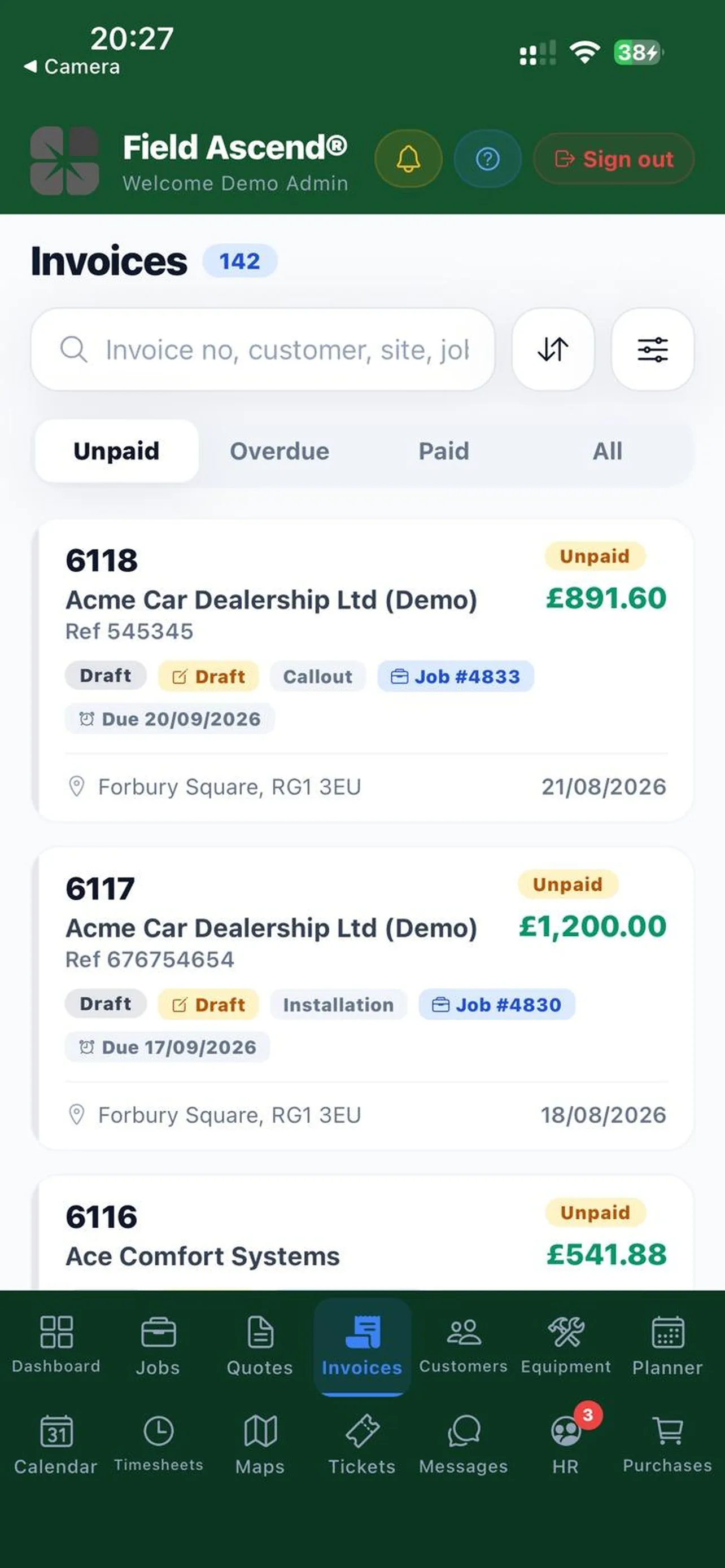
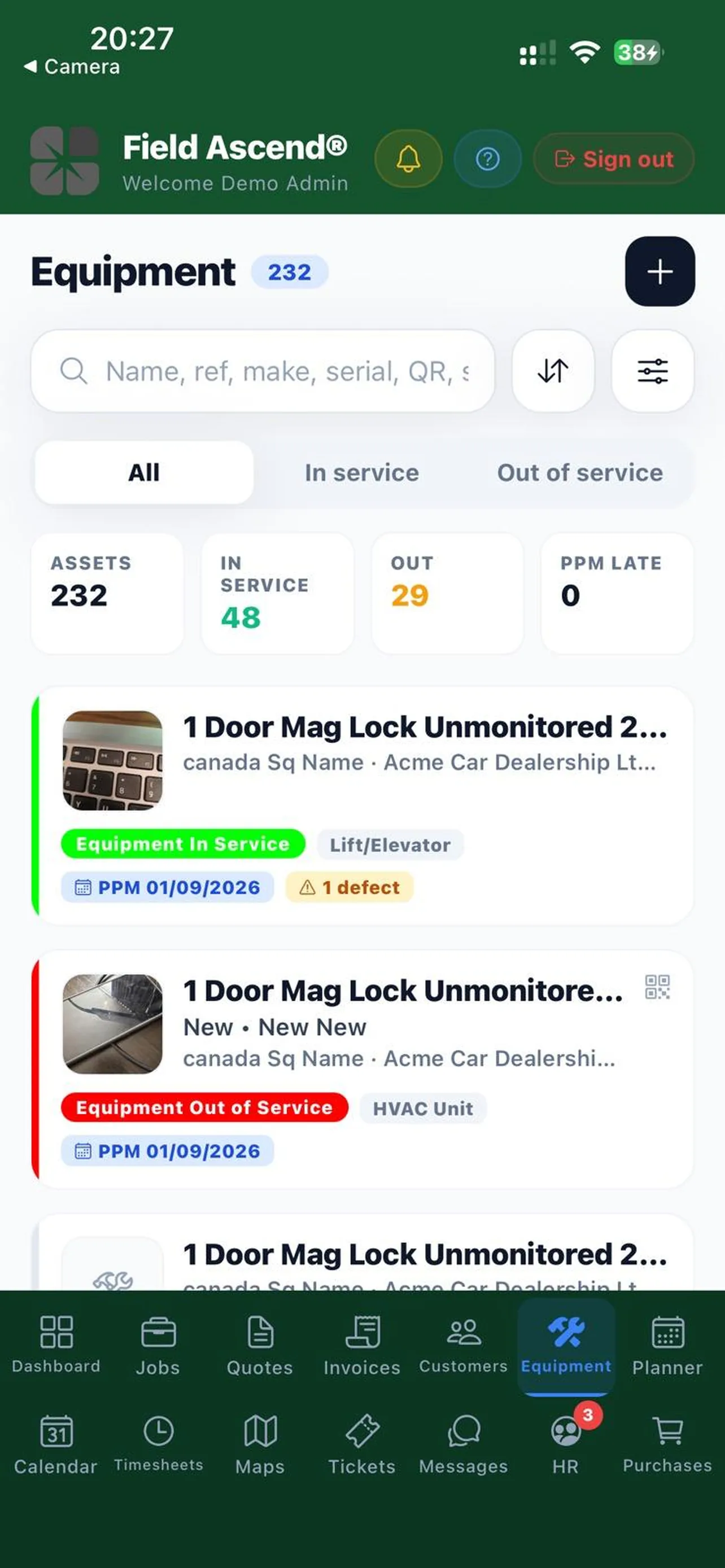
Money and records without the desk. Quote and invoice lists with status filters, the detail with lines and totals, email and PDF. Customers drill to sites, sites to equipment, equipment to its history and open defects, the same path as the web CRM.
- Tickets and purchase orders alongside, each with its own list and detail
- Credit chip and on-hold state show on the customer, so nobody quotes a held account by accident
- Equipment records carry the QR, floorplan pin, PM schedules and history, defects, work order history, parts installed and refrigerant log
Accounting sync (QuickBooks, Xero, Sage, Zoho Books) runs from the web. The app shows the synced state; it does not push to your accounting package.
Your own HR, messages and notifications
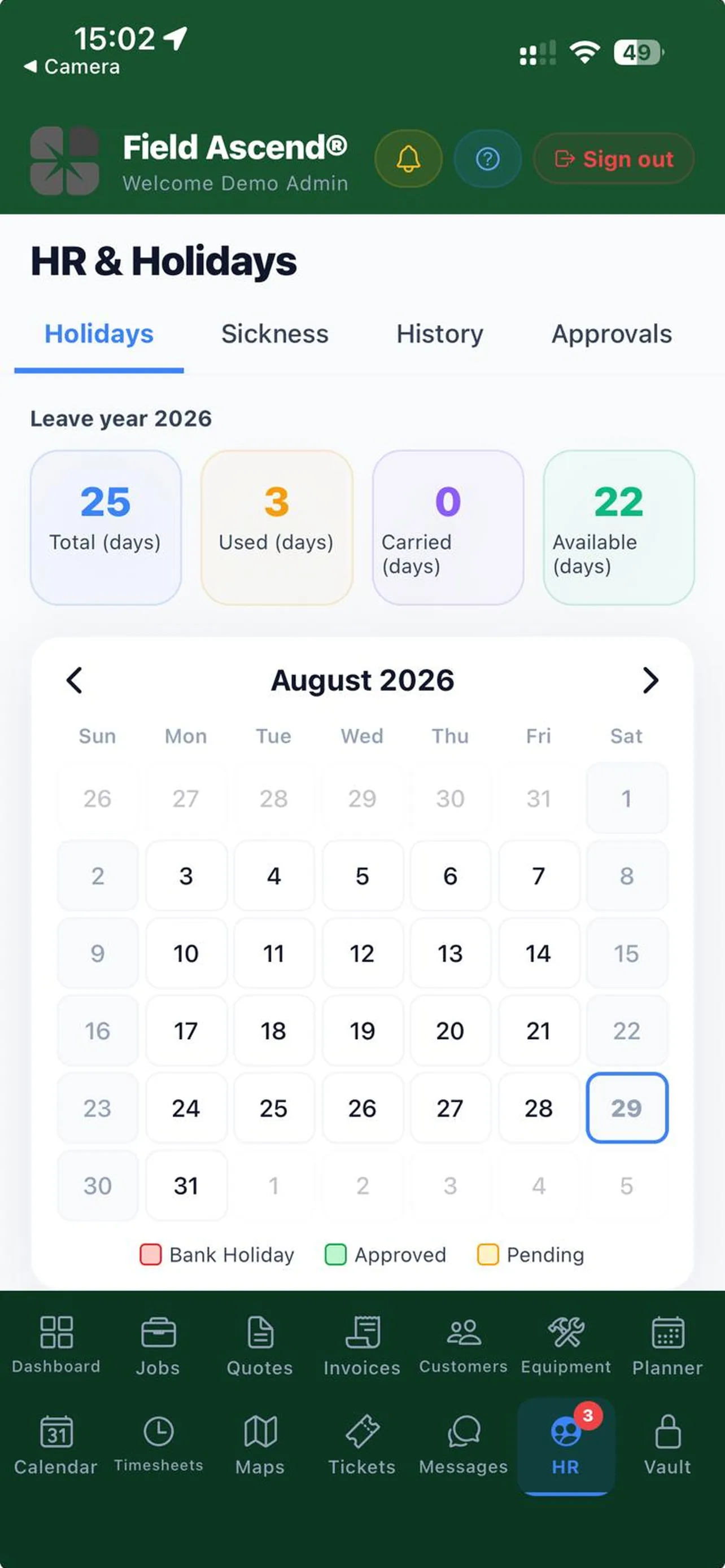
Office staff are staff too. The HR tab is your personal record: time off and the request form, sick leave, documents, history, and your digital staff ID badge with the same verification QR as the printed one. Line managers get an Approvals tab.
- Team messages with the same conversations as the web and technician portals
- Messages and attachments queue when you have no signal and send when you do
- Toolbox Talks (My Talks plus a Team tab), your assigned vehicle's checks and accident report, and Audits
Company-wide HR (everyone's records, payroll export, training matrix) stays on the web under HR. The app is you, not the department.
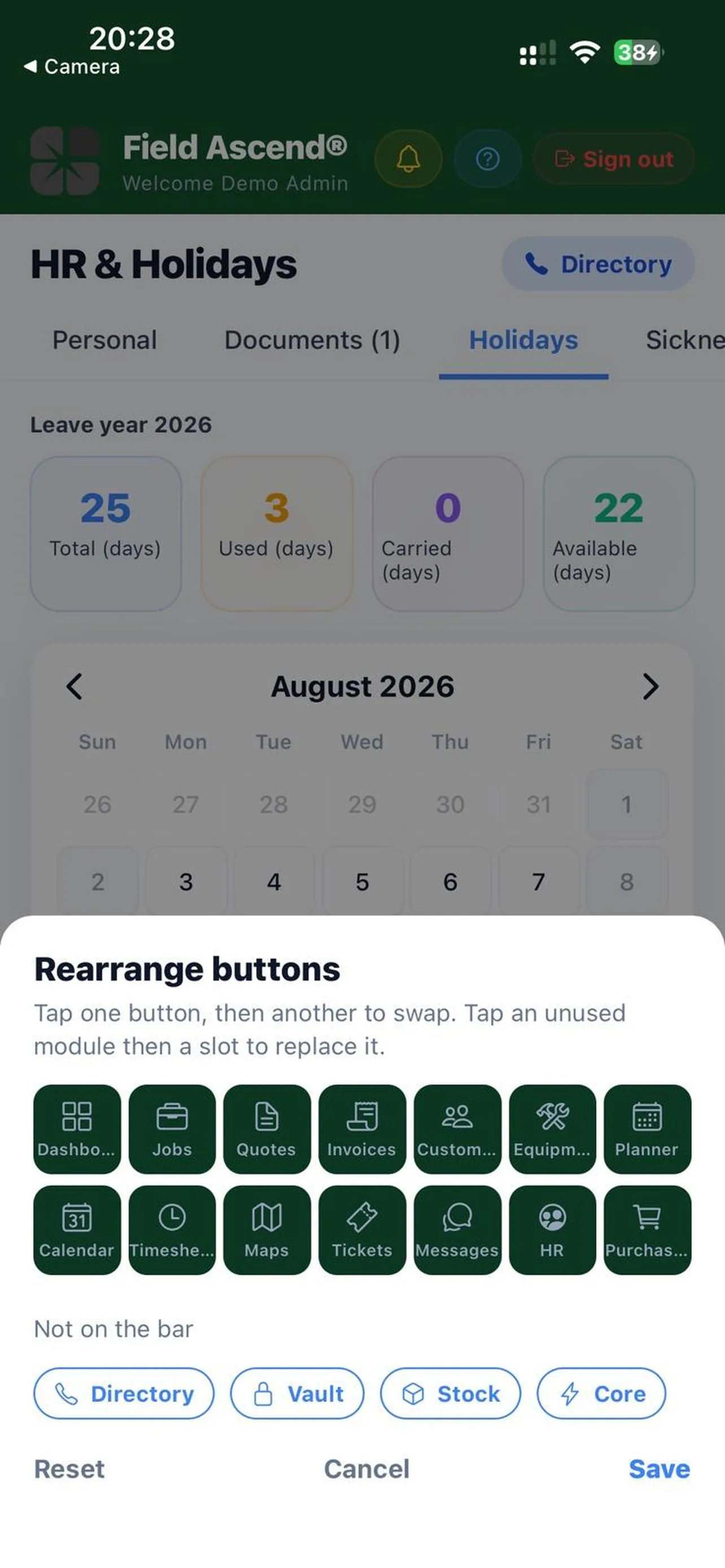
Fourteen slots. Your order.
The bottom navigation is a two-by-seven grid, fourteen visible modules. Long-press to rearrange them. Anything you do not use (Core, Vault, Directory, Purchases for most people) drops into a spare pool and comes back when you want it.
- Order is saved per device
- Modules you have no permission for never appear
- Light and dark mode follow the phone
There is no in-app theme toggle. If you want dark mode, set it on the phone.
Works with a connection. On purpose.
The Engineers app is offline-first because a basement mechanical room has no signal and the technician cannot wait. The office can. So the Admin app talks to the server on every screen, which keeps it simple and keeps every screen current with the office.
What that means in practice
No signal, no data on most screens. You will see a clear message rather than stale numbers. Two exceptions queue on the phone and send when you are back online: team messages (text and files) and audit drafts (answers and photos).
- Stays on the website: Setup and settings, the PDF and certificate designers, Header Options, the full fleet list, report builders, payroll export, accounting sync.
- Not in the app yet: Inventory. The tile is there so the order is right; the screen says Coming Soon.
- Time and money: labor lines, prices and invoice totals are calculated on the server. The phone displays them.
- Field work: travel and on-site time, customer signatures and photo capture belong to the Engineers app. An owner who also runs calls uses both.
Same permissions as the website
There is no second permission model to learn. The app reads the same access flags your admin already set, on every request, not just at login.
One checkbox to enable
Admin Mobile App (login) is a checkbox on each office user's staff record. Uncheck it and that phone is signed out on its next request. Master admins have it by default.
2FA carries over
If your web login needs an authenticator code, so does the app, and the same authenticator works. Trusted devices can be remembered. Suspended accounts are refused at the door.
Push, when it matters
Work order and ticket notifications, approvals and team messages reach the phone. Tapping one opens the record. Notification rules are the ones you set on the web.
Field Ascend Admin FAQs
Straight answers for office teams deciding whether they need the Admin app, the Engineers app, or both.
Is this the same as the Field Ascend Engineers app?
No. Field Ascend has two apps. Field Ascend Engineers is the offline-first app technicians use in the field for time tracking, photos, signatures and checklists. Field Ascend Admin is the office app for admins and office staff: work orders, dispatch board, quotes, invoices, maps, HR and messages. Both talk to the same account and the same data.
Does the Admin app work offline?
It is online-first, so most screens need a connection. Two things queue when you have no signal: messages (text and attachments) and audits (drafts and photos), which send when you are back online. If you need a truly offline app, that is the Engineers app.
Who can log in to the Admin app?
Any admin or office user on your Field Ascend account who has Admin Mobile App checked on their staff record. They sign in with the same email and password as the website. Two-factor authentication set up for the web applies to the app as well. Technicians use the separate Engineers app.
Does the app cost extra?
No. The Admin app and the Engineers app are both included in the Field Ascend subscription at $13 per user per month. There is no in-app purchase and no separate app license.
Can I change work order status or assign a technician from the app?
Yes, if your permissions allow it on the web. From a work order you can change status, assign or reassign technicians on the Assign tab, dispatch to a subcontractor, add notes, email the job, open the PDF and create a quote or invoice from it.
Can I complete preventive maintenance checklists or certificates in the Admin app?
Yes. The PM tab on a work order uses the same form engine as the Engineers app, so checklists, compliance checklists and certificates can be completed from the office phone. Saves go straight to the server, so you need a connection.
What stays on the website?
Setup and settings, the template and certificate designers, the full fleet list, report builders, payroll export and inventory management stay on the web. Inventory is not in the app yet. The app is a phone-sized slice of the office, not a replacement for it.
Related Field Ascend Features
Run the Office From Wherever You Are
Start a free trial, enable Admin Mobile App on your user, and install the app. Your dashboard, work orders and dispatch board are on your phone in a few minutes.
Start your 30-day free trial