Field Ascend helps service contractors manage company vehicles inside the same field service management software they use for work orders, technician scheduling, dispatch, equipment, invoices and reporting.
Keep vehicle records, documents, mileage, inspection dates, registration dates, service due dates, assigned technicians, vehicle check results and accident reports in one connected field service platform.
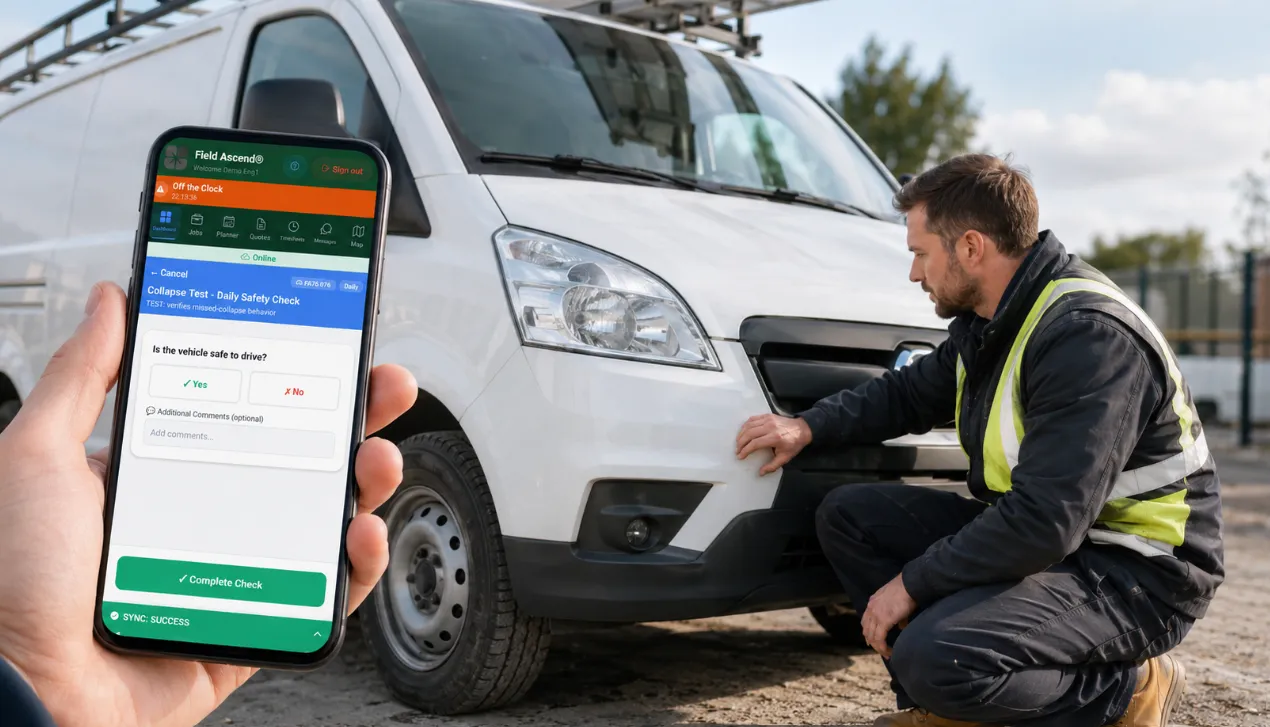
Generic fleet tools can track vehicles, but contractors also need vehicle checks to connect with technician workflows, job readiness, field documentation and office follow-up. Field Ascend keeps the fleet workflow inside your wider field service management platform.
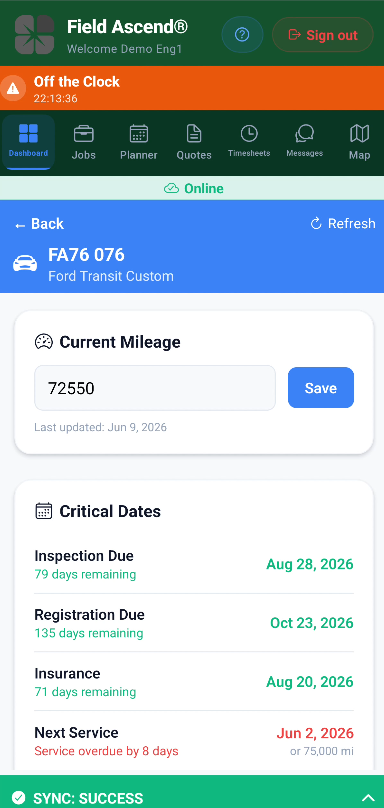
Store registration, make, model, status, warranty, insurance, service, mileage, tire details, purchase information and supporting documents against each service vehicle.
Assign vehicles to staff profiles and technicians so the app knows which vehicle belongs to which field worker and which checks or data requests should appear.
Attach service records, inspection records, registration documents, ownership documents and other files to the vehicle record for easier fleet administration.
When a vehicle is out in the field, the office may not know the latest mileage, tire pressure details or other vehicle information. Field Ascend lets the office send a focused data request to the assigned technician instead of chasing by phone or message.
Select the vehicle details you need, such as current mileage, engine capacity, service mileage or recommended tire pressure.
The request appears in the mobile app on the technician's vehicle tile, with each required field ready to complete.
Once submitted, the office can refresh the vehicle record and see the updated details stored against the vehicle.
Vehicle data requests help the office collect missing information from the person with the vehicle.
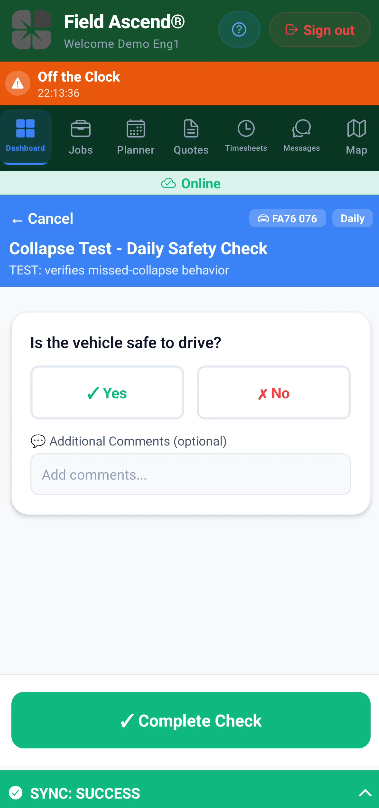
Create recurring vehicle checks for daily, weekly or scheduled inspection routines. The same mobile app your technicians use for work orders can also collect fleet check information before the day begins.
Technicians can open their assigned vehicle, see due checks and submit checklist answers from the field.
Vehicle checks can combine actual vehicle fields with custom checklist questions, so the same check can update the vehicle record and capture inspection answers.
Need a deeper, scored monthly or quarterly review of the truck rather than a daily walk-around? That is field inspection software, which also covers job sites, equipment and technicians.
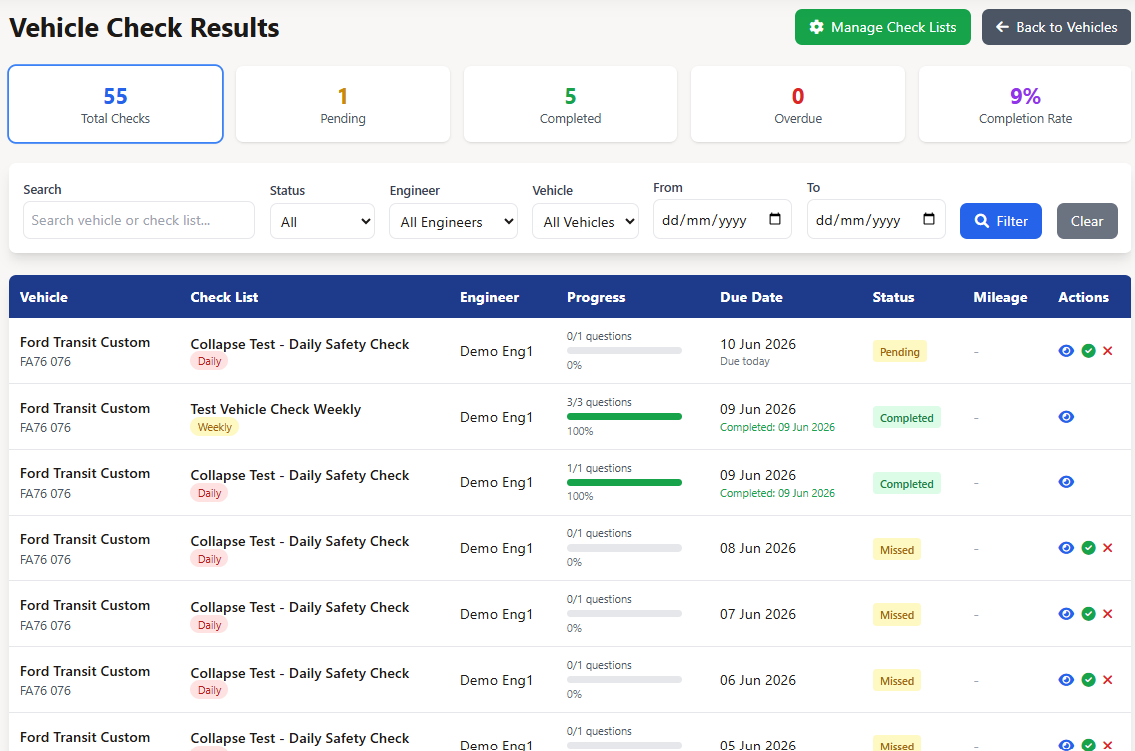
Completed vehicle checks are visible on the office side, so a fleet manager or administrator can see what was completed, which technician submitted it, the mileage recorded and whether issues were raised.
Clean checks give the office confidence that the assigned vehicle check was completed and no immediate issue was reported.
Previous checks remain available for review, creating a practical audit trail for recurring vehicle inspection routines.
Check results give the office a simple way to review completed vehicle inspections.
Daily checks catch a cracked light. An accident report is a different form. The office designs it. The driver fills it on the phone they already use for work orders. Submit locks the answers, gives the report a number and builds a PDF.
The office builds the accident form in the vehicle report designer, using the same canvas used for certificates. Text, dates, yes/no, signatures and photo fields are available. Activate the template and drivers can start a report against a truck.
Technicians start from Accident on the assigned vehicle in the technician app. Office staff with an assigned vehicle use the Vehicle tab in the admin app. Get the Admin app: iOS · Android. Fleet managers can also start one from the vehicle record or the Accident Reports list on the admin website.
Photo fields upload from the form. The submitted PDF includes those photos. Drivers do not send a separate folder of pictures afterward.
A draft stays editable. Submit numbers the report, locks the answers and stores the PDF on the vehicle. The office can void a submitted report and leave a reason.
Accident report email starts on. The PDF goes to the same To and CC list used for other vehicle notifications, unless you set a fleet manager override list. You can switch the email off in vehicle notification settings, or on an individual template. The PDF still sits on the vehicle record either way.
The technician app and the admin app only show the assigned vehicle. The full fleet list, the form designer and the full Accident Reports list stay on the admin website. Get the Admin app: iOS · Android.
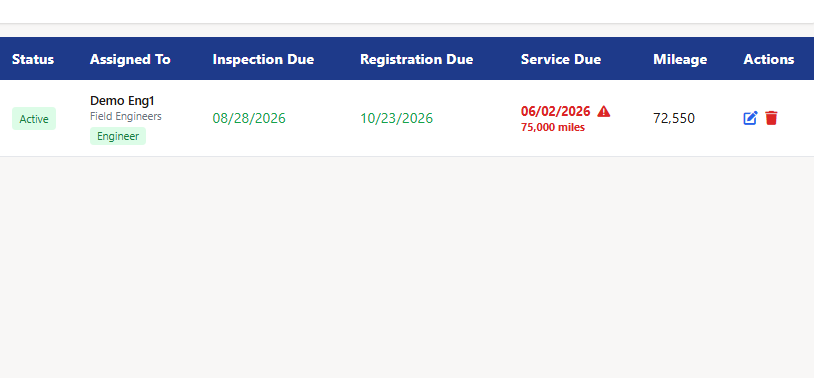
Field Ascend helps the office see which vehicles need attention soon. Instead of burying vehicle dates in a spreadsheet, the vehicle list highlights upcoming and overdue issues in the same system your team already uses.
Notification settings let businesses configure warning windows and who receives vehicle-related emails.
Fleet warnings help office teams act before service vehicles fall out of compliance or miss scheduled maintenance.
Field Ascend fleet tools connect naturally with the rest of your field service software for small business, so dispatch, technicians, work orders and vehicle readiness stay in the same operational system.
See how vehicle records, data requests, check setup, the technician app and fleet warnings work together inside Field Ascend.
Short answers for contractors comparing fleet management features inside field service software.
No. Field Ascend's fleet tools are part of the wider field service management platform. They are designed for service contractors that want vehicle records, checks, accident reports and alerts connected to technician workflows.
Yes. You can create custom questions and choose response types such as yes/no, number, text, dropdown and multiple select. You can also include vehicle fields that update the vehicle record.
Yes. Technicians can update mileage from the assigned vehicle screen or through a vehicle check or data request, depending on how the workflow is configured.
Yes. The U.S. experience uses terms such as safety inspection, registration due date, technician and tire, while keeping the same underlying fleet workflow.
Yes. Vehicle lists can be downloaded as CSV, giving office teams a simple way to review or report vehicle information outside the platform when needed.
Fleet management works alongside technician scheduling, service dispatch, work order management, equipment tracking, preventive maintenance, inventory and invoicing workflows.
Yes. A technician starts an accident report from the assigned vehicle in the technician app. Office staff with an assigned vehicle can do the same from the Vehicle tab in the admin app. Get the Admin app: iOS · Android. Fleet managers can also start a report from the vehicle record or the Accident Reports list on the admin website.
No. Someone fills the form. Field Ascend does not detect a crash, track the truck as a dedicated vehicle tracker, or file the report with an insurer.
Yes. The office builds the form in the vehicle report designer, using the same canvas used for certificates. Text, dates, yes/no, signatures and photo fields are available. Activate a template and drivers can start a report against a vehicle.
Start a free trial of Field Ascend and see how fleet records, technician app checks, work orders, dispatch, equipment and invoicing can run from one field service management solution.
Start Free Trial