A Branded Customer Portal for Field Service Companies
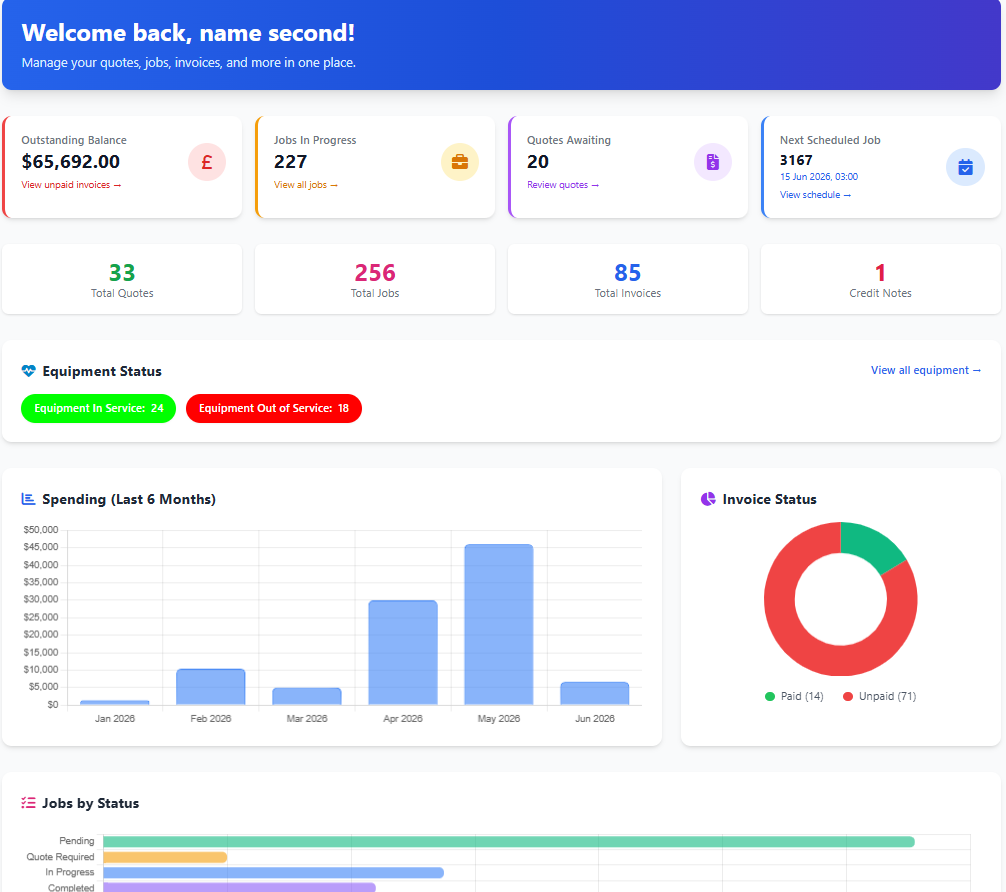
Give your customers 24/7 access to work orders, estimates, invoices, service history, sites, assets, floorplans, estate map, reports and support tickets - all inside a secure portal that shows your logo and your branding, not ours.
Field Ascend's customer portal reduces phone calls, makes information easy to find and gives customers a professional self-service experience from the same field service management software that runs scheduling, dispatch, technicians and billing.
A self-service field service customer portal should answer the questions your office gets asked every day: what is scheduled, what is complete, what has been estimated, what is outstanding and what happened last time?
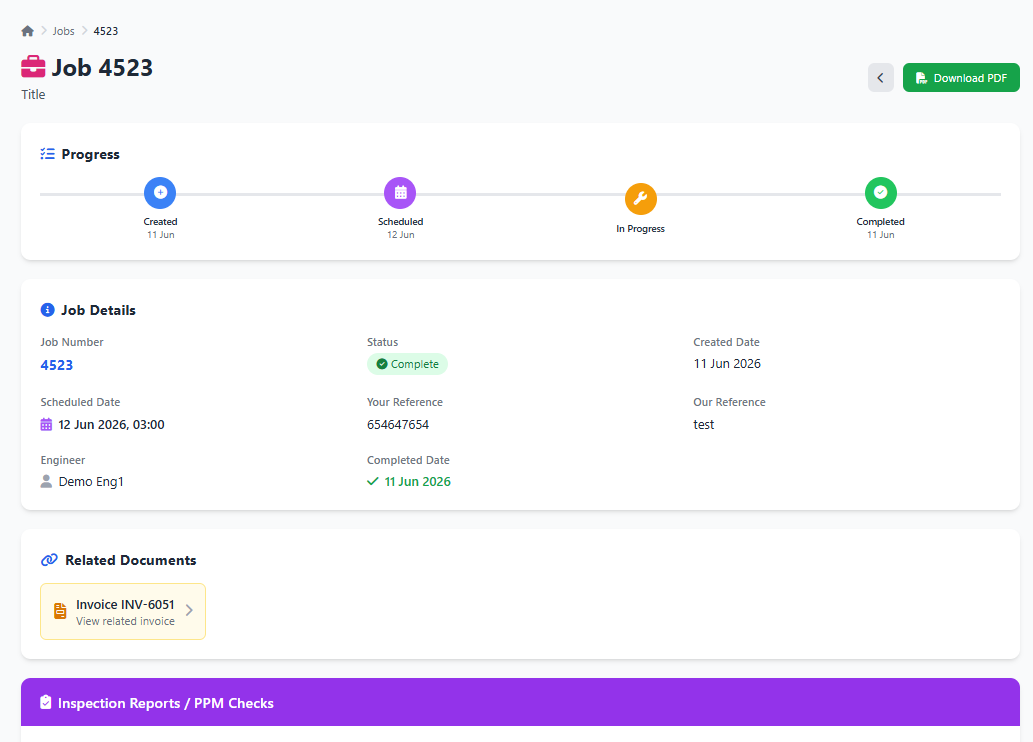
Track Work Orders & Visits
Customers can view current and completed work orders, see upcoming visits from your scheduling and dispatch software, check statuses and open job records for work completed notes, site details, technician visits, documents and photos where enabled. No more "has the tech been out yet?" phone calls.
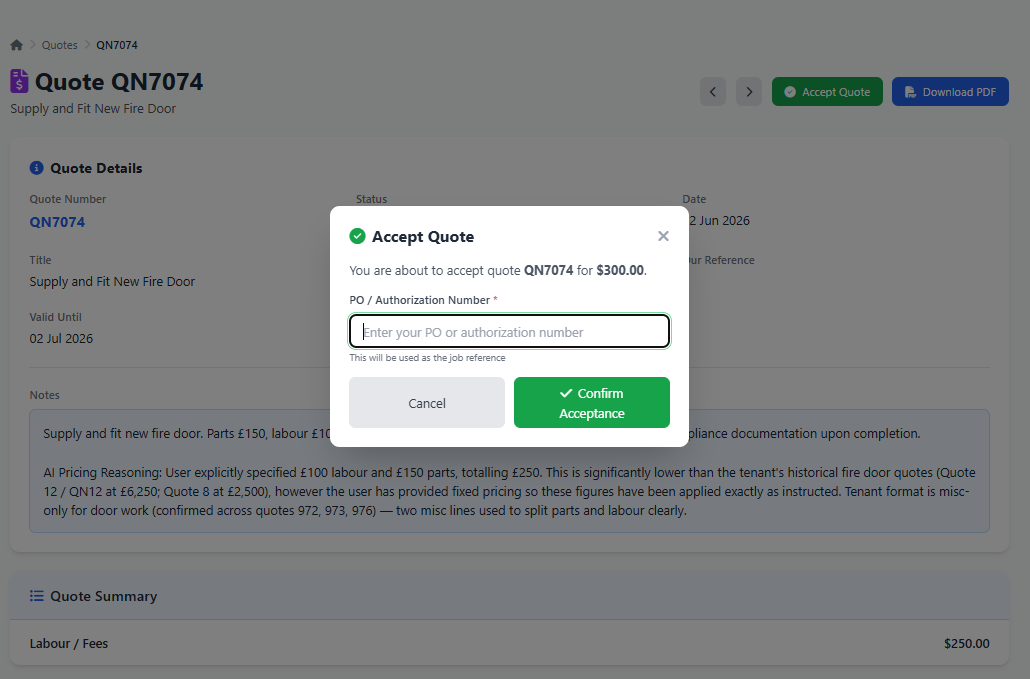
Review & Approve Estimates
Portal-visible estimates built in your estimating software can be viewed with configurable sections for scope, notes, materials and labor. Customers can approve estimates online when you enable estimate acceptance, with optional or required PO / reference capture and optional or required on-screen signatures. Signature, name and date can appear on the estimate PDF, and a signed PDF copy is saved (and emailed when enabled). Approved estimates flow straight into work order creation.
View, Download & Pay Invoices
Customers can access invoices, line items, related work orders, credit notes and account statements on demand - without emailing your accounts team for another copy. When online invoice payments are enabled, an eligible unpaid invoice also gives the customer a secure Pay Now route through Stripe.
View Issued Certificates
Invited contacts get a Certificates tab listing issued, superseded, and void certificates for their sites. Download the PDF, or open Verify: a public page that shows status and the record hash only, not the certificate content. Due banners appear when re-inspection is overdue or due within 90 days. Filter by search, site, and status. The tab is on by default.
View Sites, Assets & History
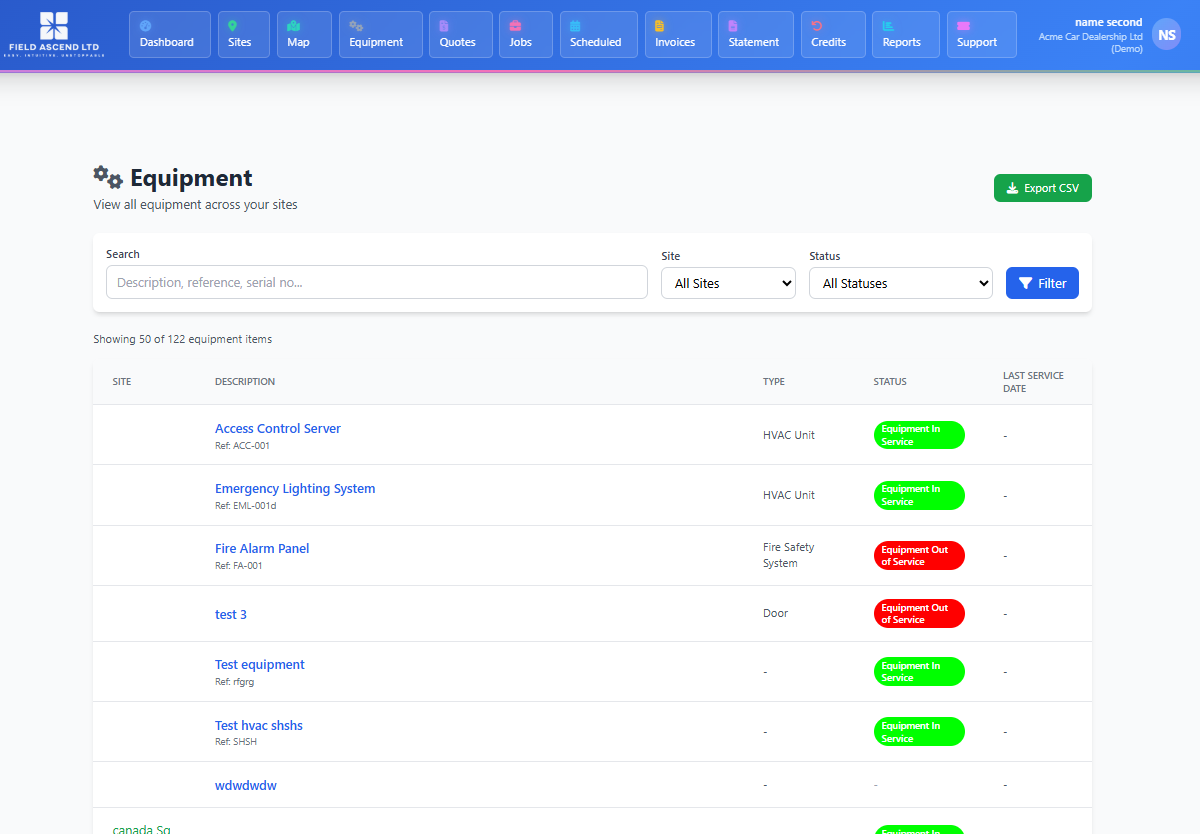
For multi-site customers, the portal shows sites, equipment and asset records, service history and status information. Perfect for facilities, maintenance and asset-heavy contracts where customers want a clear record of what they have and when it was last serviced.
Submit Support Requests
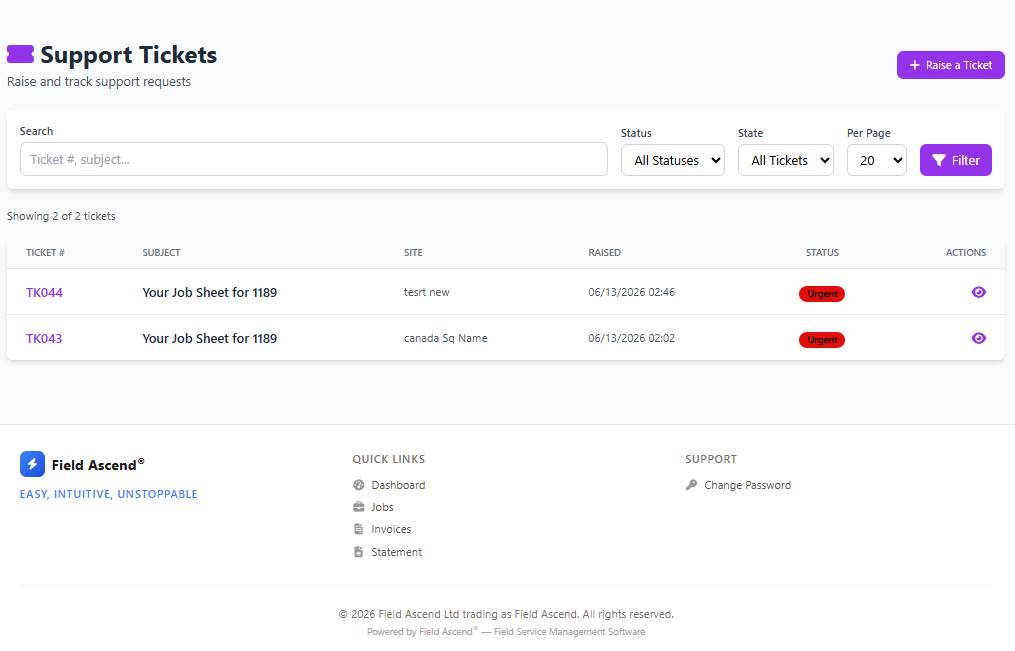
Customers can raise support tickets from their portal, link them to a site, track status and reply to customer-visible comments if you allow it. Requests land directly in your ticketing system so nothing gets lost in an inbox. For guests, tenants, or building staff with no portal login, a printed code does the same job: see QR code maintenance requests.
Run Customer Reports
Office users can mark saved reports as customer-visible, letting customers run and export the reports you choose to share - service summaries, asset registers, completed PM and more - entirely self-service.
Estate Map View
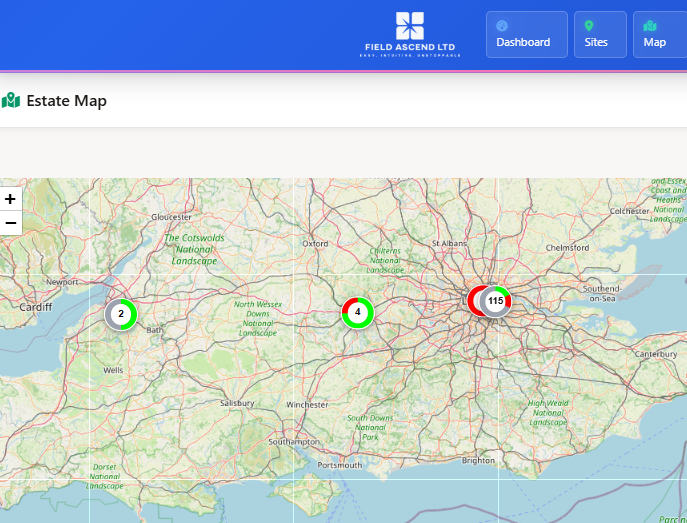
Customers with multiple sites can see their portfolio plotted on a map, with equipment status, type and area filters. It gives facilities teams a fast visual overview of where assets are and what needs attention across every location.
Floorplans & Control Room View
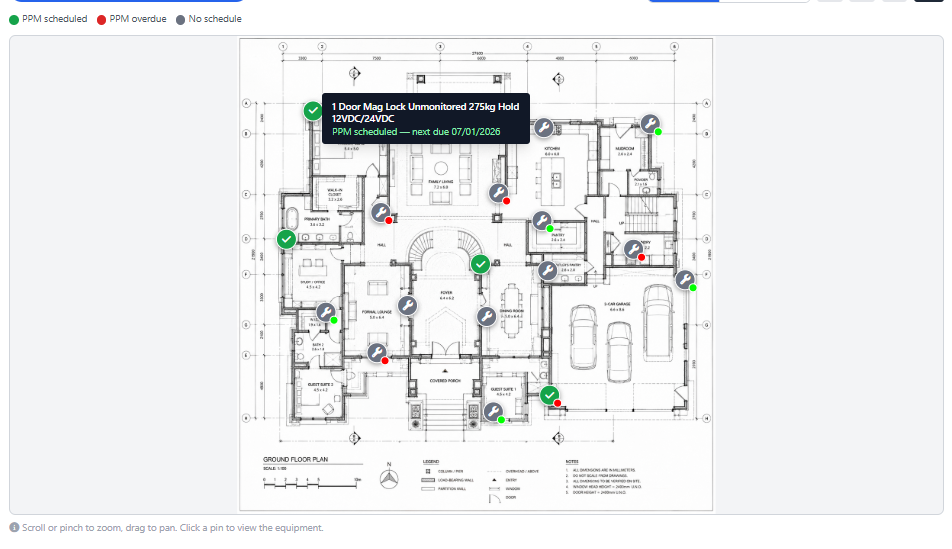
Site floorplans can show pinned equipment positions. The PM view highlights maintenance state, while Control Room view colors pins by live equipment status, making large, complex buildings far easier for customers to understand at a glance.
Who Is the Customer Portal For?
Any field service or maintenance company that manages ongoing relationships with commercial customers benefits from giving those customers their own self-service window into the work.
If you run reactive work orders and planned maintenance for property managers, facilities teams, retail chains or public sector sites, your customers constantly ask the same questions: when are you coming, what did you do last time, where is my estimate, and can you send that invoice again? A customer portal answers all of those without a single phone call - and because it is part of your field service management software, the information your customers see is always live, never a stale spreadsheet emailed out once a month.
It is especially valuable for companies running facility management and preventive maintenance contracts, multi-site facilities work, and any operation where customers expect transparency. Service providers across a wide range of industries - HVAC, electrical, plumbing, fire and security, elevators and more - use the portal to look more professional than competitors still relying on email and paperwork. For asset-heavy customers, the combination of asset tracking, floorplans and estate maps turns a simple login into a genuine facilities tool your customers will actually use. Not sure it is worth it? Read why your customers want a self-service portal and how to give them one.
Branded as Your Business
Your customers should feel like they are logging into your service portal. Field Ascend supports tenant branding, customer-facing logo display and support details, so the portal feels like part of your business relationship.
This matters for contractors and service companies managing commercial customers, property groups, facilities contracts or recurring maintenance work. The portal becomes your professional front door for updates, documents and support requests - a natural extension of the mobile app your technicians already use in the field.
Your logoYour customer accountYour support emailSecure customer loginsLight and dark mode
Control Exactly What Customers See
Not every customer should see every detail. Customer portal visibility is controlled from admin settings, so you can decide which dashboard tiles, estimate sections, work order sections, invoice breakdowns, site features and ticket options are visible.
A Portal Connected to the Whole Field Service Workflow
Because the portal is part of Field Ascend, customers see the same operational data your team works from - estimates, work orders, invoices, sites, equipment, reports and tickets - without duplicate entry or a disconnected customer-facing tool.
Estimates to Work Orders
Connect estimate approval to work order creation and keep customers informed as work moves from proposal to scheduled visit - all without re-keying anything.
Work Orders to Invoices
Show completed work, related invoices and PDF downloads in one joined-up customer journey, so the portal mirrors exactly what your office sees.
Assets to Service History
Give customers a clear record of equipment, previous work orders, completed PM checks, floorplan locations and asset-related documents.
Support Tickets Without the Email Chase
Customer requests can land straight in your field service ticketing system, linked to the right customer and optionally a site. Your team can triage, assign, convert to a work order or estimate and keep the customer updated through customer-visible comments.
It is a practical first step toward self-service. Customers can request help through the portal today, while your office keeps control of scheduling and prioritization.
Customer Portal FAQs
Can customers only see their own data?
Yes. Customer portal pages are scoped to the logged-in contact, customer and tenant, so customers only see the records linked to their own account. There is no way for one customer to view another customer's work orders, estimates, invoices or sites.
Can we hide pricing or labor details?
Yes. Visibility settings let you choose which work order, estimate and invoice sections are shown. For example, you can show onsite work while hiding travel time, or show invoice totals without every operational detail.
Can customers see certificates in the portal?
Yes. Invited contacts get a Certificates tab listing issued, superseded, and void certificates for their sites. They can download the PDF and open Verify, a public page that shows status and the record hash only, not the certificate content. Due banners appear when re-inspection is overdue or due within 90 days. Search, site, and status filters are included. The tab is on by default.
Can we require a PO number or signature for estimate approval?
Yes. Customer portal estimate acceptance settings let you require a PO / reference number, and set customer signatures to off, optional or required. Signature, name and date can appear on the estimate PDF, and a signed PDF copy is saved against the estimate (and emailed when that option is on).
Is the portal branded with our logo?
Yes. Customers see your logo, your customer account and your support details, in light or dark mode. The portal looks like part of your business, not a third-party tool with our name on it.
How do customers log in?
You invite customer contacts and they sign in with secure, individual logins. Each contact only sees the customer record they belong to, and you control which portal features are switched on for them.
Does the portal work on mobile?
Yes. The customer portal is responsive and works on phones, tablets and desktops, so your customers can check work orders, approve estimates or submit a ticket from anywhere - separate from the technician mobile app your team uses on site.
Can customers submit requests themselves?
Customers can raise support tickets from the portal, which land in your ticketing system linked to the right customer and site. Your office keeps control of triage, scheduling and prioritization, so it is true self-service without losing oversight.
Is the portal included?
Yes. Field Ascend pricing is designed around complete platform access, including customer portal access for your customers. See pricing for plan details.
Give Customers the Portal They Expect
Replace status-chasing emails with a branded, secure customer portal connected to your field service workflow.