What does it look like in Field Ascend?
Keep customer requests connected through ticket, quote, work order, and billing workflows.
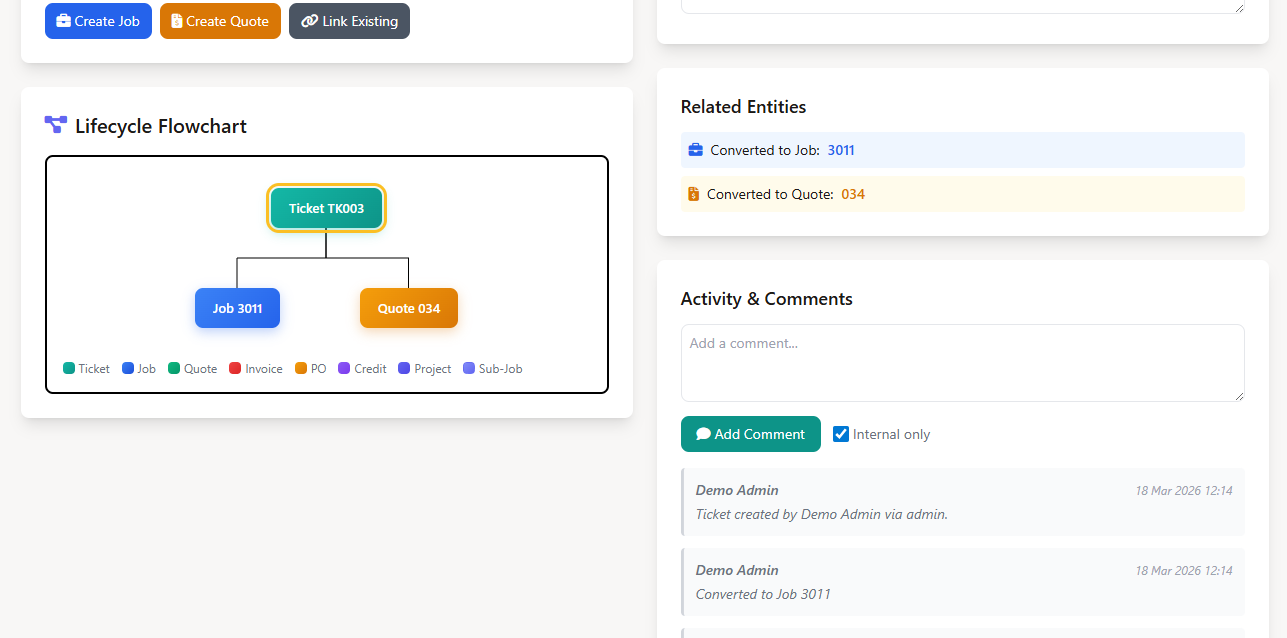
A field service ticketing system captures customer requests, prioritizes them, tracks status, and converts the right tickets into quotes or work orders.
Field Ascend keeps tickets connected to customers, sites, work orders, and service history.
Short answer: A field service ticketing system captures customer requests, prioritizes them, tracks status, and converts the right tickets into quotes or work orders.
Keep customer requests connected through ticket, quote, work order, and billing workflows.
Field Ascend keeps tickets connected to customers, sites, work orders, and service history.
Record inbound customer issues from phone, email, web, self-service customer portal workflows, or a QR code request link posted at the property that needs no login.
Use categories, priorities, and statuses so urgent requests do not get buried.
Turn tickets into quotes or work orders when the request needs field work.
A useful ticket gives the office enough context to decide the next action.
Customer requests often become jobs. Keeping tickets inside Field Ascend means the request, customer, site, quote, and work order can stay connected.
Useful fit: teams that receive many service requests before they know whether each one is a quote, job, or support response.
Requests often become field work. Ticketing inside FSM avoids losing the original customer context when the job is created.
Keep all inbound work visible.
Use priority and category rather than memory.
Turn a request into a quote or job without starting over.
Post a QR code in the mechanical room of a vacation rental, on an elevator cab, or at a front desk. Whoever finds the problem scans it, fills in a short form on their phone, and a ticket lands in your queue already tied to the right customer, site, and asset. No account, no app, no password. It is built for properties where the people on site are guests, tenants, or building staff rather than your customer, and the owner may live in another state or another country.
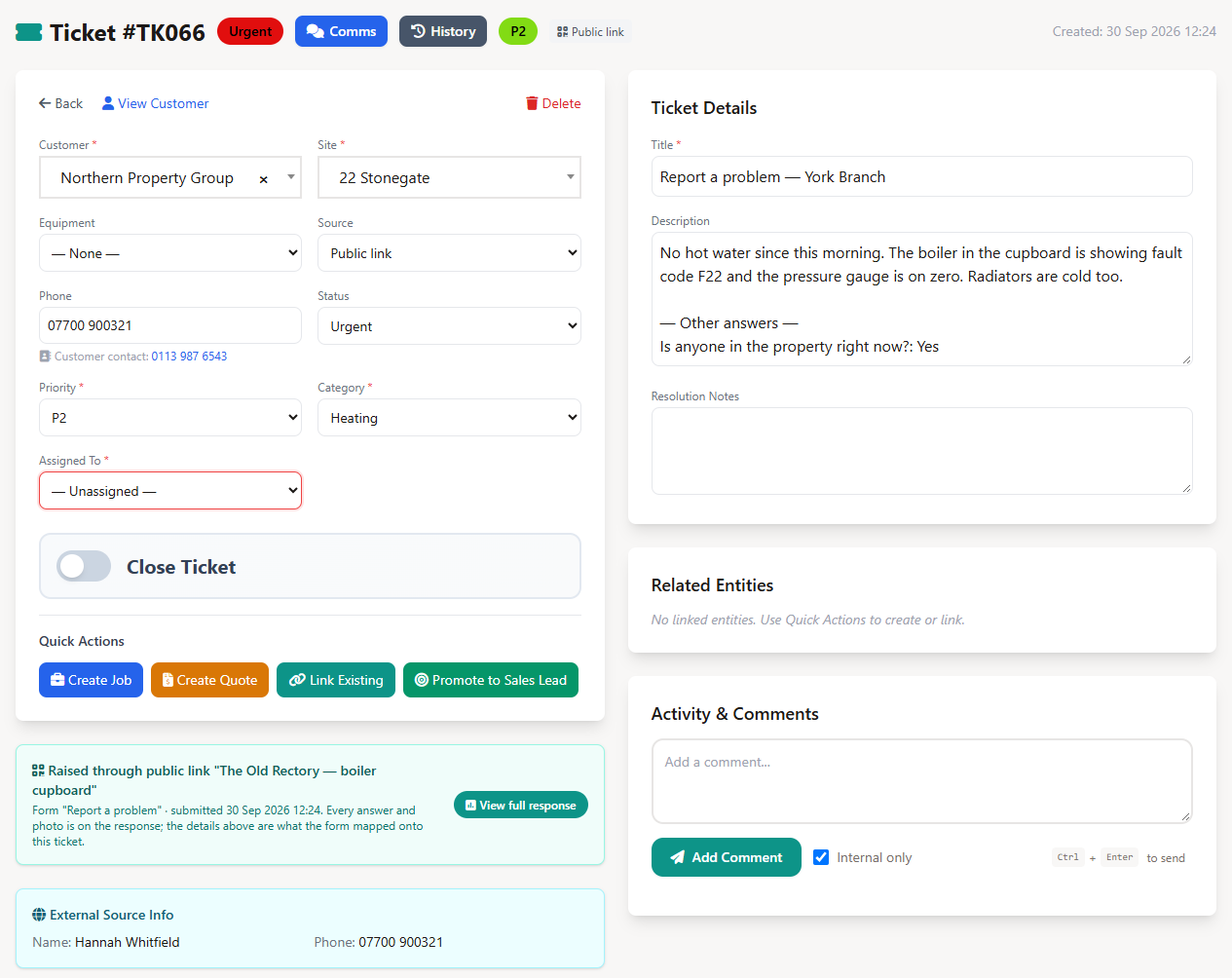
In Setup, Surveys, tick Raise a ticket and choose, per question, where each answer goes: subject, details, the reporter's name, phone or email, category, or priority. Photo questions become ticket attachments. Anything you do not map is kept on the ticket under "Other answers".
In Customer Options, Public Links, name it ("The Old Rectory, boiler room"), pick the form, pin it to a customer, a site, and optionally one asset, and add the emails that should receive a copy of every request. View the code on screen or print a label sheet (24, 12, or 8 per page).
The ticket arrives with the source Public link, the customer, site, and asset the code was pinned to, the reporter's name and phone, the mapped category and priority, the description in their words, and any photos. Your normal rules apply: starting status, auto-assignment, then one click to an estimate or work order. Nothing is scheduled automatically.
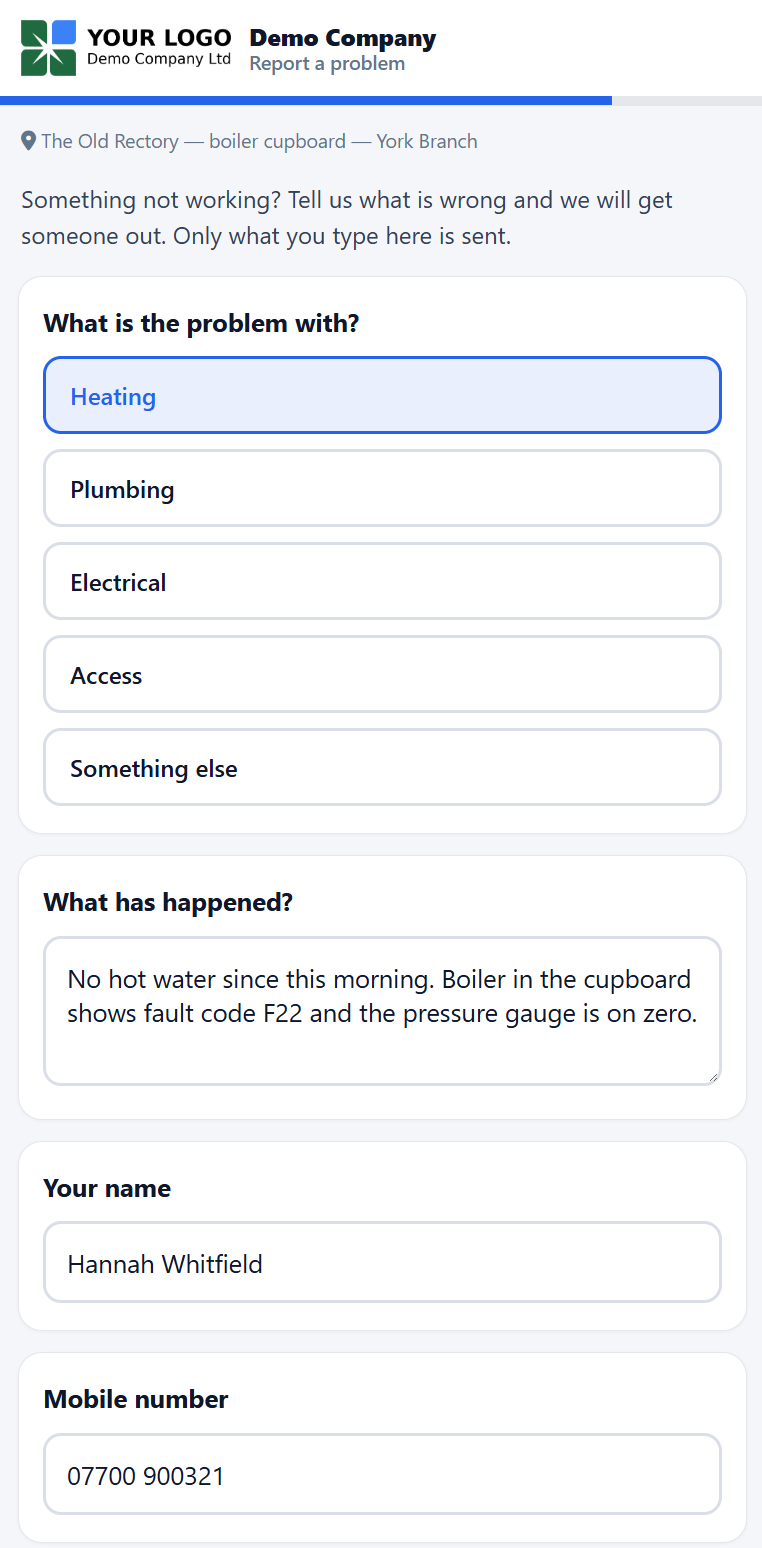
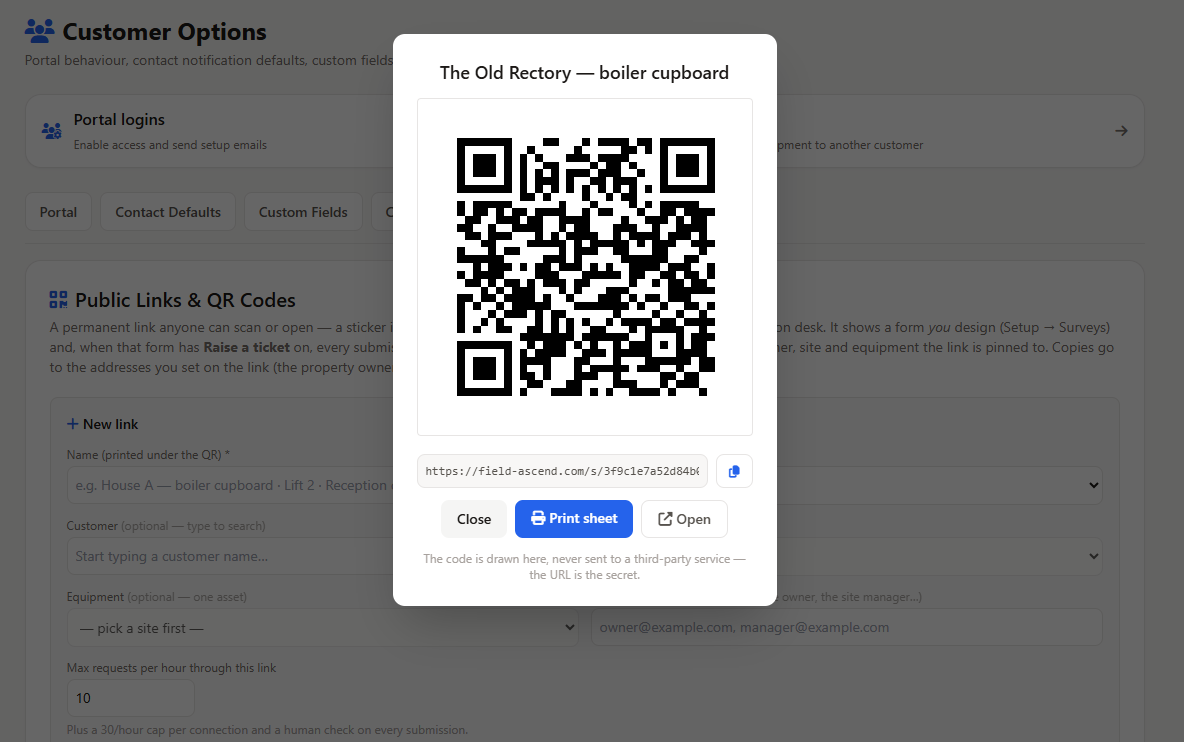
Every request can also be emailed to the addresses on the link, so an owner who lives elsewhere sees the same report the moment it is sent, with the ticket number, the property, and what was written. When the form asks for an email address, the reporter can receive a receipt too.
A printed code cannot expire like an emailed link, so the protection sits around it instead.
Requests only ever raise tickets. The office decides what becomes a work order.
This page is part of the wider Field Ascend workflow for U.S. contractors. These related pages explain the connected parts of the system.
Assign the right technician and keep work order status visible to the office.
Capture notes, photos, signatures, materials, and completion details from the field.
Review billable work and customer charges before accounting handoff.
Let customers submit requests, track work orders, approve estimates and view invoices in a branded self-service portal. See why your customers want a self-service portal.
For commercial contractors, the ticketing workflow is most useful when it sits beside dispatch, mobile work orders, customer sites, and billing. A ticket can begin as an office request, get triaged by priority, link to the customer record, and then become scheduled work when it needs a technician visit.
It is a way to capture and track customer requests before they become quotes, jobs, or resolved issues.
Yes. Tickets can be converted into work orders where field work is required.
Yes. Requests that need pricing can move into quoting workflows.
Office teams, service desks, and managers use ticketing to keep inbound requests organized.
Yes. A public request link, usually printed as a QR code, opens a short form on their phone with no login. The submission creates a ticket tied to the customer, site, and asset you chose when you made the link. It suits vacation rentals, managed buildings, and shared facilities where the person who spots the problem is not your customer.
Yes, if you want them to. Each public link has its own list of copy addresses, and every request is emailed to them with the ticket number, the property, and what was written, so an owner in another state sees exactly what your office sees. When the form asks for an email address, the reporter can receive a receipt as well.
The link is a random 32-character token with nothing to guess, every submission passes a human check, each link is capped at a number of requests per hour that you choose (10 by default) with a further cap per connection, and any link can be revoked in one click and reprinted. Requests only ever raise tickets. The office decides what becomes a work order.
Public review volume is still early, so the review sources are shown in crawlable plain HTML and should be refreshed when profiles change.
Aggregate rating used in schema: 4.9/5 from 6 third-party reviews across G2 and Capterra. Last checked: August 2, 2026.
Current ratings by source: Capterra 5.0/5 (1 review), G2 4.9/5 (5 reviews). Last checked: August 2, 2026.
Average rating: 5.0/5
Review count: 1
Last checked: August 2, 2026
Track requests from first contact through quote, work order, or resolution.
Start your 30-day free trial