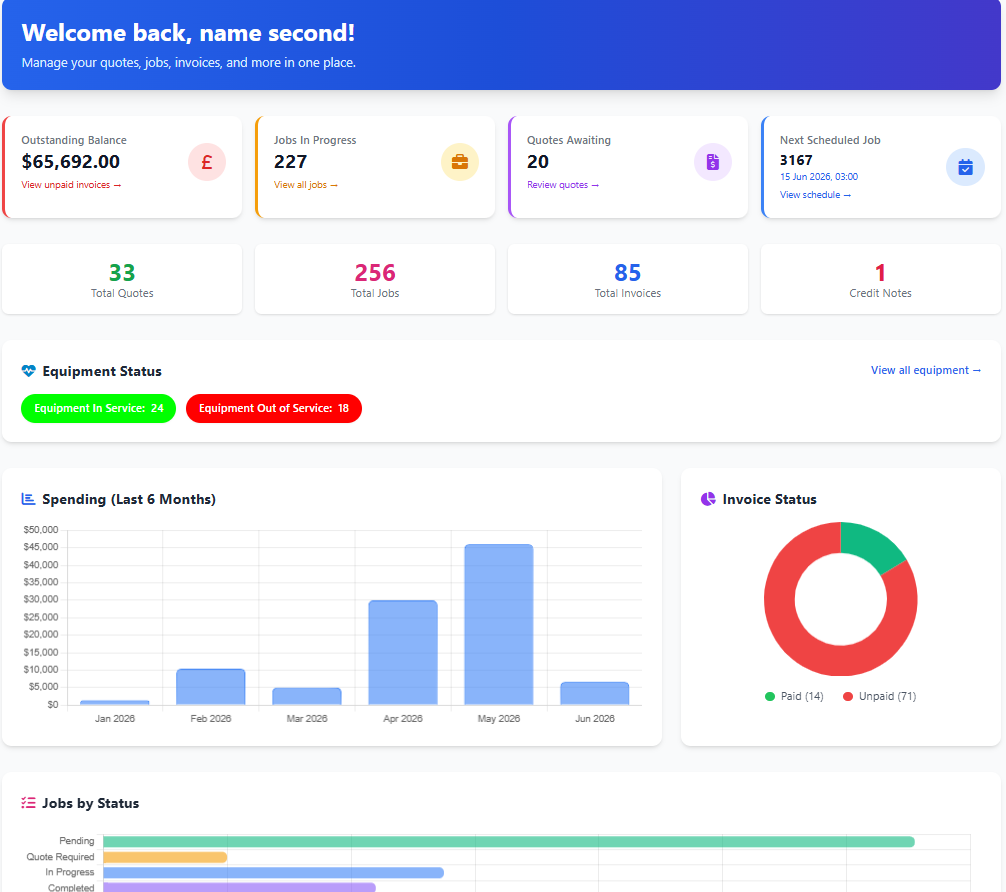
Short answer: customers want to see what is scheduled, what is done, what has been estimated and what they owe - without calling your office. A customer portal built into your field service software gives them that, branded as your business, with you in full control of what they can see.
It is one of the highest-impact ways to reduce inbound calls and look more professional than competitors still relying on email and paperwork.
Your customers already expect self-service
People check package tracking, bank balances and energy usage from their phones. When they then have to call a field service company to ask "has the tech been out yet?" or "can you resend that invoice?", it feels dated. A self-service portal closes that gap and answers the everyday questions your office gets asked on repeat. For the live "are they on the way?" moment, pair the portal with automatic customer SMS so status calls drop from both directions.
This matters most for companies serving commercial customers - property managers, facilities teams, retail chains and public sector sites - where the same clients raise the same questions every week. Giving them their own secure login removes friction for both sides.
Without a portal
- Phone calls chasing work order status
- Emails asking for invoice copies
- Estimates approved slowly over email
- No easy view of site or asset history
With a customer portal
- Customers track work orders and visits themselves
- Invoices and statements on demand
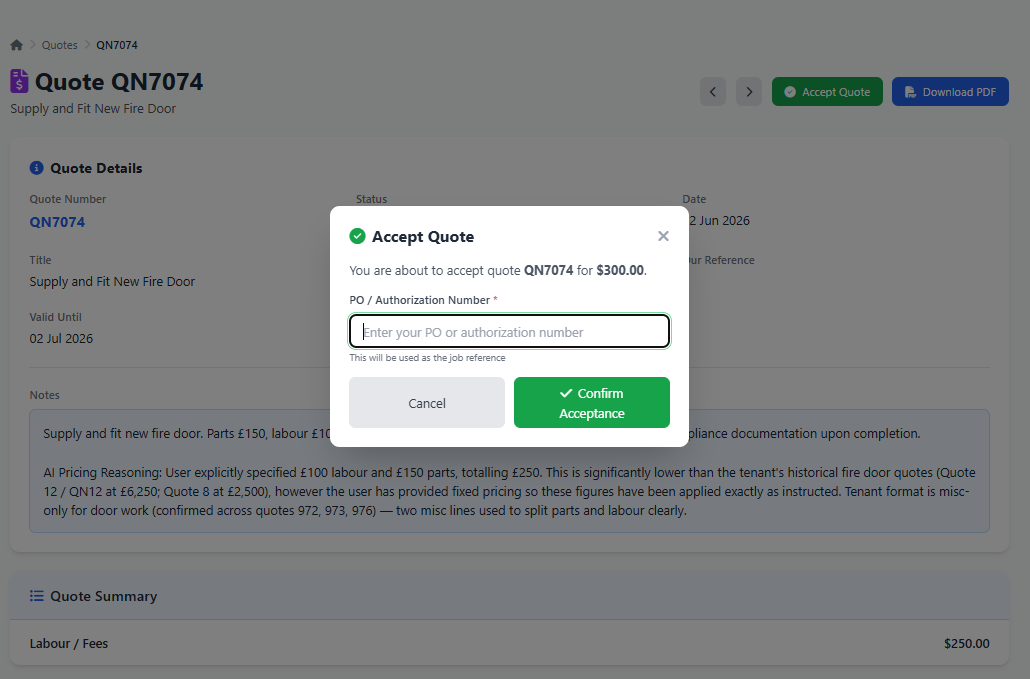
- Estimates approved online in one click
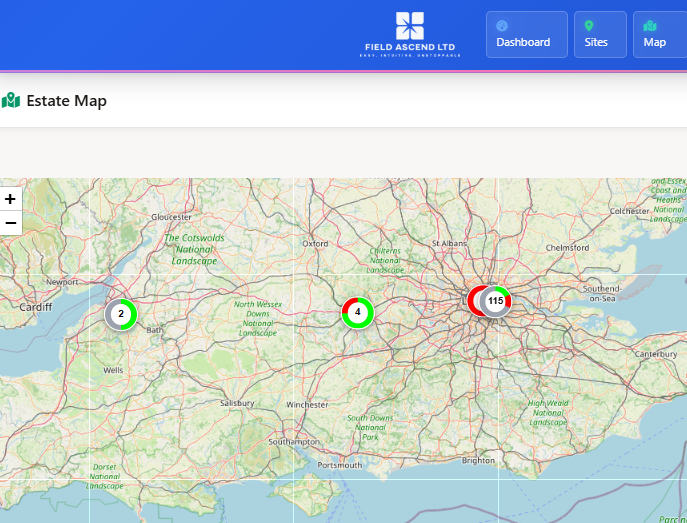
- Sites, assets and service history in one place
What a customer portal actually does
A good field service client portal is not a brochure. It is a live window into the same operational data your team works from, so what your customer sees always matches reality.
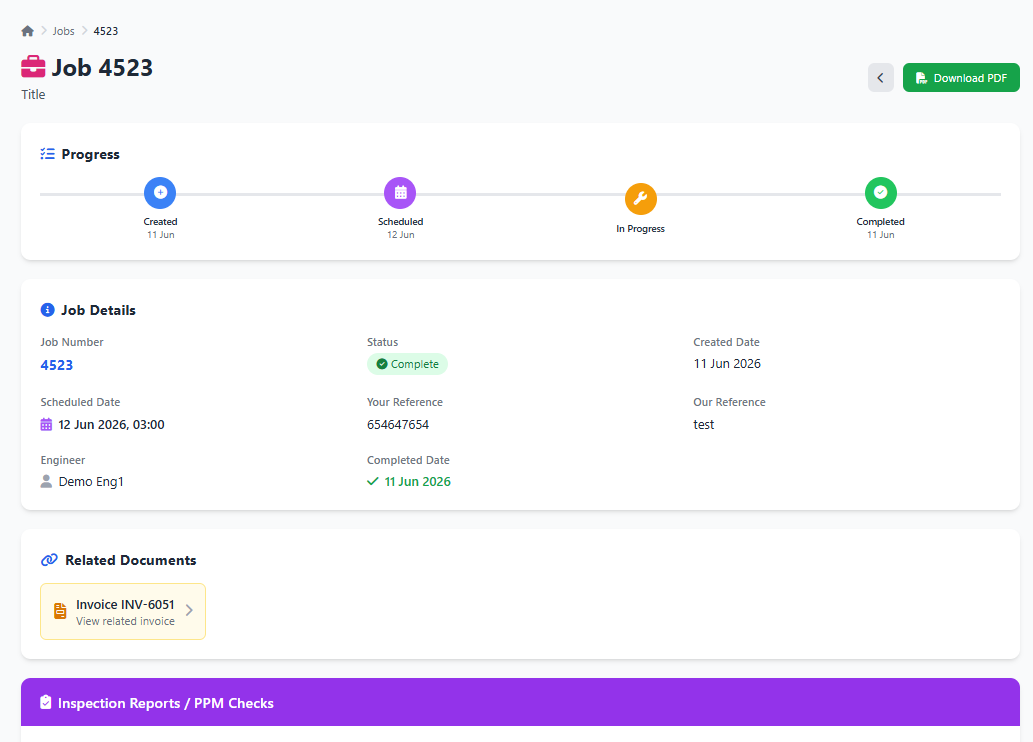
- Track work orders and visits: current and completed work orders, upcoming visits from your scheduling and dispatch software, statuses, work completed, notes and photos where enabled.
- Review and approve estimates: portal-visible estimates from your estimating software that customers can approve online, flowing straight into a work order.
- Download invoices and statements: access invoices, line items, credit notes and account statements without emailing accounts.
- View sites, assets and history: equipment and asset records, service history and completed preventive maintenance for multi-site customers.
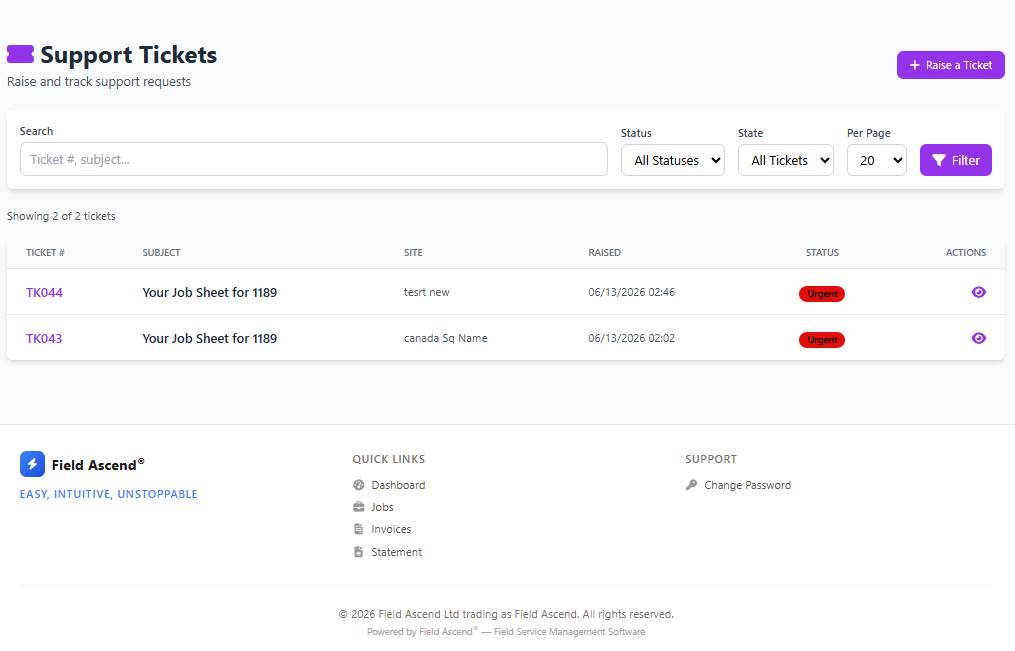
- Submit service requests: customers submit requests that land in your ticketing system, linked to the right site.
Branded as your business, not ours
Trust comes from familiarity. The portal shows your logo, your customer account and your support details, in light or dark mode, so clients feel like they are logging into your service portal - not a third-party tool. For contractors managing large commercial customers, that branded front door is part of how you win and keep contracts.
You decide exactly what each customer sees
Not every customer should see every detail. Visibility settings let you choose which dashboard figures, work order sections, estimate sections, invoice details and site features are shown. You can reveal completed work and time on site while keeping internal travel time private, and customers only ever see records linked to their own account.
From request to scheduled work
The most practical "booking" feature today is letting customers request work themselves. From the portal a customer submits a request, links it to a site and describes the issue. That request lands directly in your field service ticketing system, where your team triages it, converts it to a work order or estimate, and schedules it - so it is genuine self-service without losing control of your schedule.
Connected to your whole field service workflow
Because the portal is part of Field Ascend, customers see the same live data your office and technicians work from - estimates, work orders, invoices, sites, equipment and tickets - with no duplicate entry and no disconnected customer-facing tool. The information your technicians capture on the mobile app is what your customer sees, automatically.
How to give your customers a portal
Setting it up is quick. From your settings you switch on portal access, choose which dashboard figures, work order, estimate and invoice sections are visible, and enable estimate approval and support tickets if you want them. You invite customer contacts, they sign in securely, and you control which features are switched on. For maintenance and multi-site contracts, pair it with facility management and asset history so the portal becomes a genuine facilities tool.
FAQ
Do customers only see their own data?
Yes. Portal pages are scoped to the logged-in contact and customer, so one customer can never see another customer's work orders, estimates, invoices or sites.
Can customers book or request work themselves?
Customers can submit service requests from the portal, which land in your ticketing system to be triaged, scheduled and converted to work orders or estimates. Your office keeps control of the schedule.
Is the portal included with Field Ascend?
Yes. Customer portal access is part of the platform. See pricing for plan details.