If you run a lift maintenance company, an HVAC operation, an electrical contracting firm, or a multi-trade facilities business, you already know that spreadsheets and paper job sheets don't scale. At some point you need proper field service management software.
The problem is working out which platform is actually worth your time. Search for "best field service management software UK" and you'll find comparison pages that list ten tools without explaining how any of them handle real-world workflows like PPM scheduling, offline engineer apps, or multi-site asset management.
This guide takes a different approach. Instead of ranking products, we'll define what a genuine gold standard looks like for UK contractors - the features, support, pricing model and integration depth that separate serious platforms from slick demos. We'll also be transparent about where Field Ascend fits that picture, without pretending we're the only option.
1. What Does "Gold Standard" Actually Mean for FSM Software?
In a medical context, "gold standard" means the most accurate and reliable test available. In field service management software, the concept is similar: it describes a platform that reliably handles the full lifecycle of field work - from scheduling through to invoicing - without forcing your team to work around gaps or bolt on extra tools.
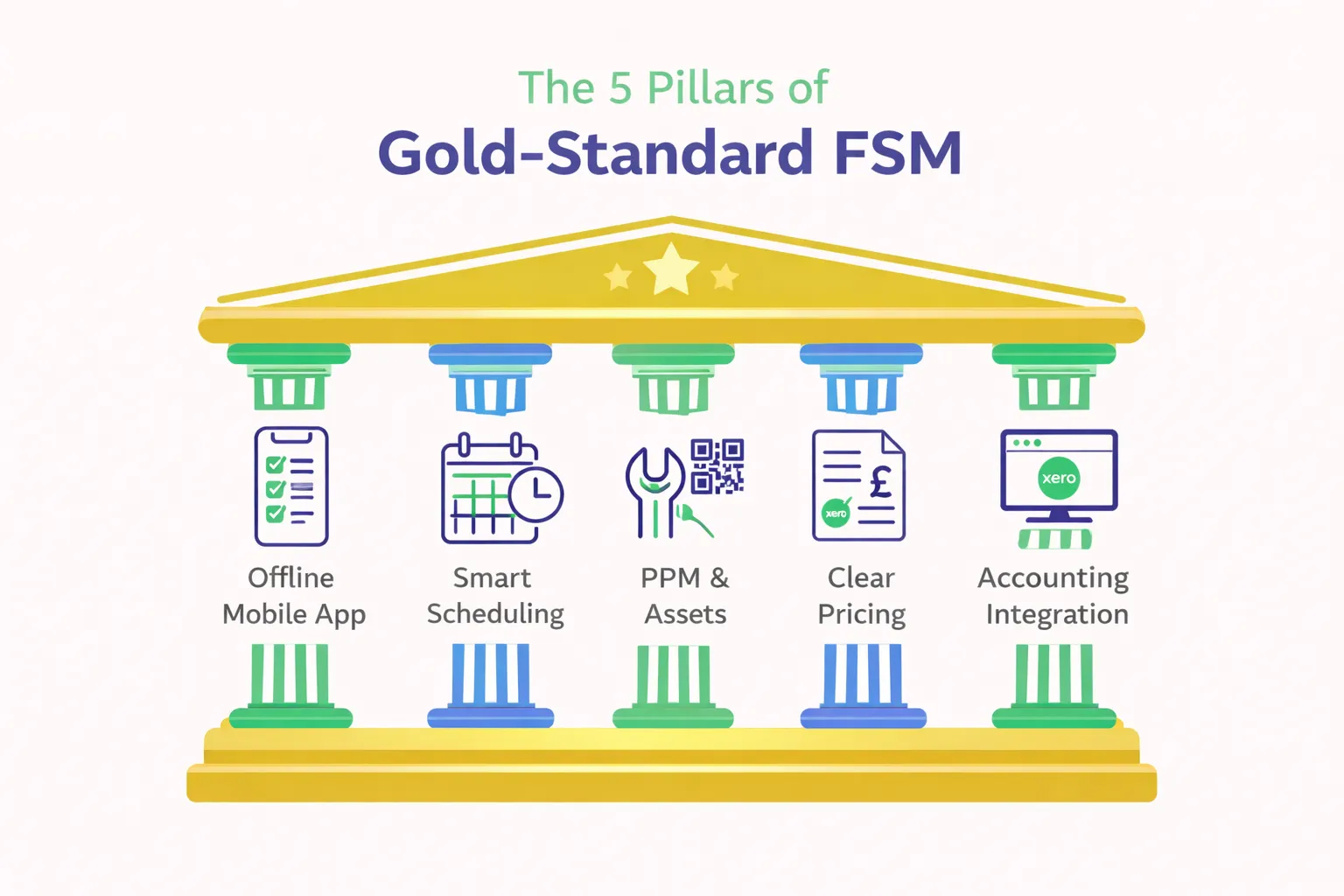
For UK trade and maintenance businesses specifically, a gold-standard platform should deliver on five pillars:
- Reliable job management software for engineers - scheduling, dispatch, real-time status updates, and a mobile app that works even in basements and plant rooms with no mobile signal.
- Offline-first mobile workforce management software - not just a cached web page, but a genuine local database on the engineer's device that syncs automatically when connectivity returns.
- Strong PPM and asset-based maintenance - automated job generation from service schedules, equipment registers with full service history, QR code scanning, defect tracking, and compliance certificate management.
- Clear, per-user pricing with UK-specific support - no hidden setup fees, no per-transaction charges, and a support team that understands UK compliance requirements like LOLER, Gas Safe, EICR and F-Gas.
- Accounting integration that actually works - native two-way sync with Xero, Sage, or QuickBooks so invoices push automatically and VAT is handled correctly.
If a platform falls short on any of those five, it may be good enough for basic job tracking - but it isn't gold standard for the kind of multi-contract, multi-engineer operations most UK maintenance companies run.
Key takeaway
"Gold standard" isn't about having the most features on a marketing page. It's about depth and reliability in the features that matter most to your daily operations - scheduling, mobile, PPM, compliance, and getting paid.
2. Essential Features of Gold-Standard FSM Software (UK Focused)
Let's look at each area in detail. If you're building a shortlist of platforms, use these as your evaluation criteria.
Scheduling and Dispatch
A visual planner board that lets office staff drag and drop jobs onto engineer timelines - considering skills, certifications, territory, and current workload. The best platforms also support intelligent scheduling that suggests the nearest qualified engineer, reducing travel time and improving first-time fix rates.
Mobile App (Offline, Photos, Forms, Signatures, GPS)
This is where many platforms fail the gold-standard test. Plenty of FSM tools offer a mobile app that looks good on Wi-Fi. But UK engineers work in lift shafts, basements, rural sites, and underground plant rooms. If the app doesn't function fully offline - including photo capture, digital signatures, form completion, and time logging - it will frustrate your engineers and create data gaps.
Look for true offline-first architecture where data is stored locally on the device and syncs in the background when signal returns. That's the gold standard for mobile workforce management software.
PPM and Asset Register
For any business running planned preventive maintenance contracts, PPM scheduling should be automated: set the service interval, link it to an asset, and let the system generate jobs and notify customers on schedule. A proper asset register tracks make, model, serial number, location, service history, and defect status - with QR code scanning for instant on-site lookup.
CAFM-Style Features for Multi-Site Facilities
If you manage maintenance across multiple client buildings - commercial offices, retail sites, schools, hospitals - you need CAFM-style capabilities: multi-site asset registers, SLA tracking, client portals, and compliance dashboards. Traditional CAFM systems are often expensive and desktop-bound. A modern FSM platform that includes these features alongside mobile field service tools gives you the best of both worlds.
Integrations: Xero, Sage, and Beyond
Double-entry slows invoicing and creates avoidable errors. Gold-standard platforms integrate natively with widely used UK accounting software, including Xero. Look for two-way sync: invoices push from FSM to the accounts platform, customer records sync back, and VAT is handled correctly on every line.
Lone Working, Tracking, and Route Planning
UK employers have a legal duty of care for lone workers. A gold-standard platform should include check-in timers, panic alerts, and escalation workflows - not as an expensive add-on, but built in. Live GPS tracking and route optimisation are also valuable for reducing travel time and answering the "where's my engineer?" question from customers.
AI Features
AI in FSM is still maturing, but some capabilities are already practical. AI-powered quote generation can draft professional quotes from job history and descriptions in seconds, saving hours of admin. AI dashboards and job allocation can surface insights about engineer utilisation, travel patterns, and schedule gaps. Be wary of vague "AI-powered" claims - ask vendors to show you exactly what the AI does and whether it works with your data.
3. How UK Contractors Should Compare Tools
Features matter, but so do the less glamorous things: onboarding, data migration, contract terms, and what happens when something goes wrong at 4pm on a Friday. Here's a practical checklist.
| Evaluation area | What to ask |
|---|---|
| Trades served | Does the platform support your specific industry - lifts, HVAC, plumbing, electrical, FM, fire and security? Are there industry-specific templates and workflows? |
| Onboarding and migration | Will they help you import customers, sites, assets, and open jobs from spreadsheets or your current system? How long does setup realistically take? |
| UK support hours | Is support UK-based? What are the response times? Is there a real person, or just a chatbot and a knowledge base? |
| Data ownership and security | Where is your data stored? Can you export it if you leave? Is the platform GDPR-compliant? What's the uptime SLA? |
| Contract length | Monthly rolling or annual lock-in? What's the cancellation policy? Are there exit fees? |
| Pricing per user | What's included in the per-user price? Are there extra charges for integrations, storage, support, or additional modules? |
| Offline mobile app | Test the app yourself in an area with no signal. Can you complete a full job, including photos and signatures, while offline? |
| Free trial | Can you trial with real data and real engineers, not just a pre-loaded demo environment? |
A Fair Word About the Market
The UK FSM market has several established players. Platforms such as BigChange, Joblogic, and Commusoft each serve segments of the market and have their own strengths - from fleet management to customer communication workflows. We'd encourage you to shortlist two or three options and evaluate them against the criteria above using your own job data, rather than relying solely on comparison websites or vendor demos.
No single platform is perfect for every business. The gold standard for your company is the tool that handles your specific workflows - PPM contracts, reactive call-outs, multi-trade scheduling, compliance documentation - with the least friction and the most reliability.
4. Where Field Ascend Fits as a Gold-Standard Option
We built Field Ascend specifically for UK trade and maintenance contractors - the kind of businesses that run PPM contracts across dozens of sites, send engineers into basements and plant rooms with no signal, and need invoices in Xero by Friday.
Here's where we believe Field Ascend sets a gold standard for UK contractors:
- Offline-first engineer app: Not a cached website - a genuine local database on each engineer's device. Jobs, check sheets, photos, signatures, time logging, and GPS all work without signal. Data syncs automatically in the background when connectivity returns.
- PPM and asset-based maintenance: Automated PPM scheduling with asset-linked check sheets, defect tracking, QR code scanning, and compliance certificate generation. Set your service intervals and let the system handle the rest.
- CAFM-style views for multi-site customers: Full multi-site asset registers, SLA tracking, and client portals - without the overhead and cost of traditional enterprise CAFM software.
- Simple per-user pricing: From £10 per user per month with a 3-user minimum and standard product features included in Pro. No setup fee or per-transaction charge. Cancel any time.
- AI quote generation: Draft professional quotes in seconds from job descriptions and historical data. Not a gimmick - a practical time-saver for ops managers handling dozens of quote requests a week.
- UK compliance support: Tools for managing LOLER inspection records, Gas Safe tracking, EICR schedules, F-Gas logs, and other UK-specific requirements. Customers remain responsible for meeting their own regulatory obligations - Field Ascend helps organise the records and schedules.
- Native Xero integration: Two-way sync with Xero - invoices push automatically, customers sync both ways, VAT handled correctly. Sage and QuickBooks integrations also available.
- Lone worker safety: Built-in check-in timers, panic alerts, and escalation workflows - no separate app or add-on required.
Field Ascend aims to be the gold standard for UK maintenance contractors who need scheduling, PPM, asset management, mobile workforce tools and invoicing in one platform, with transparent pricing and a practical rollout path. We're not the only option, and we'd encourage you to test us alongside your other shortlisted tools.
Who Field Ascend works well for
- Lift and escalator maintenance companies running LOLER inspection contracts
- HVAC contractors managing Gas Safe and F-Gas compliance
- Electrical contractors scheduling EICRs and PAT testing
- Plumbing and heating businesses handling reactive and planned work
- Facilities management teams managing multi-site maintenance contracts
- Any growing field service business with office and field teams needing offline mobile capability - from small multi-engineer teams to nationwide fleets
5. Practical Next Steps
If you're evaluating field service management software for your business, here's a straightforward process that works:
Step 1: Define what you actually need
Before you look at any platform, write down the 5–10 things your current system (or lack of system) can't do. Common examples: "engineers can't work offline", "PPM jobs aren't generated automatically", "we re-key everything into Xero manually", "we have no asset register". This becomes your requirements list.
Step 2: Shortlist 2–3 tools
Pick platforms that specifically serve your industry and tick your requirements. Don't shortlist more than three - you'll never find time to evaluate them properly. Check independent review sites like Capterra and SourceForge for verified user feedback.
Step 3: Book demos with your real use cases
Don't sit through a generic slide deck. Ask each vendor to show you: "Here's a PPM contract with 50 assets across 4 sites - show me how you'd set that up, generate jobs, and track compliance." The answers will be very revealing.
Step 4: Run a trial with real jobs and engineers
The only way to know whether a platform works for your business is to use it on real jobs. Get 2–3 engineers to use the mobile app on actual call-outs for at least two weeks. Test offline mode in a basement. Push a test invoice to Xero. If it works under real conditions, it'll work at scale.
Step 5: Check the exit terms
Before you sign, confirm you can export your data, understand the notice period, and know exactly what you'll pay over 12 months. Gold-standard vendors are transparent about this.