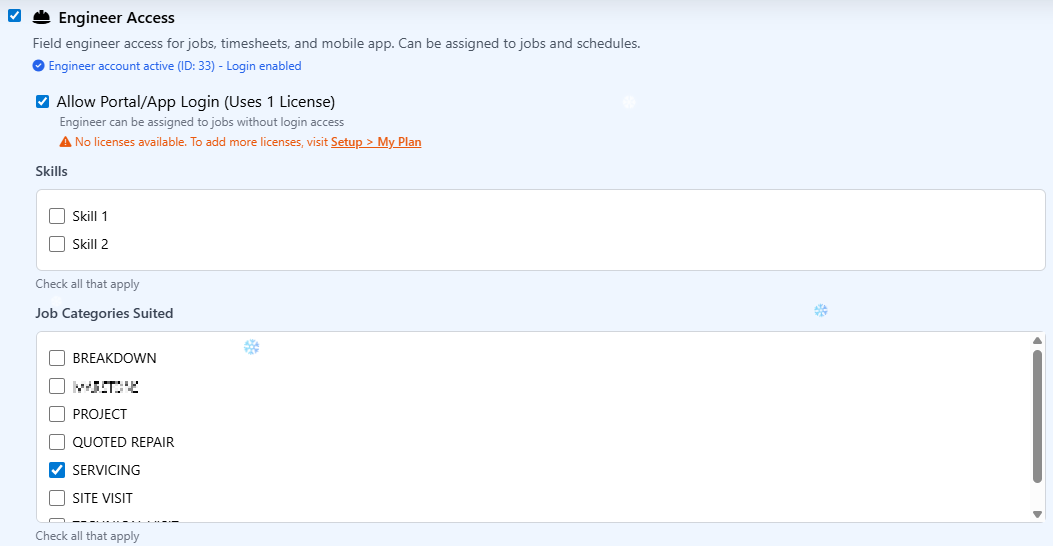
Intelligent engineer-job matching for optimal dispatch. As job management software for engineers, Field Ascend shows skill badges and qualifications at a glance. Territory indicators highlight when engineers are in or out of their zone. The planner suggests the best engineer - you just confirm.
Start Free Trial
Stop manually checking spreadsheets to find the right engineer. Smart planner matching analyses skills, territories, availability, and distance to suggest the perfect match for every job - automatically.
When you allocate a job, Field Ascend instantly evaluates all available engineers against four key criteria. The system highlights the best matches and warns you about potential issues - like assigning a job to an engineer who lacks the required qualification or is outside their territory.
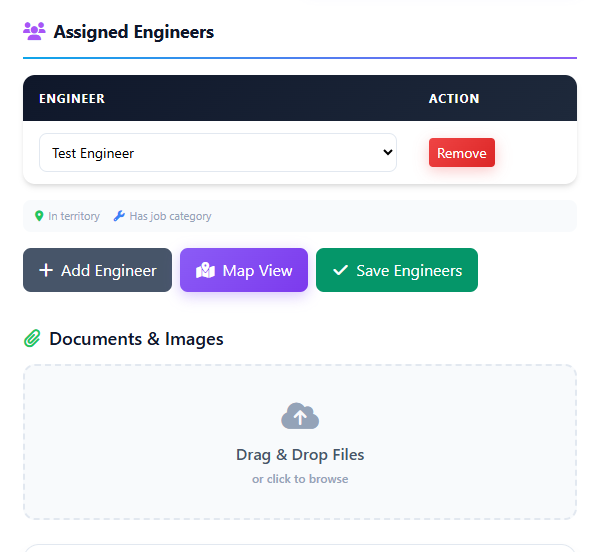
Each criterion can be set to Off, Soft (suggest), or Hard (require). Tailor the matching rules to fit how your business operates.
Visual skill badges show each engineer's certifications - Gas Safe, electrical, HVAC, F-Gas, and custom qualifications. Jobs requiring specific skills are matched only to qualified engineers. Expired certifications are flagged automatically.
See instantly whether a job falls within an engineer's designated territory. Green indicators mean in-zone, amber means edge-of-zone, red means out-of-territory. Respects geofences, isochrones, and polygon boundaries.
The system checks each engineer's current schedule. Already got three jobs that day? Running late on the previous job? The availability matcher considers workload, holidays, and real-time status from the mobile app.
When multiple engineers match, distance becomes the tie-breaker. Configure how heavily distance should weight in the matching algorithm (0-100%). Minimise travel time and fuel costs while maintaining coverage.
| Criteria | Off | Soft Rule | Hard Rule |
|---|---|---|---|
| Skills | Don't check | Suggest qualified | Require qualification |
| Territory | Don't check | Warn if outside | Block if outside |
| Availability | Don't check | Warn if overloaded | Block if unavailable |
| Distance | Weight: 0% – 100% (configurable slider) | ||
Not all time slots are equal. Configure custom day sections (Morning, School Run, Afternoon, etc.) to schedule jobs during the most appropriate windows for your business and customers.
08:00 – 12:00
12:00 – 15:00
15:00 – 18:00
Define any number of day sections with custom names, start/end times, and colours. Perfect for businesses with specific scheduling patterns like domestic installers or school contractors.
Day sections appear as colour-coded bands on the visual planner board. Instantly see which jobs are scheduled for morning vs afternoon slots.
Mark jobs as "AM only", "PM preferred", or "flexible". The matching system respects these preferences when suggesting engineers and time slots.
Smart matching works directly within our field service scheduling software and visual planner board. No separate screens, just suggestions right where you need them. Jobs that belong to a larger install roll up into field service project management software on the same planner.
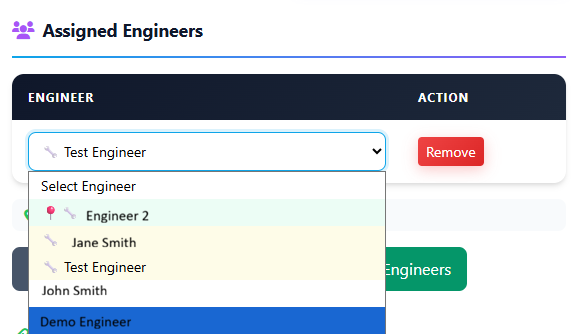
When you select a job to allocate, the system instantly ranks available engineers. The best match is highlighted with a green border. Click to assign, or review the full list to make your own choice.
As job management software for field service businesses, Field Ascend scales whether you run a small team or manage hundreds of engineers across the UK. Speed up repetitive job creation with reusable job preset templates - pre-fill titles, materials, compliance checks, and engineer assignments in one click. If you are comparing customer relationship tools with job operations software, read FSM vs CRM for trade businesses.
Match Gas Safe registered engineers to boiler jobs automatically. Soft-rule territory matching ensures local engineers get priority while allowing flexibility for urgent callouts.
Hard-rule skill matching ensures only qualified electricians are assigned to certification work. Day sections help schedule domestic jobs outside school hours.
Territory matching keeps engineers local to their portfolio of buildings. PPM schedules automatically assigned based on existing site relationships.
Multi-skill teams benefit from soft matching - suggest the ideal engineer but allow dispatchers to override when needed. Perfect for reactive maintenance with mixed job types.
Distance priority minimises travel between jobs. Availability checking prevents over-booking on busy days. Emergency callouts override normal matching rules.
Seasonal businesses use day sections to maximise daylight hours. Territory matching keeps crews in geographic zones to minimise van travel between sites.
Soft rules show warnings but allow you to proceed - useful when you want suggestions without restrictions. Hard rules block assignments that don't meet criteria - essential for compliance-critical work like Gas Safe or electrical certification.
Absolutely. Smart matching suggests the best engineer, but you always have final say. Override soft rules freely, or use hard rules only where compliance requires it. The system works for you, not the other way around.
Skill badges are visual indicators showing engineer qualifications. Configure custom skills in settings (Gas Safe, F-Gas, HVAC, Electrical Part P, etc.), assign them to engineers, and they appear as coloured badges in the planner. Expiring qualifications are flagged automatically.
Yes. Territory matching integrates directly with engineer territory geo-fencing. Whether you use polygons, radius circles, or travel-time isochrones, the matching system respects those boundaries and indicates in/out status.
Matching rules are set at tenant level to ensure consistency. However, dispatchers can filter the planner by department, meaning different teams can effectively operate with different views while sharing the same rule configuration.
Join UK businesses using Field Ascend's intelligent job management software for smarter dispatch.
Start Your Free Trial