Last updated: 22 July 2026
What is recurring invoice software? It is the part of your field service management software that raises the same bill on a schedule — retainers, service cover fees, licence renewals and site charges — without someone remembering to recreate the invoice every month.
Field Ascend recurring invoices are built for UK contractors who already run jobs, PPM and accounts in one place. Set the customer, lines, frequency and end condition once. The system creates each invoice on time, keeps a clear run history, and hands the result into the same field service invoicing and accounting workflows you already use.
Use this alongside PPM scheduling, Xero, QuickBooks and Sage when recurring revenue needs to stay connected to customers, sites and cash collection.
Growing service businesses rarely struggle to win repeat work. They struggle to bill it consistently. A monthly monitoring fee, a quarterly callout cover charge, an annual access licence or a multi-site cleaning retainer should not depend on someone opening last month's invoice and copying it again.
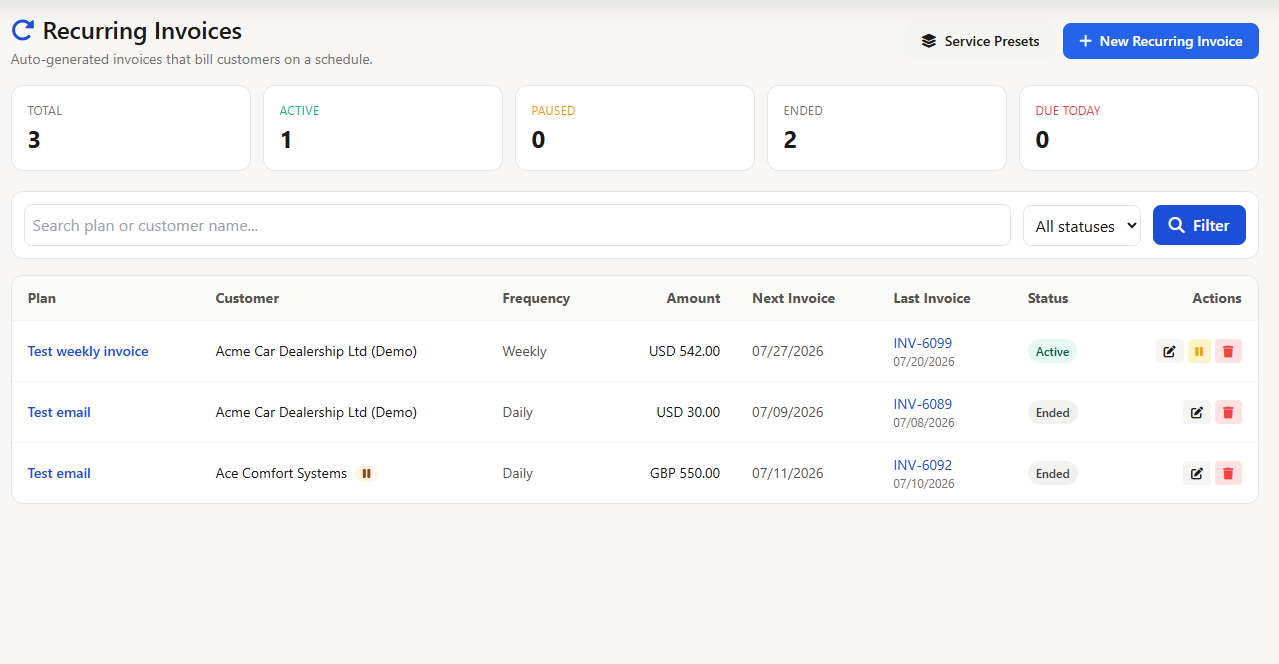
Recurring invoice software in Field Ascend turns that into an operational plan. Each plan belongs to a customer, optionally a site, and carries the line items that should appear every cycle. You choose the frequency, start date and end condition. Field Ascend then creates the invoices, tracks what was raised, and shows which plans are active, paused, ended or due.
Important distinction: this feature schedules and creates customer invoices. It does not turn variable job work into a flat fee or charge a stored payment card by itself. Engineers' labour and materials still belong on job invoices; payment follows your normal invoice and payment workflow.
Many UK field service teams still track retainers in a diary, a spreadsheet or a sticky note on the accounts desk. That works until someone is on holiday, a customer asks for a pause, or finance cannot tell whether last month's fee was actually raised.
| Workflow stage | Manual / spreadsheet billing | Field Ascend recurring invoices |
|---|---|---|
| Remembering to bill | Depends on calendar reminders and who is in the office | Plans show next date, last run and due status automatically |
| Changing a commercial deal | Someone edits one invoice and hopes the next copy is right | Edit the plan once; future invoices pick up the new lines |
| Pause or skip request | Easy to forget and bill anyway — or stop forever by accident | Pause, resume and skip once are separate, intentional actions |
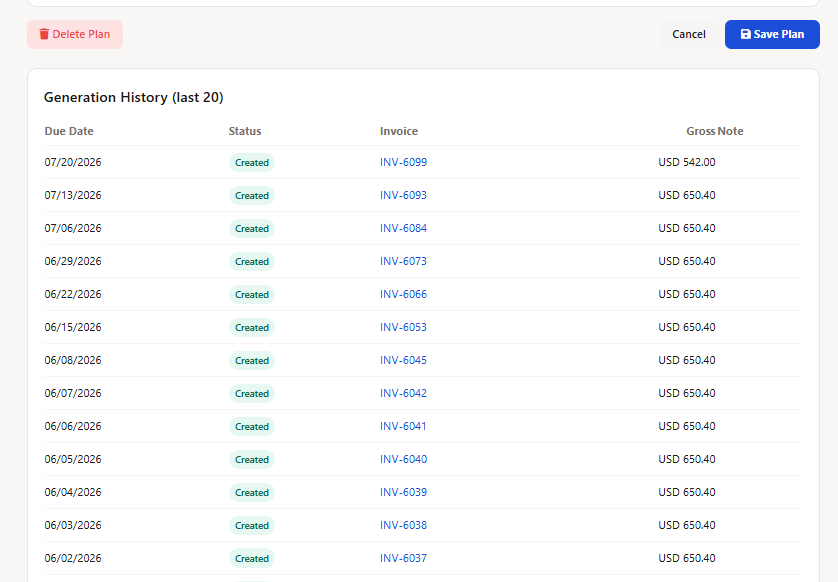
| Audit and history | Hard to prove which months were billed and from which template | Each plan keeps a run history with links back to generated invoices |
| Accounts posting | Often retyped into Xero or Sage from a PDF or email | Generated invoices use the same posting path as job invoices |
Prefill new plans with a schedule, terms, tax rate, category, currency, line items and optional email settings. The preset fills the form without creating a job or visit.
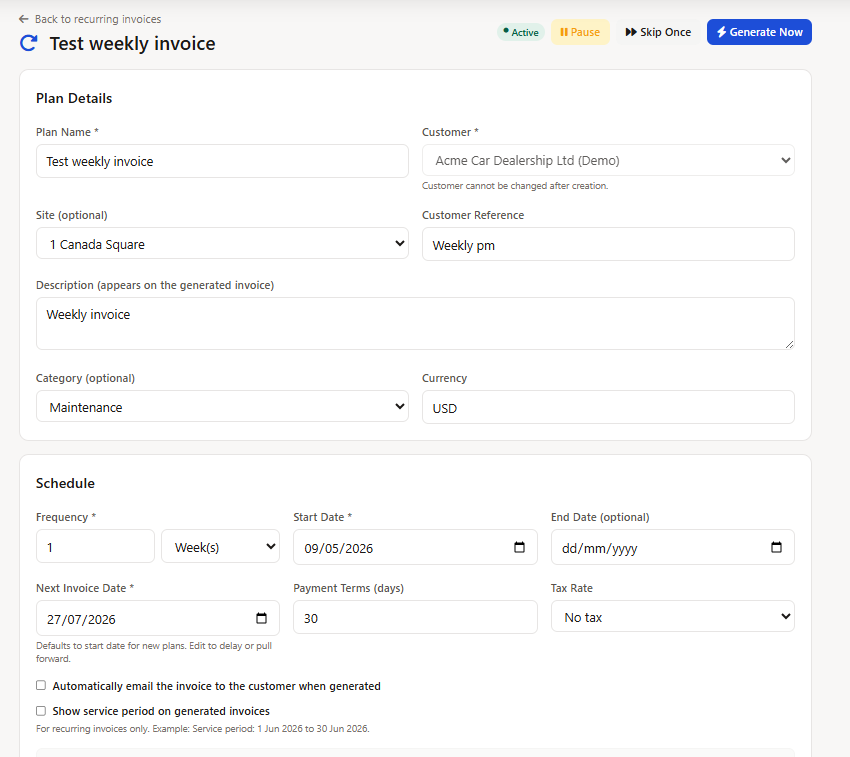
Store the customer, optional site, customer reference, description, category, currency, payment terms and tax rate on the recurring plan.
Show the service period on the invoice and optionally email it automatically to the invoice contact using default or plan-specific email content.
Choose draft or issued status, set advance creation days, pause all automatic generation, and define customer block policies in Invoice Settings.
For the wider quote-to-cash stack — job invoices, CIS/DRC, credit notes and statements — see job invoicing software for field service and VAT, CIS and DRC invoicing.
Recurring invoices are for fixed repeating fees, not for time-and-materials jobs. That makes them ideal for service businesses that mix reactive work with predictable monthly or annual revenue.
Attach a site when the charge belongs to one location, so the invoice carries the right address for multi-site customers managed in your wider job management software setup.
Automated billing should not blindly invoice a blocked customer. Account-wide policies can hold the same due cycle when a customer is on hold, has ceased trading or is marked cash only. Once the relevant block clears, the plan can pick that cycle up again instead of silently losing it.
After creation, a recurring invoice is a normal Field Ascend invoice. Branded PDFs, optional automatic email, communications history and accounting posting stay in the same workflow.
HVAC, lift, electrical and facilities contractors often combine this with planned maintenance and reactive jobs — one customer, multiple billing paths, one accounts handoff.
Search engines and buyers often blur these together. Operationally they are different, and Field Ascend keeps them separate on purpose.
Job invoices bill completed work — labour, materials, mileage and quoted scope. PPM contract billing bills planned maintenance visits and contract values tied to the maintenance schedule. Recurring invoices bill fixed repeating fees that do not need a job sheet to exist.
That separation helps facilities and maintenance contractors using maintenance management software and PPM scheduling without forcing every retainer into a fake job.
If your team sells both reactive callouts and monthly cover, use jobs for the callouts and recurring invoices for the cover fee. If the charge is genuinely tied to planned visits, keep it in the PPM path instead.
Recurring invoices suit UK field service and facilities businesses with predictable monthly or annual fees.
Industry context for HVAC teams is covered on the HVAC field service management software page.
| Billing route | Use it when | Typical source record | Example |
|---|---|---|---|
| Job invoice | The amount depends on completed work, labour, materials or quoted scope | Job or accepted quote | Reactive repair, remedial works or project stage |
| PPM contract billing | The charge is tied to planned maintenance visits or contract delivery | PPM contract and schedule | Quarterly maintenance visit under an annual contract |
| Recurring invoice | The same fixed fee repeats independently of a job or visit | Recurring invoice plan | Monthly monitoring retainer or annual licence charge |
Name plans the way finance and customers talk about them — “Monthly Service Charge”, “Annual Licence Fee”, “Site A Cleaning Retainer” — so the list stays searchable. Put the service period wording into the plan description when customers need “1 Jun to 30 Jun” style clarity on the invoice.
Keep job-based work out of recurring plans. If engineers are logging time, the charge belongs on a job invoice. If PPM visits drive the bill, use the PPM contract path. Recurring invoices stay accurate when they only hold the flat fee everyone already agreed.
Review active, paused, ended and due plans regularly. A healthy recurring book makes it clear which customers are paused, which plans are ending soon, and which invoices need office attention before the next billing cycle.
Recurring invoice software creates scheduled invoices automatically for fixed repeating charges such as retainers, service cover fees, licence renewals and site-based service charges. In Field Ascend you define a plan once — customer, lines, frequency and end condition — and the system raises each invoice on schedule without retyping.
PPM billing is driven by planned maintenance contracts and completed visits. Recurring invoices are for standalone fixed fees that do not belong to a job or PPM visit — for example a monthly retainer or annual support charge. Use jobs for time and materials work, PPM contracts for planned maintenance billing, and recurring invoices for flat repeating charges.
Yes. Pause stops every scheduled invoice until you resume. Skip next leaves the plan active but skips a single occurrence. Generate now raises the next invoice ahead of its scheduled date when you need cash or paperwork today.
Automatic generation is skipped while the customer is on hold or otherwise blocked. The plan stays due so the office can see the missed schedule, and you can still force Generate Now when the commercial decision is clear.
Yes. Generated invoices are normal Field Ascend invoices, so they can be emailed, posted and tracked through the same workflows as job invoices, including Xero, QuickBooks, Sage and FreeAgent integrations.
Yes. Editing a plan's lines affects future generated invoices only. Past invoices stay as issued, which keeps the audit trail clean for customers and accountants.
Daily, weekly, monthly and yearly units are supported with an interval, so plans can run every week, every three months, every year or on another every-N schedule.
Yes. A plan can automatically email its generated invoice to the customer's invoice contact through your configured email provider. It can follow the default invoice email or use its own subject, body, CC recipients and invoice PDF template.
Yes. Saved service presets can prefill the schedule, payment terms, tax rate, category, currency, billing-period preference, line items and optional email settings for a new plan. A preset fills the plan form; it does not create a job or site visit.
Field Ascend starts from £10 per user per month with all features included, including recurring invoices, job invoicing and accounting integrations. See the pricing page for the current plan and free trial details.
Set up retainers and service charges once, let Field Ascend raise them on schedule, and keep recurring revenue connected to customers, sites and accounting.
Start your free 30-day trial