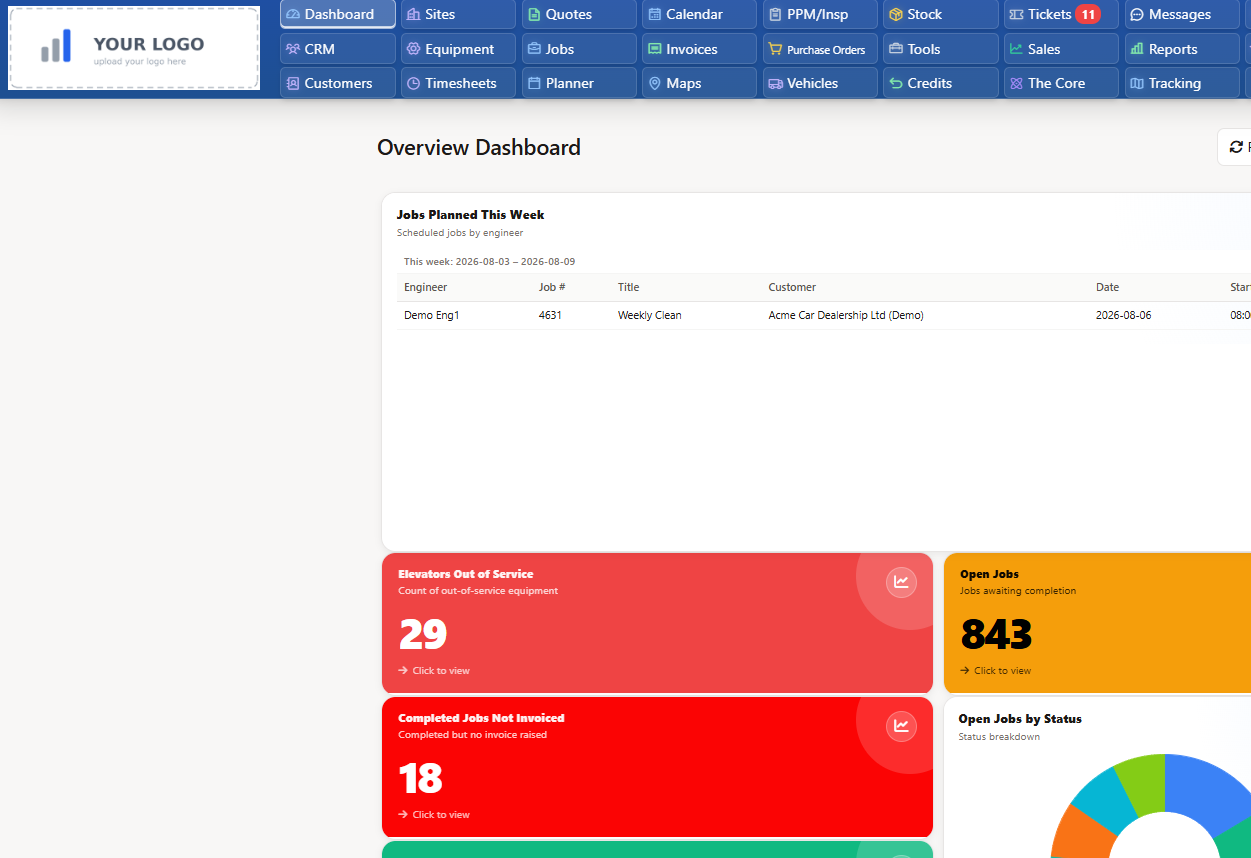
Contractor management software means three completely different products depending on who is selling it: HR platforms for paying freelancers, safety prequalification networks for industrial site operators, and operational systems that contracting businesses use to schedule, dispatch, evidence and invoice work - including work sent to subcontractors. Buy the wrong type and you lose a year. This guide separates the three, then shows how UK trade and maintenance businesses run contractor work end to end.
30-day free trial · Access to standard product features
Search for this term and you'll find three unrelated product categories competing for your attention. They solve different problems for different buyers - and only one of them runs a contracting business day to day.
HR and payroll systems for onboarding, classifying and paying independent contractors and agency workers - often across borders. Built for HR and finance teams at large organisations with big 1099/off-payroll workforces.
Buy this if: your problem is paying and onboarding hundreds of freelancers compliantly - not getting jobs done at customer sites.
Safety-led systems used by large industrial operators to vet the contractors working on their sites - insurance documents, safety records, inductions and permits. Contractors register because a client mandates it.
Buy this if: you're a large site operator vetting hundreds of external firms - or a client has told you which scheme to join.
Software that contracting and field service businesses use to run the work itself: schedule jobs, dispatch engineers or subcontractors, capture photos and signatures, track time and materials, and invoice. This is where Field Ascend sits.
Buy this if: you send people to customer sites and need the job, the evidence and the invoice connected.
| Type 1 - Workforce/Payroll | Type 2 - Prequalification | Type 3 - Operational | |
|---|---|---|---|
| Core question | "How do we pay this person compliantly?" | "Is this firm safe to let on site?" | "Is the job done, evidenced and invoiced?" |
| Typical buyer | HR / finance at large organisations | EHS teams at industrial operators | Owners and ops managers at contracting businesses |
| Unit of work | The worker and their contract | The document and the audit | The job, from booking to invoice |
| Field evidence | None | Safety forms only | Photos, notes, signatures, timesheets |
| Invoicing the client | No - pays workers, doesn't bill clients | No | Yes - connected to accounts software |
For a UK contracting business - electrical, HVAC, plumbing, maintenance, facilities - contractor management software is the operational system that connects the office and the field. It overlaps heavily with field service management software: scheduling and dispatch, a mobile app for engineers, quoting, job costing and invoicing in one place instead of phone calls, paper job sheets and spreadsheets. If you're new to the category, our plain-English guide to what FSM software is covers the foundations.
Where "contractor management" earns its own name is the external dimension. Most contracting businesses don't deliver every job with their own payroll staff. Work gets passed to subcontractors - the one-man band you trust with overflow, the specialist firm you bring in for niche work, the regional sub who covers sites you can't reach economically. That work usually lives in email threads and WhatsApp messages: no visibility, no evidence trail, and an invoice that arrives weeks later with nothing to check it against. Why subcontractor management matters covers the cost of running it that way.
Proper contractor management software treats subcontracted jobs like your own jobs: dispatched with a scope, tracked through acceptance and completion, evidenced with photos and signatures, and connected to the money side - purchase orders for the cost, invoices for the revenue. One system, whether the person on site is on your payroll or not.
Contractor management starts with running your own operation well. Field Ascend gives the office scheduling and visibility, and gives engineers everything they need on site.
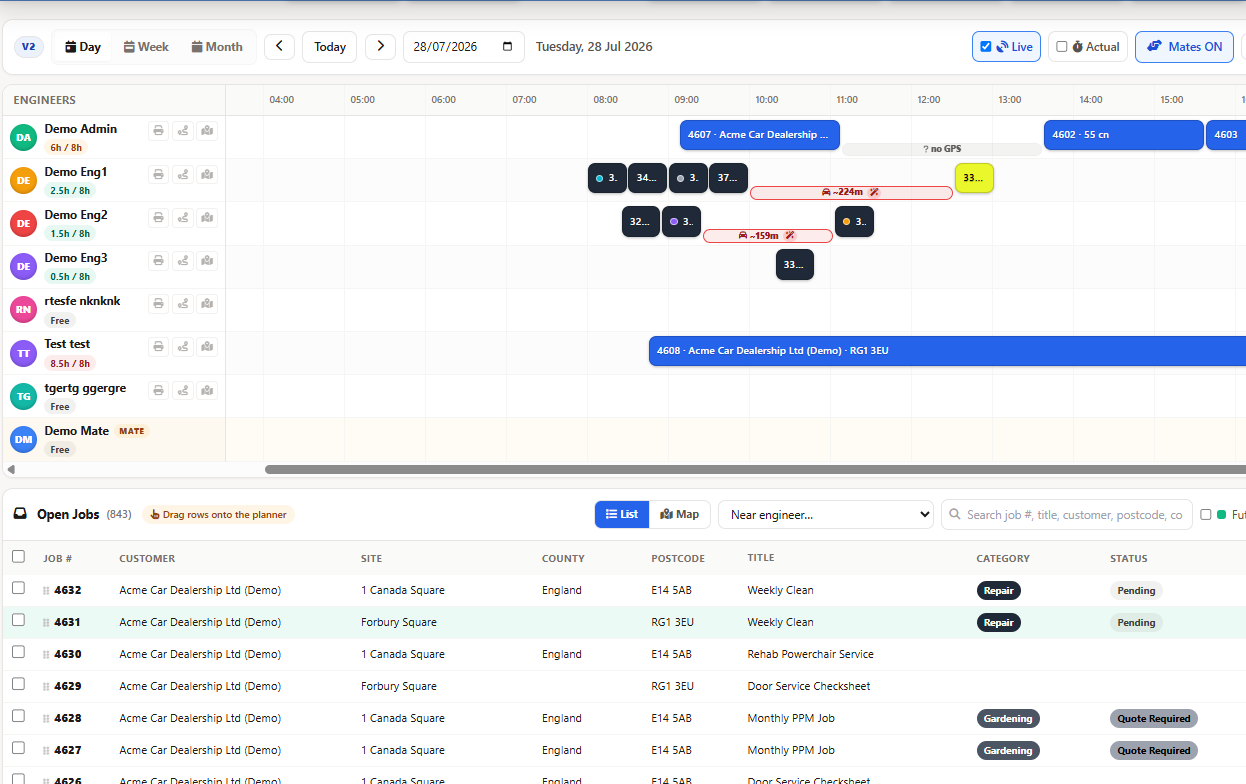
See the whole workload across engineers, days and sites. Drag-and-drop planning for reactive and planned work, with the right person matched to the right job.
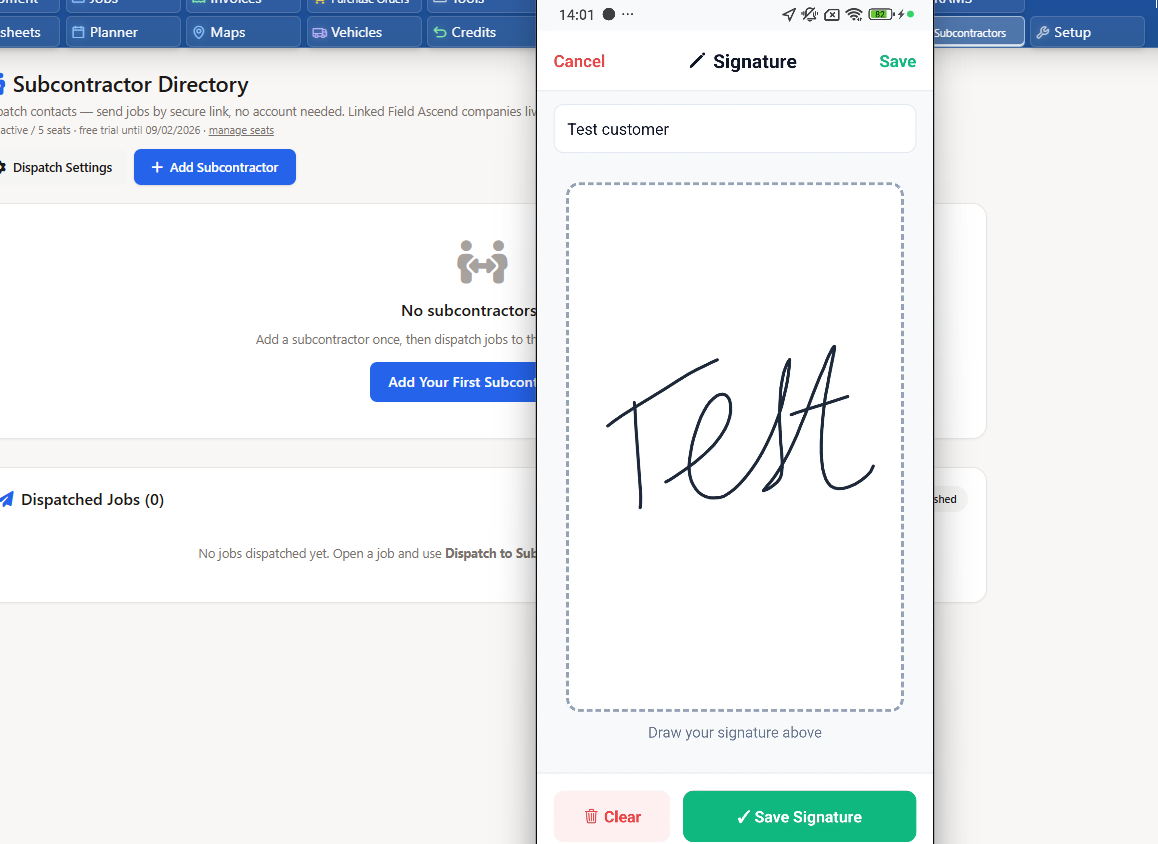
The offline-first mobile app gives engineers job details, check sheets, photo capture, signatures and time logging - even in basements and plant rooms with no signal.
From quotes contractors can send from site to completed jobs ready for billing, the money side stays attached to the work.
This is the part most software gets wrong. Subcontractors won't download your app, create an account or learn your system - so their work ends up in email. Field Ascend removes that barrier entirely.
Send a job to any subcontractor in your directory by secure email link. They open it on their phone, accept or decline, upload photos, add notes and sign off - with nothing to install and no password to remember.
See the full picture on our subcontractor management software page.
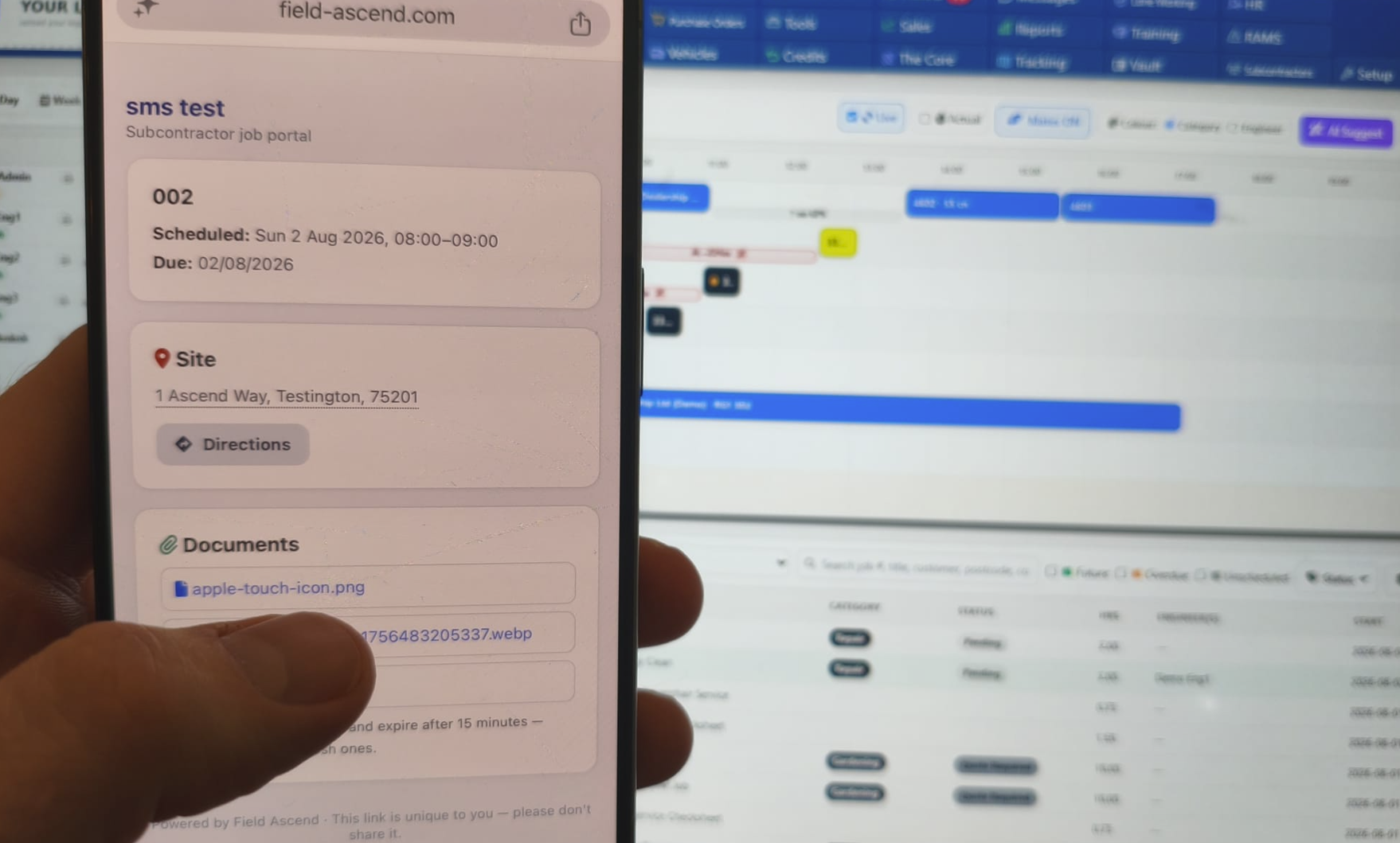
Subcontractors appear on the same planner as your own engineers, in their own lanes - so the office sees the whole week's delivery, not just the payroll half of it.
An honest note: Field Ascend is not a prequalification network. If a client mandates a specific scheme, that requirement sits alongside your operational system - what Field Ascend fixes is the day-to-day chaos of dispatching, evidencing and paying for subcontracted work.
Evaluating contractor management software? Put these to every vendor. If you can't get a straight yes to most of them, you're looking at the wrong type of product.
Field Ascend answers yes to all ten - see features and pricing.
Contractor management software fails when it's rolled out as a big-bang IT project. Do it in four weekly steps - inside the free trial.
Import customers, sites and price lists from spreadsheets. Set up job types and your engineer list.
Schedule real work on the planner. The office runs the week in the system instead of the whiteboard.
Engineers complete jobs on the mobile app. Dispatch your first subcontractor jobs by secure link.
Completed jobs flow to invoices, POs cover subcontracted costs, and accounts sync takes over the re-keying.
It's a system for organising work done by contractors - scheduling jobs, dispatching them to internal engineers or external subcontractors, tracking progress, capturing evidence like photos and signatures, and getting completed work invoiced. The same term is also used for freelancer payroll platforms and for safety prequalification networks, which solve entirely different problems.
Type 1: contingent workforce software - HR and payroll platforms for onboarding and paying freelancers. Type 2: compliance prequalification networks - safety schemes large industrial operators use to vet contractors. Type 3: operational contractor management - software contracting businesses use to schedule, dispatch, evidence and invoice work. Most trade and maintenance businesses need Type 3.
They overlap heavily. FSM software runs the day-to-day operations of a contracting business - scheduling, dispatch, mobile job completion, quoting and invoicing. Contractor management adds the external dimension: managing work you send to subcontractors as well as your own engineers. Field Ascend covers both in one system.
Not with Field Ascend. Jobs can be dispatched to external subcontractors by a secure email link. The subcontractor opens the link on their phone, accepts or declines, uploads photos, adds notes and signs off - no account, app download or password required. You review their submission before anything joins the official job record.
Yes. Subcontractor details and documents live in a central directory, so insurance, certifications and contact records are in one place instead of email attachments. RAMS and safety documentation can be attached to jobs so evidence sits against the work it relates to.
No, and it doesn't pretend to be. Prequalification networks are third-party schemes large site operators mandate for vetting contractors. Field Ascend is operational software for running contracting work day to day. If a client requires you to register on a specific scheme, that sits alongside your operational system, not instead of it.
Pricing models vary widely across the category - per user, per contractor, or enterprise quotes you have to request. Field Ascend starts from £10 per user per month (minimum 3 users) with no setup fee. See pricing details.
Yes. When dispatching a job to a subcontractor you can raise a linked purchase order at the same time, so the cost of subcontracted work is captured against the job from the start rather than reconciled from invoices later.
Yes. Field Ascend supports VAT and CIS-aware invoicing for UK contracting businesses, and connects to Xero, Sage and QuickBooks so completed jobs flow to your accounts without re-keying.
A typical rollout takes around 30 days: foundations in week one, office scheduling live in week two, engineers and subcontractors joining in week three, and the invoice loop closed in week four. The 30-day free trial means the whole rollout can happen before you pay anything.
Your engineers, your subcontractors, the evidence and the invoice - connected. Start your 30-day free trial.
Start Your Free Trial