The Kanban Board in Detail
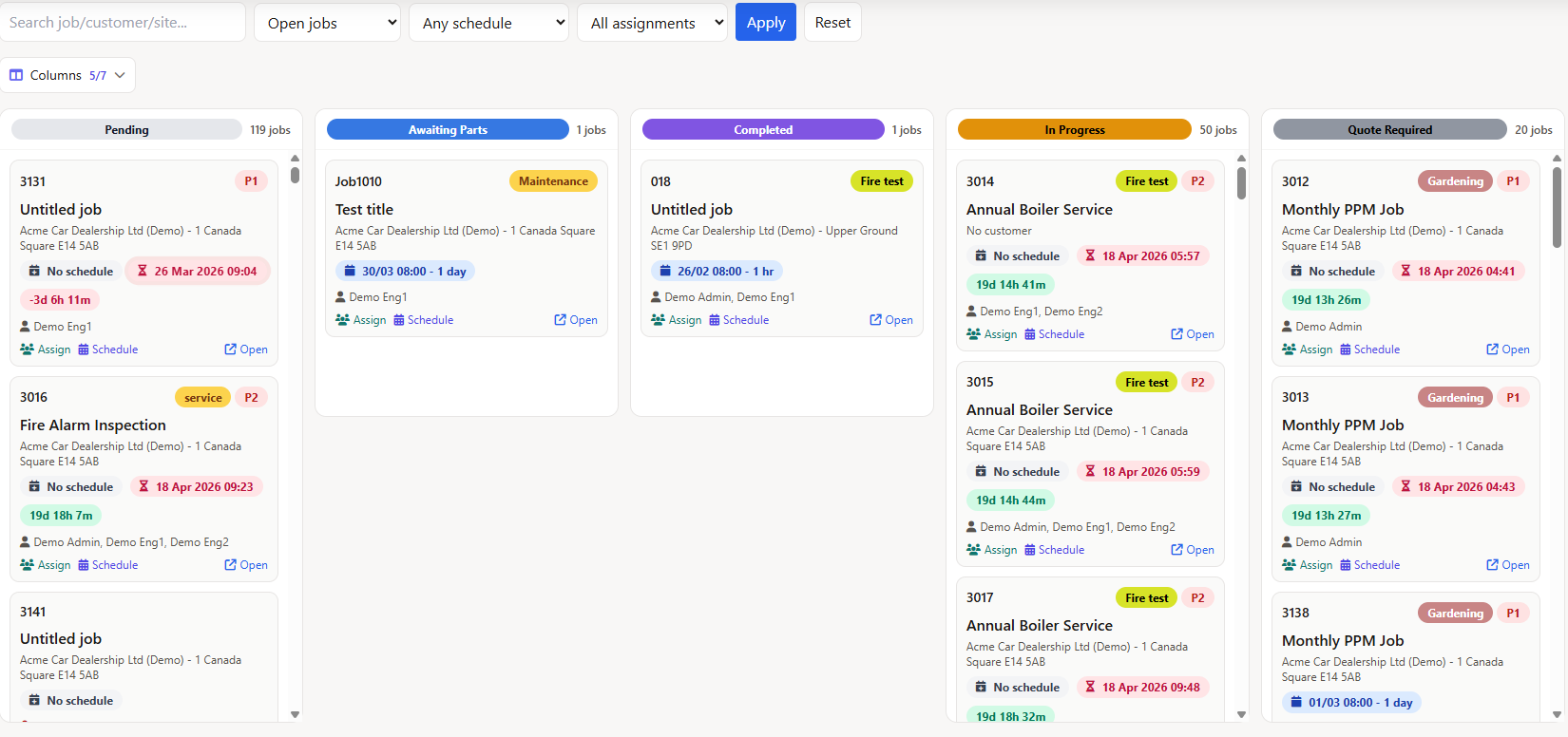
Your job statuses become columns. Your jobs become cards. Drag a card to a new column and the status updates everywhere - the jobs table, the planner, the mobile app, and any connected integrations.
Drag-and-Drop Status Management
Each column on the board maps to one of your custom job statuses. You define the statuses - reactive, PPM in progress, awaiting parts, on hold, completed - and the board builds itself automatically.
- Custom columns - driven by your tenant's job statuses, not a fixed template
- Column picker - show or hide columns and save your preferences per user
- Drag to update - move a card and the status change fires immediately, with push notifications to the assigned engineer's app
- Job count badges - see how many jobs sit in each status at a glance
When you drag a card, the same notification and email logic runs as a manual status change in the jobs table - engineers get alerted, audit trails update, and nothing falls through the cracks.
Live SLA Countdown on Every Card
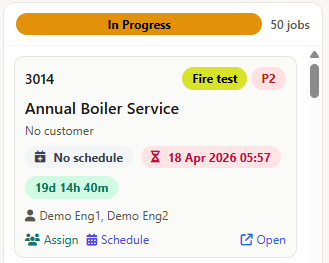
Every job card shows a real-time countdown to its target completion date. The timer updates every minute without a page reload - green when on track, amber when under four hours remain, and flashing red when overdue.
- Colour-coded urgency - green, amber, and red thresholds make overdue jobs impossible to miss
- Flashing overdue indicator - jobs past their SLA pulse with a red animation that catches the eye
- Completed jobs excluded - finished work doesn't clutter the countdown view
- Same logic as the jobs table - consistent SLA calculation across the Kanban board and the tabular jobs list
For field service teams managing contract SLAs - whether that's four-hour response times for lift callouts or 24-hour targets for HVAC reactive work - this is the fastest way to see what's at risk.
Schedule Jobs Without Leaving the Board
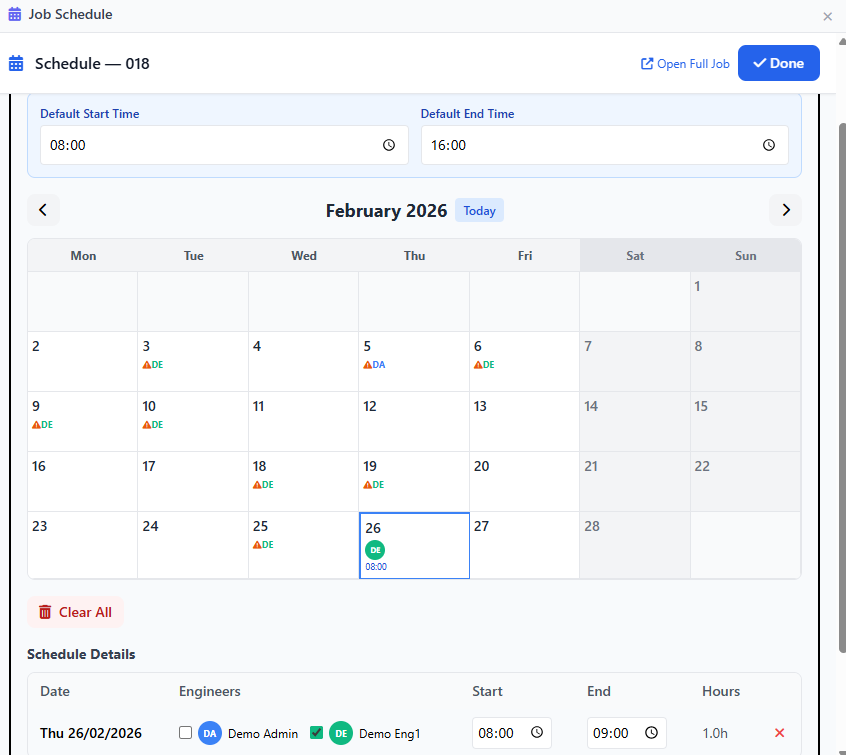
Click the schedule badge on any card and an inline calendar modal opens - the same schedule builder used on the full job detail page. Pick dates, set start and end times, assign engineers, and save. The card updates instantly with a summary like 28/03 08:00 - 2 hrs or 01/04 09:00 - 2.5 days.
- Multi-day scheduling - select date ranges for jobs that span multiple days
- Engineer availability - see who's busy, who's free, and which bank holidays apply
- Multi-engineer support - assign secondary engineers (mates) to the same schedule slot
- Duration summary - cards show total scheduled time in hours or days, calculated automatically
This works alongside the visual planner board - schedule from whichever view suits the task. Changes sync instantly across both.
Assign Engineers Directly from the Board
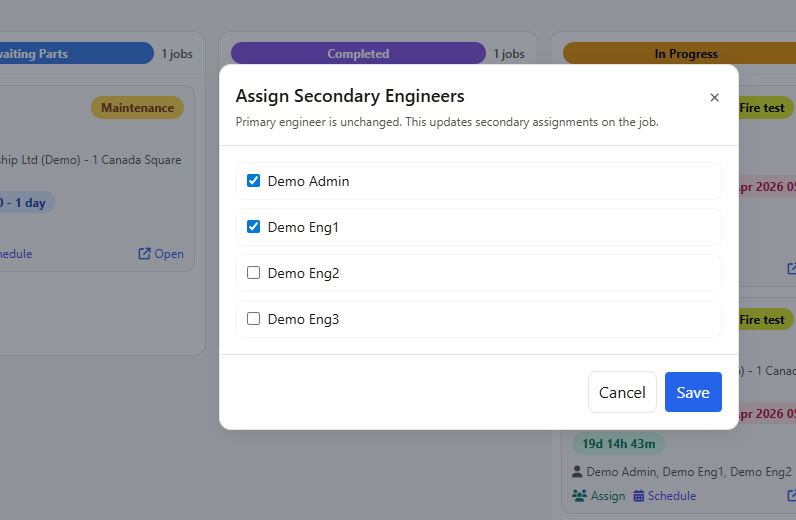
Each card shows the assigned engineer. Need to reassign? Click the engineer badge to open an assignment panel - add or remove secondary engineers, change the primary, and the notification goes straight to their mobile app and email (if enabled).
- Primary and secondary engineers - assign mates for two-person jobs without opening the full job page
- Push and email notifications - engineers are notified instantly when assigned, exactly the same as assigning from the job detail page
- Pop-out to full detail - click the job number to open the complete job page in a new tab for deeper editing
The assignment logic is the same as the jobs table and job detail page - permission checks, notification rules, and audit logging all apply.