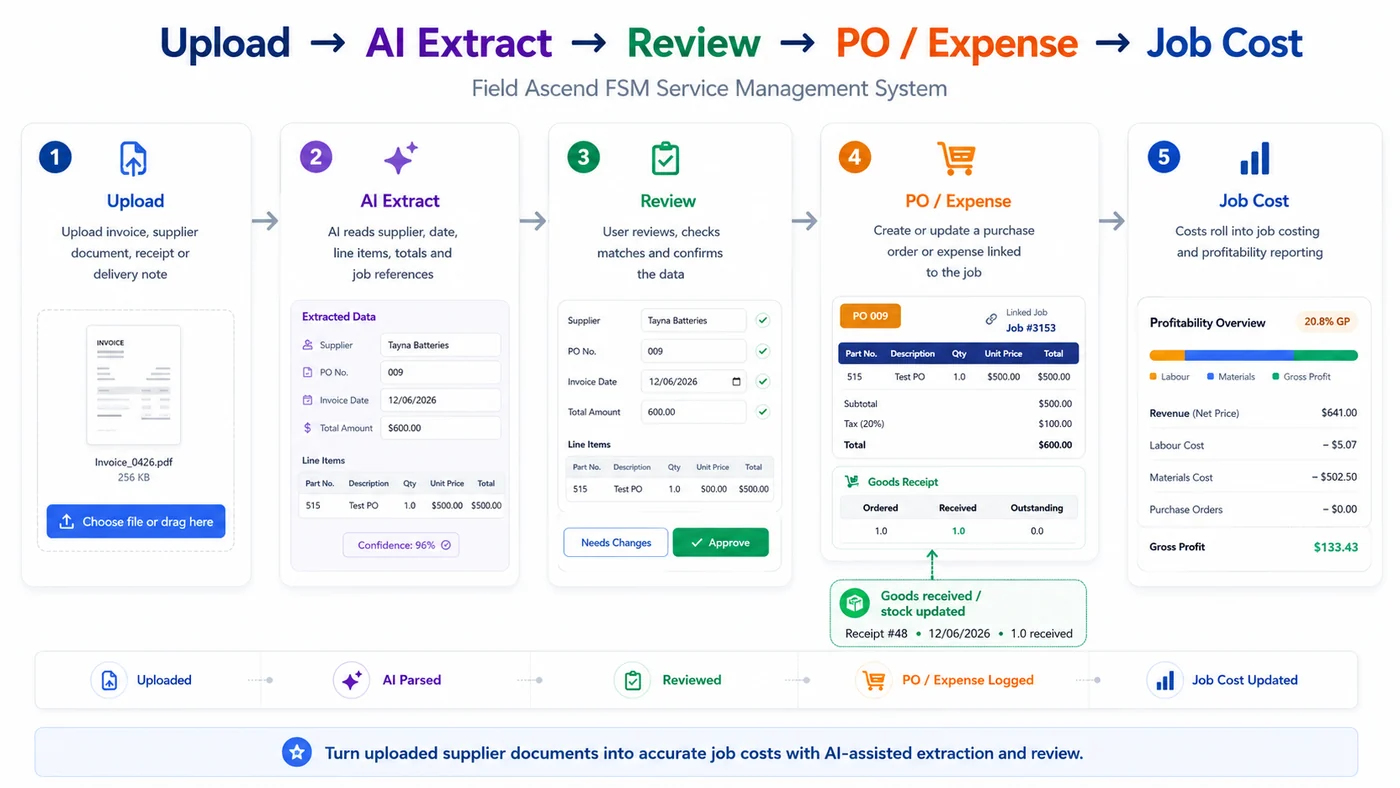
Upload supplier invoice PDFs into Field Ascend, extract the key details with AI, review the result, then attach the invoice to a purchase order or create a job-linked expense. No more retyping supplier invoices into one system, then chasing the cost in another.
The inbox gives your office a cleaner accounts payable capture workflow while keeping supplier spend inside your field service management software, where job profitability is actually reviewed.
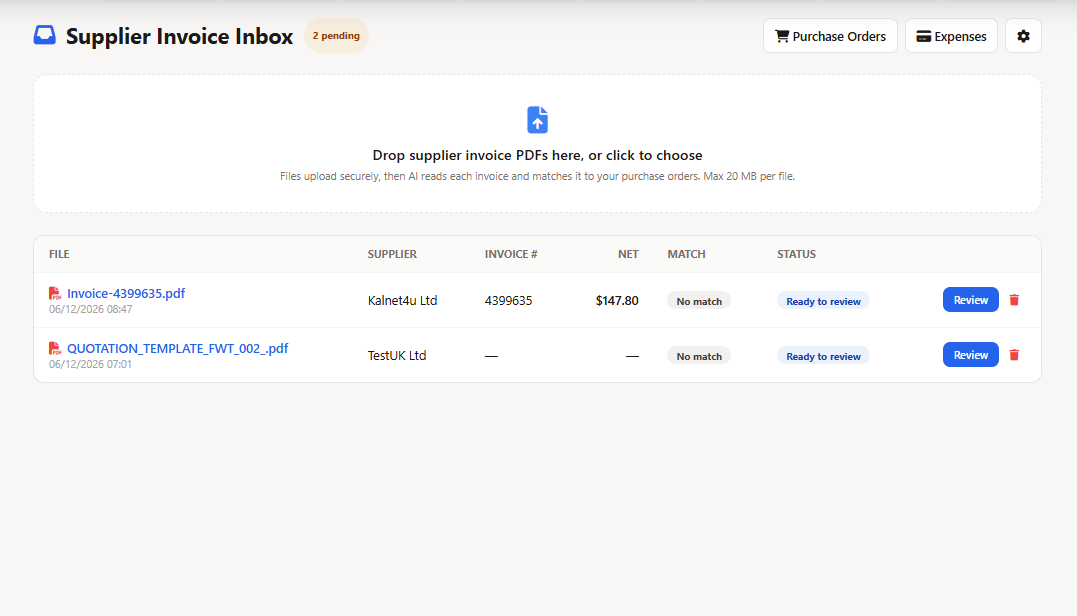
Supplier invoices often arrive after the work has moved on. The invoice inbox gives your team a queue to capture, review and connect those costs before margins drift.
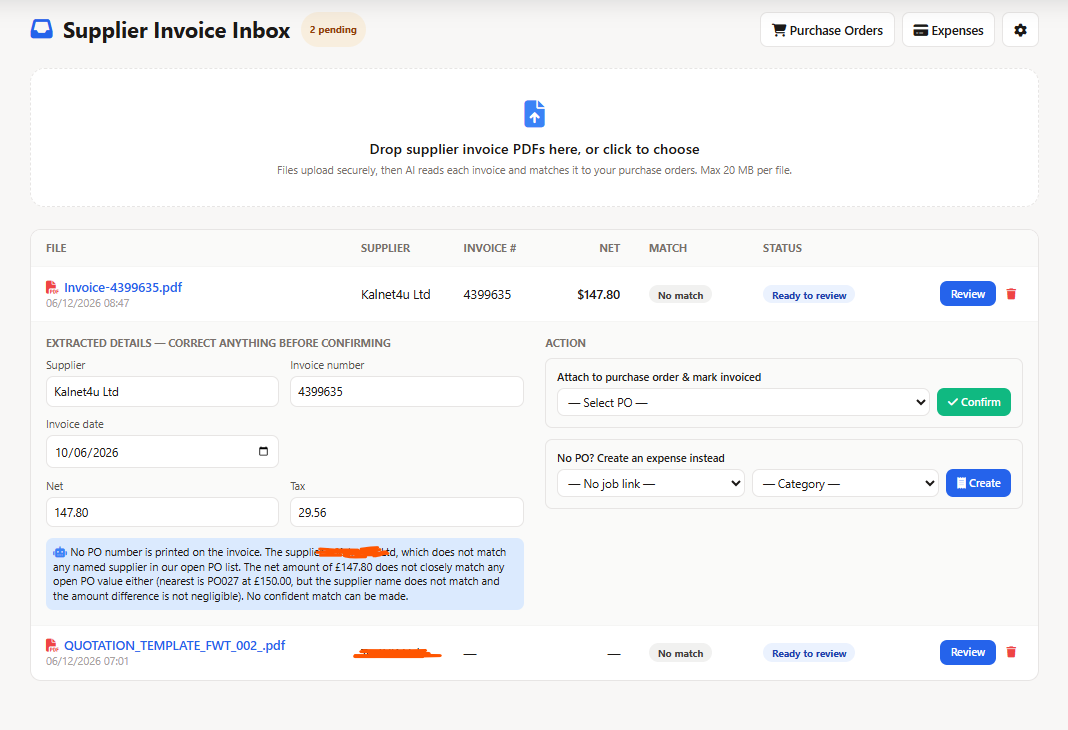
Drop supplier invoice PDFs into the inbox, then review extracted values before they touch purchase orders or expenses.
Attach invoices to purchase orders, store the document and mark the PO as invoiced once reviewed.
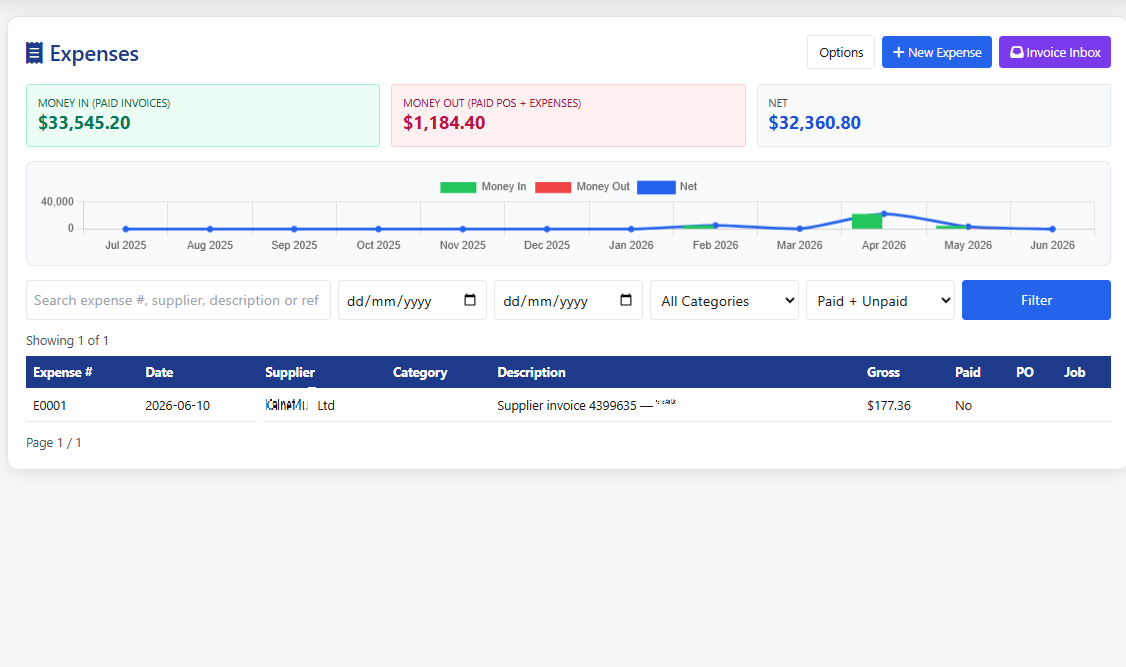
If there is no PO, create an expense with supplier, date, amount, tax and currency captured from the invoice.
Review AI extraction before confirming the supplier invoice.
Field Ascend uses AI to read supplier invoices, but it does not silently post costs. The office reviews supplier name, invoice number, date, net, tax, gross and currency before choosing the next action.
That keeps the workflow practical for contractors who want speed, but still need a controlled audit trail for purchasing, expenses and job costing.
This is not just receipt storage. It connects the invoice PDF to the operational records that explain why the cost exists.
Supplier names are matched to supplier records where possible, keeping invoice capture aligned with the same suppliers used by purchase orders and expenses.
Where a PO exists, the invoice can be attached to it and the PO can be marked as invoiced for clearer committed versus actual cost tracking.
Where the cost is not PO-led, create a normal expense that can be linked to a job and included in expense tracking software.
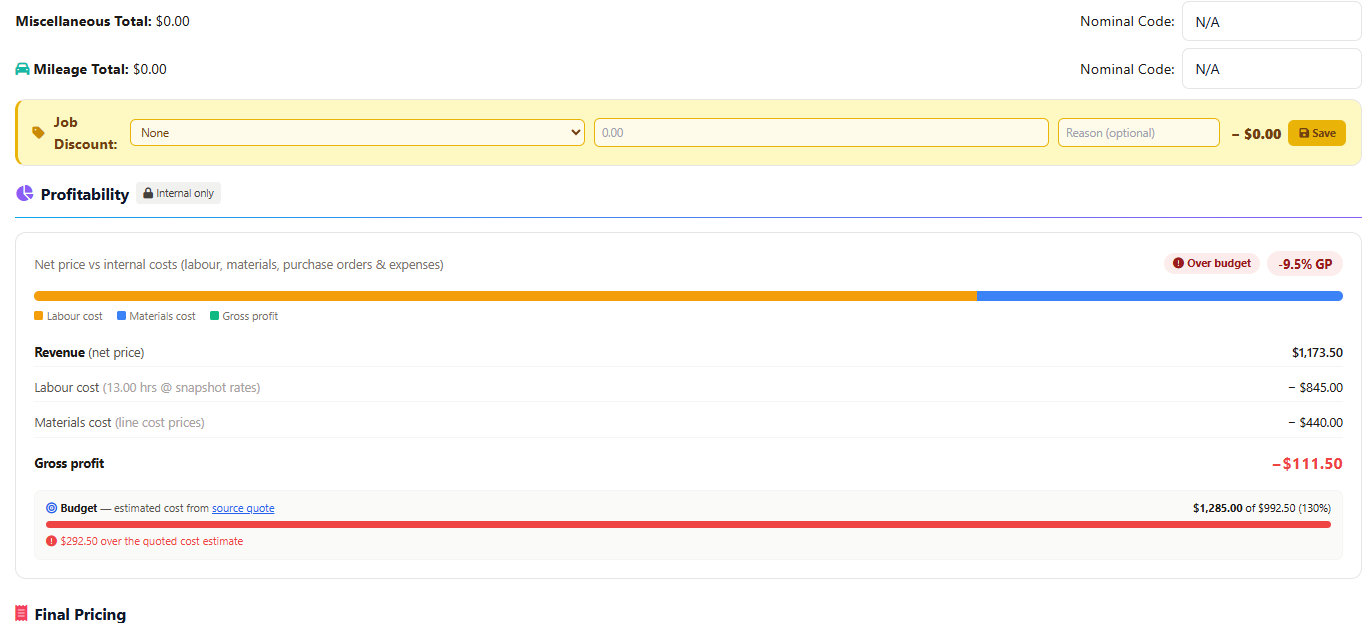
Supplier invoice costs are captured where job margins are reviewed, helping managers understand quote versus actual and budget usage.
The original invoice PDF remains available as supporting evidence, so cost numbers are not detached from the paperwork behind them.
Once confirmed, supplier costs can feed the same job and finance visibility used across dashboards and reporting.
Generic OCR can read text. Field Ascend understands the operational choice: is this invoice evidence for a PO, or should it become an expense against a job?
Create an expense after review when no purchase order is needed.
Keep supplier invoices visible in job costing and profitability.
A simple AP capture queue for the office team.
No. The inbox is review-first. AI extracts the data, then a user confirms whether to attach the invoice to a PO or create an expense.
Yes. If there is no purchase order, the invoice can create a standard expense with supplier, date, net, VAT, gross and notes.
No. This page covers operational supplier invoice capture inside Field Ascend. Accounting bill export is a separate ledger workflow and should not be assumed unless configured separately.
Give the office a faster way to turn supplier PDFs into reviewed purchase order evidence, expenses and job costing data.
Start your free trial