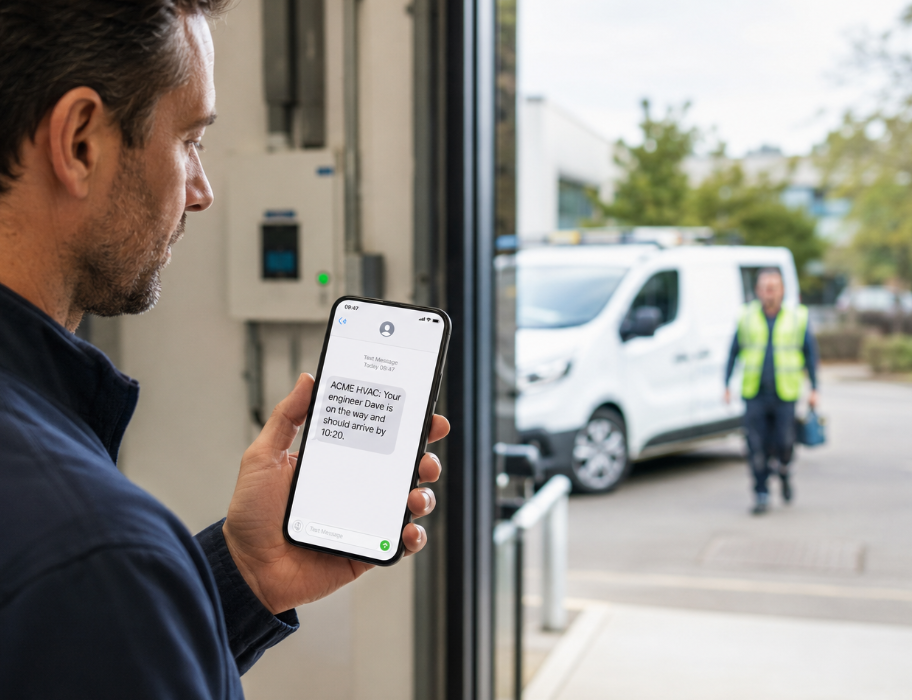
Short answer: customers call because a booked window is not a live update. When your field service software texts them the moment the engineer starts travelling - from your company name, with the right job details - most of those calls simply stop. Pair that with a customer portal for everything else and your office gets its mornings back.
The call that wastes everyone's morning
It starts politely. "Just checking what time they're coming." Then it becomes three calls: customer to office, office to engineer, engineer back to office. Meanwhile the engineer is driving, the receptionist is mid-quote, and the customer is standing by a plant room wondering if anyone remembered them.
This is not a people problem. It is an information gap. Your team already knows the engineer has left - the customer does not. Closing that gap with a short, automatic text is one of the highest-return changes a field service business can make.
Without automatic SMS
- "What time are they coming?" calls all morning
- Office interrupting engineers mid-travel
- Missed access and wasted first visits
- No proof the customer was told
With automatic SMS
- On-the-way text when travel starts
- Booking and change confirmations without typing
- Customers ready on site when the engineer arrives
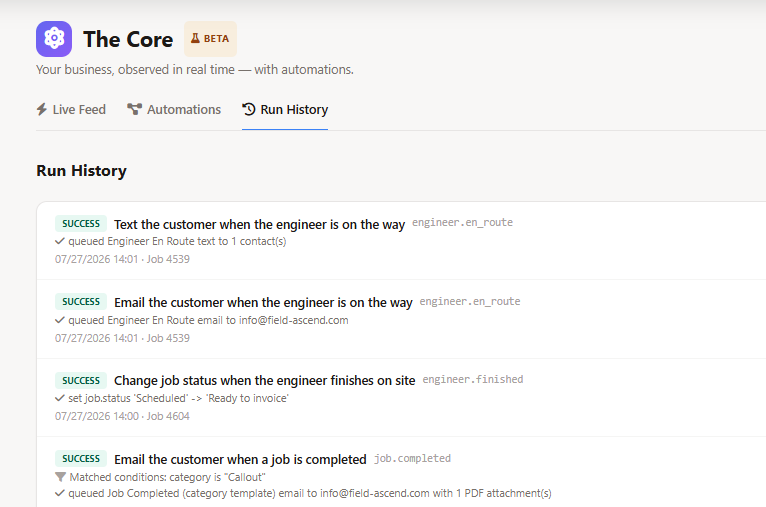
- Delivery logged against the job
What customers actually want from a text
They do not want marketing. They want certainty at the moments that matter:
- Job booked in: confirmation that the visit is in the diary.
- Appointment changed: a clear heads-up when the schedule moves.
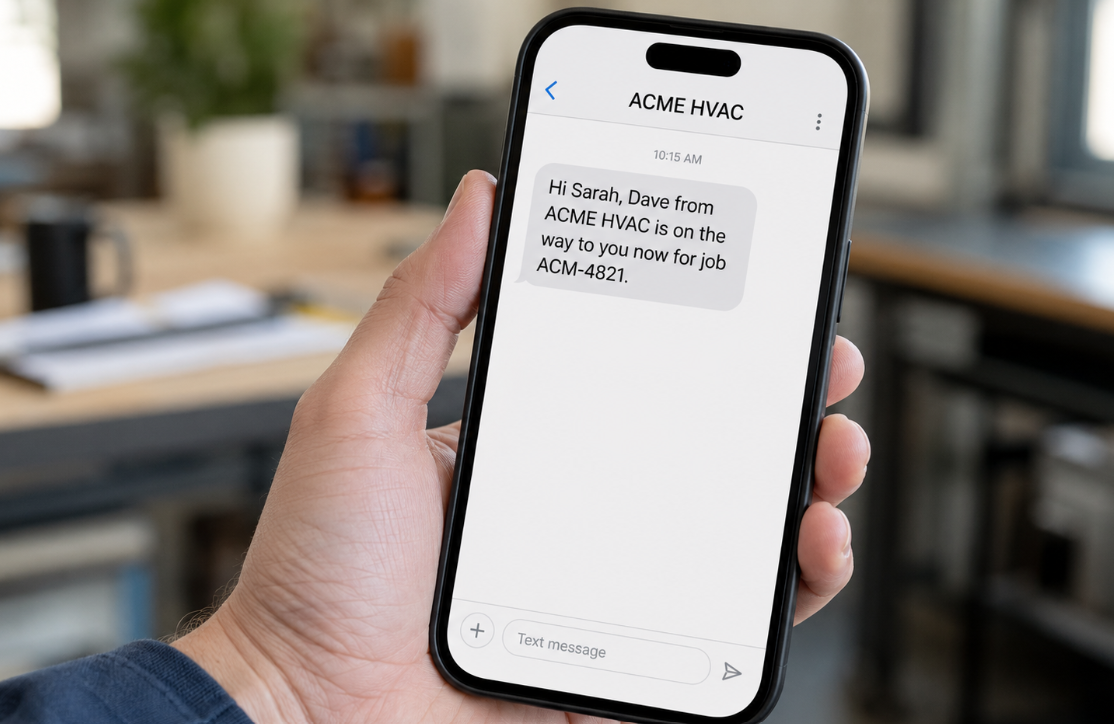
- Engineer on the way: the text that kills most status calls.
- Engineer arrived: useful for multi-site and security-controlled buildings.
- Payment reminder: a polite nudge when an invoice is overdue, with a way to pay.
Keep each message short, named as your company, and tied to a real event. That is the difference between a helpful update and noise.
Push SMS and a portal - not either/or
SMS is brilliant for moments that happen today. A customer portal is brilliant for everything customers would otherwise chase by email - job history, quotes, invoices and site records. Use SMS to push the update; use the portal when they want to look something up themselves. Together they remove two of the biggest sources of office noise.
The update journey that actually works
Think in a simple sequence that matches how work already moves through your business:
That journey only works if the message is driven by the job - not by someone remembering to open a separate messaging app. When travel starts in your engineer mobile app, the customer update should already be on its way.
Rules that keep texts useful (and compliant)
- Opt-in by contact: the site contact may want on-the-way texts; finance may only want payment reminders.
- Respect STOP: if someone opts out, stop - immediately and for good until they ask again.
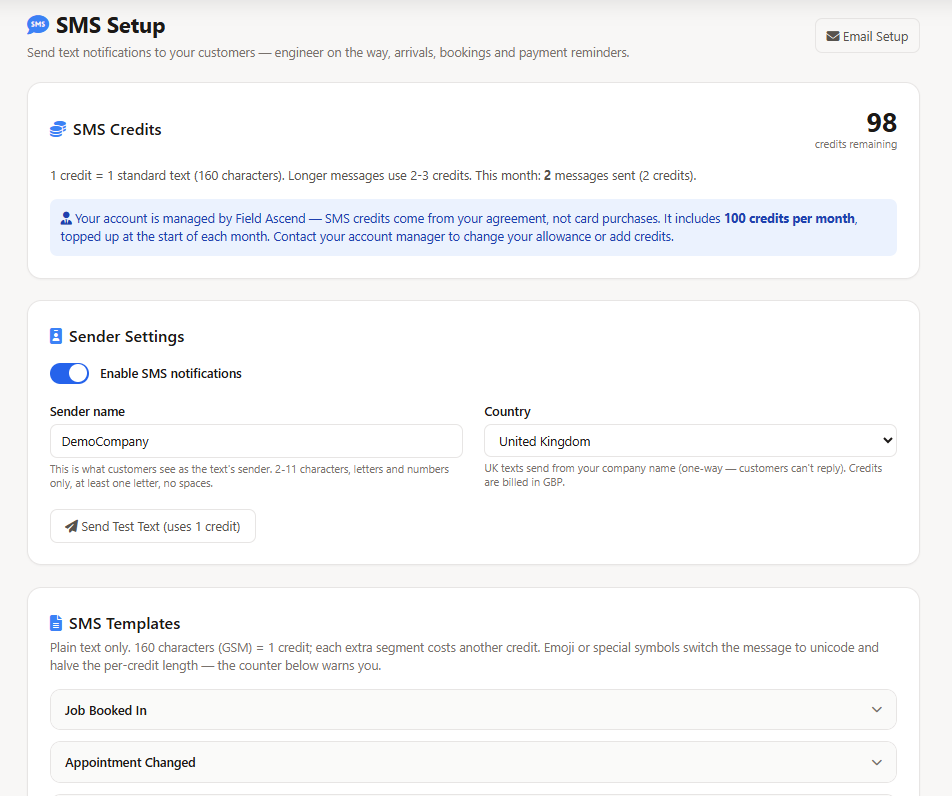
- Your sender name: customers should recognise you, not a random number.
- One purpose per text: booking, travel, arrival or payment - not a newsletter.
- Keep a record: if there is ever a dispute about access or a no-show, a delivery log on the job settles it.
Where overdue reminders fit
Status calls are not the only phone traffic. Accounts teams also chase payment. A short overdue reminder with a secure pay link sits naturally alongside your field service invoicing and online invoice payments - still event-based, still optional per contact, still logged.
How Field Ascend approaches this
Field Ascend builds customer texts into the same platform that already holds the job, the engineer and the contact. Templates are editable, and a message can go out on its own. Delivery sits on the job record. For sender names, credits, templates and setup, see SMS notifications software.
This guide is about the operating problem. That page is about the product that solves it.
FAQ
Why do customers keep asking what time the engineer is coming?
Because a booked window is not a live update. An automatic on-the-way text closes the gap between your schedule and their day.
Is SMS better than email for arrival updates?
For time-critical moments, yes. Email still wins for quotes and invoices; texts win when the engineer is already on the road.
Will automatic texts feel like spam?
Not when they are short, opted-in and tied to real job events. Customers dislike blasts - they welcome useful updates.
Should SMS replace a customer portal?
No. SMS pushes the update; the portal lets customers look things up. Use both.