Customer Texting in Detail
Email gets opened eventually. A text gets read in minutes - exactly what you need when the technician is twenty minutes out and nobody is home. Here's how it works inside Field Ascend.
Verified Sending, With Your Name on the Message
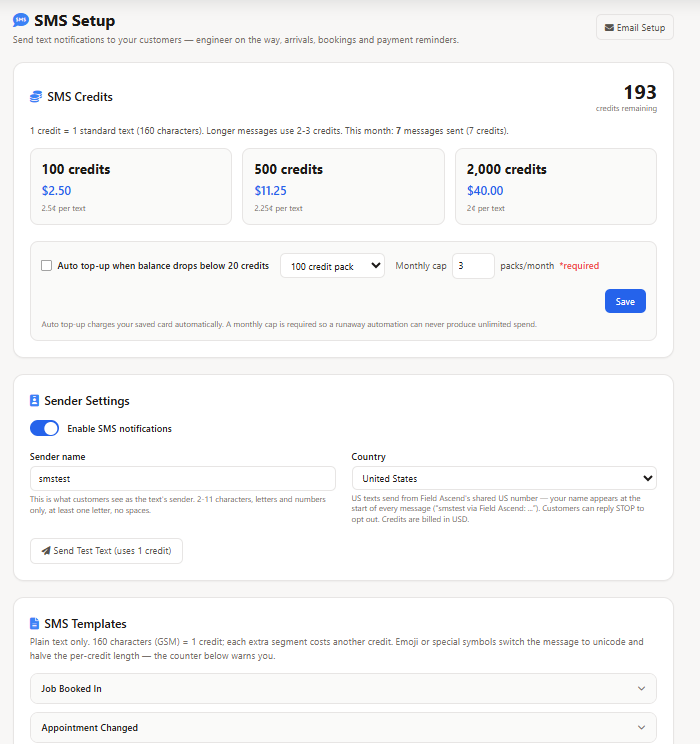
US carriers don't allow the alphanumeric sender names used elsewhere in the world, and every commercial sending number has to be registered and verified before traffic is allowed through. Field Ascend handles that for you: messages go out over a carrier-verified toll-free number, with your company name carried at the front of every message so the customer knows instantly who is texting them.
- Toll-free verification already done - no 10DLC brand registration, no campaign approval, no waiting
- Your company name up front - automatically added to every US message body
- Live segment counter - the editor counts characters and segments as you type, so you know the cost before you send
- Test send built in - fire a real message to your own cell phone before a single customer sees it
Setup sits alongside the rest of your platform settings - if you can configure an email template, you can configure this.
Texts That Send Themselves, From Real Work Order Events
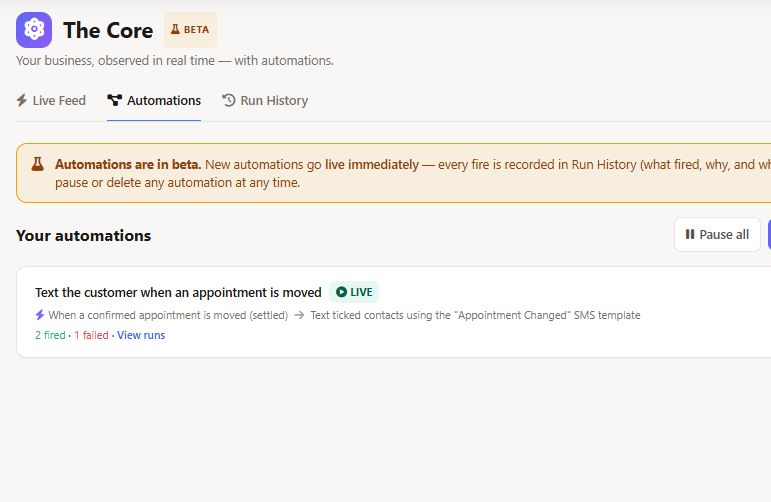
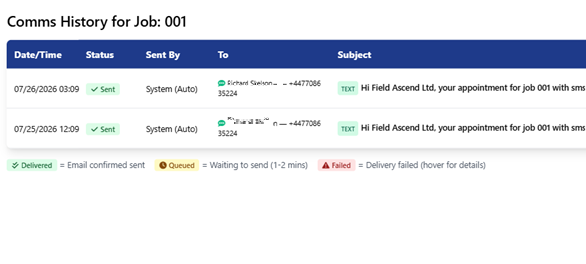
The whole point of building texting into the platform is that nobody has to trigger it. A technician taps Start Travel in the mobile app and the on-the-way text is already gone. He arrives on site and the arrival message follows. A visit gets scheduled or moved on the dispatch board and the customer is told without anyone opening a message editor.
- Technician on the way - fires the moment travel starts, with the tech's name and expected arrival
- Technician arrived - confirms the visit has begun
- Appointment scheduled - one confirmation once the schedule has settled, not one per edit
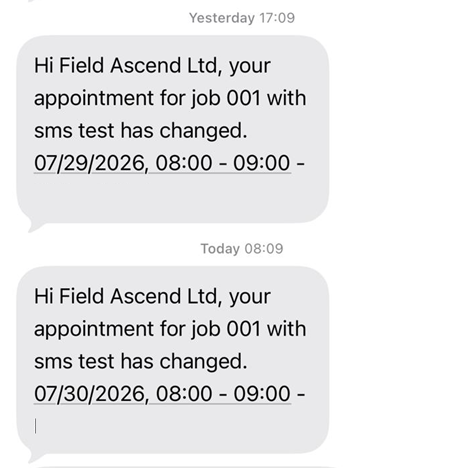
- Appointment changed - the new time, sent automatically when a confirmed visit moves
- Payment reminder - sent the day after an invoice passes its due date, with a payment link
- Feedback and readiness forms - a personal link to one of your customer feedback forms, sent when the job is completed or ahead of the visit; billed per SMS segment
Each one is a rule you turn on and edit. No rule, no text, so you are not surprised by a message you did not write.
Templates You Control, Merged With Live Job Data
Every message runs from a template you can edit, with merge fields pulling the technician's name, the arrival window, the work order number, the service address and the invoice total straight from the record. Write it once in your own voice and it stays consistent across every tech and every call.
- Editable templates - one per notification type, worded the way your business talks
- Merge fields - technician, arrival window, work order number, site, invoice total and payment link
- Segment-aware - the counter warns you when wording tips a message into a second segment
- Payment links - reminders can carry a direct link for online invoice payment
The result on the customer's phone is short, specific and useful - the opposite of the vague "your appointment is scheduled" text most people swipe away.
Consent, Opt-Outs and STOP - Handled Properly
Texting customers in the US is a regulated activity, and getting it wrong is expensive. Field Ascend treats consent as a per-contact, per-notification setting sitting next to that contact's email preferences - so the site manager can get on-the-way texts while only the billing contact receives past-due reminders.
- Per-contact opt-in - texts are chosen per person and per notification type, never assumed
- Automatic STOP handling - a reply of STOP unsubscribes at the carrier immediately and flags the contact in Field Ascend
- START re-subscribes - customers can opt back in themselves, HELP returns an information message
- Skipped safely - a contact with no cell number, or with texts turned off, is passed over silently
Opt-outs are respected everywhere, so a customer who leaves once isn't texted again by a different rule. See how contact preferences work across channels in the customer portal.
Prepaid Credits With a Cap You Set
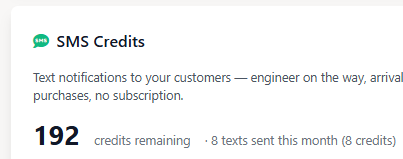
Texting is pay-as-you-go on prepaid credits rather than a fixed monthly bundle you either blow through or waste. Buy a pack, spend it, top it up - and if you'd rather not think about it, turn on auto top-up with a monthly cap so the spend can never surprise you.
- Packs of 100, 500 or 2,000 - the larger the pack, the lower the price per credit
- One credit per segment - the counter shows the cost before you send, no guessing
- Automatic refunds - credits are returned when a message fails or can't be delivered
- Auto top-up with a cap - set a monthly limit and it will never be exceeded
- Low balance warnings - you're told before you run out, not after
Credits are bought in the platform on your saved card, appearing alongside your license on the same billing page. Full details on pricing.