Near misses, accidents and damage, from the phone

Incident Reporting Software

Field Ascend incident reporting software is for field service companies whose engineers still write a near miss on a paper sheet and hope it reaches the office. The engineer fills the form on the phone, signs it, and adds photos. On submit, the office is emailed a PDF and the report lands on a register as awaiting review. A manager records the outcome. The customer never sees it.

It is a report of something that happened, not a scored inspection. Site, van and equipment audits live in site audit software. Daily vehicle walk-rounds stay with the vehicle. This is the near miss form, the accident form, and the damage form.
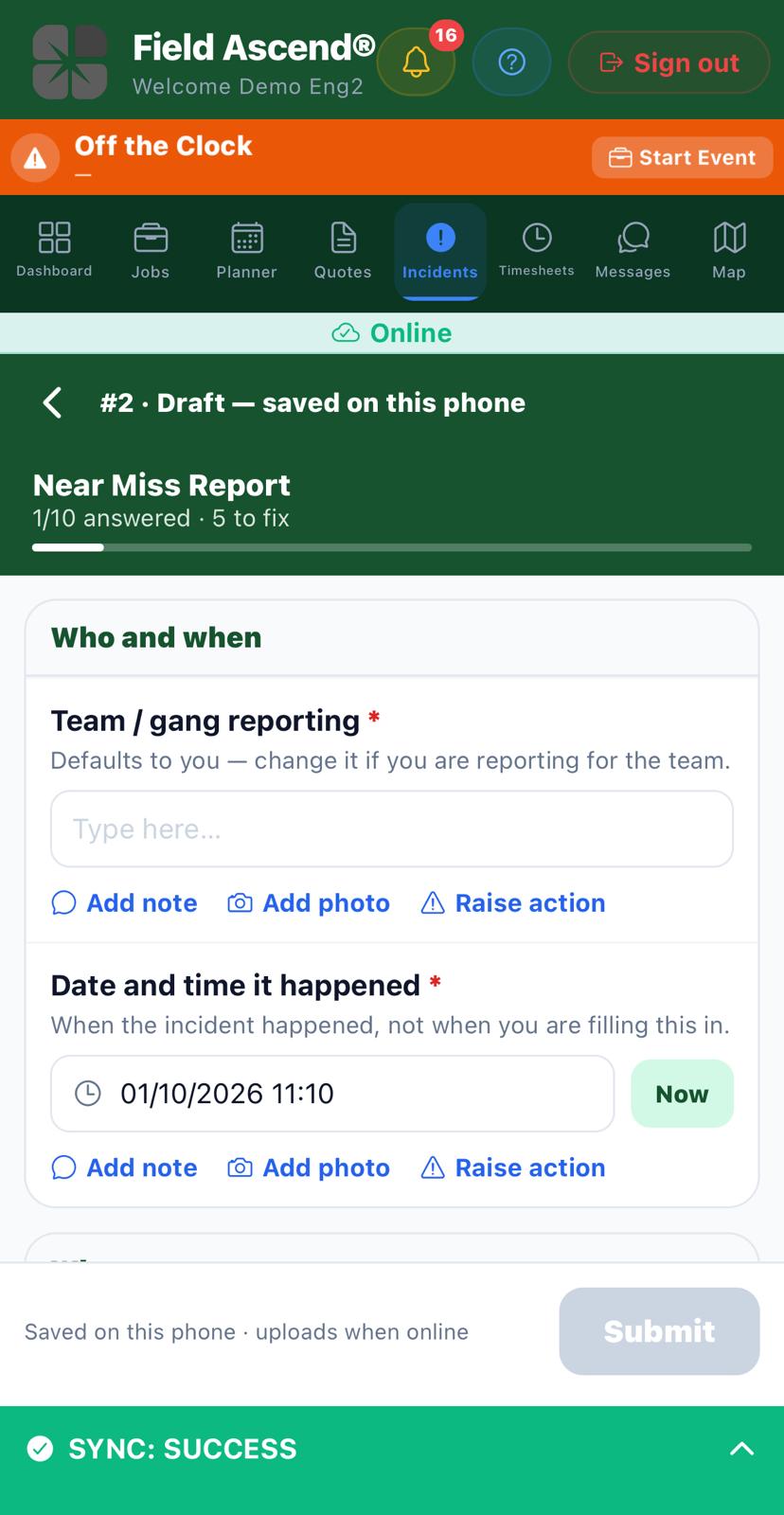
Engineers app near miss form, saved on the phone, with the date and time filled in and an add photo button
Screenshot pending: incident-reporting-software-phone.jpeg. Engineers app, near miss form, date and time, add photo.
A near miss, started on the engineer's phone

A near miss the engineer can finish on site

Open Incidents in the app, or tap Report incident on the job they are already on. The form is yours. A typical near miss asks who is reporting, when it happened, a what3words address, the camp or base, what nearly happened, what was done at the time, whether more work is needed, and photos. The date and time start at now. Change them if the event was earlier.

The signature sits at the end of the form, once. There is no second signature box hiding under a different heading.

No signal is fine. The draft, the photos and the signature stay on the phone and upload later. The office does not get an email until that upload has landed, so you will not be sent a report with missing pictures and a promise they are coming. Photos are capped at the number the form allows, usually six.

What3words is typed in. Field Ascend does not look the address up for you.

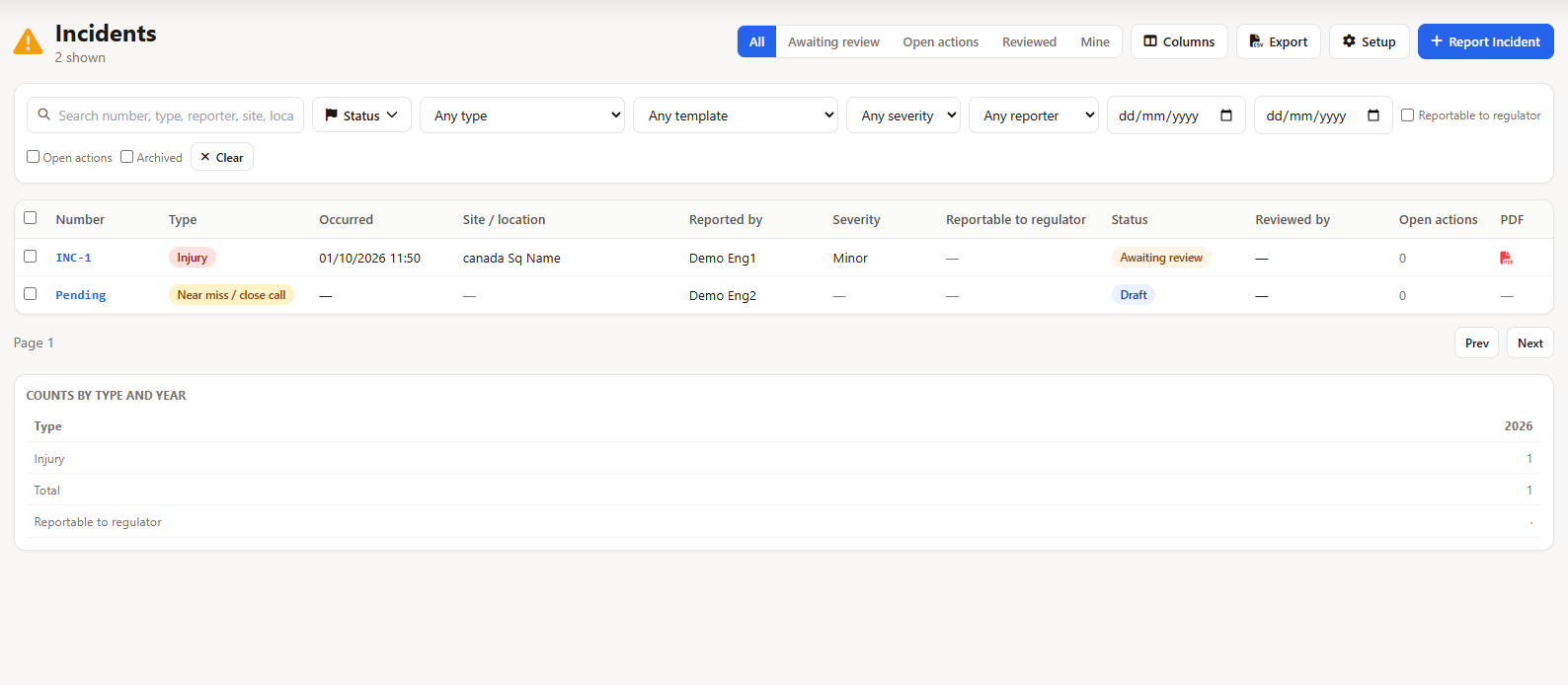
Incident register with an injury awaiting review and a near miss still saved as a draft
Screenshot pending: incident-reporting-software-register.png. Office register, one row awaiting review and one draft.
The office register, one row per report

How incident reporting software gets the PDF to the office

Submit is the moment the office hears about it. The report is numbered (INC-7, or your own prefix), locked, and emailed as a PDF to the addresses on that form. If the form has none, it uses the company list under Setup, Incidents Setup, Notify the office. Set that address or the email has nowhere to go. Admins who manage incidents still get a push, and the row shows as Awaiting review either way.

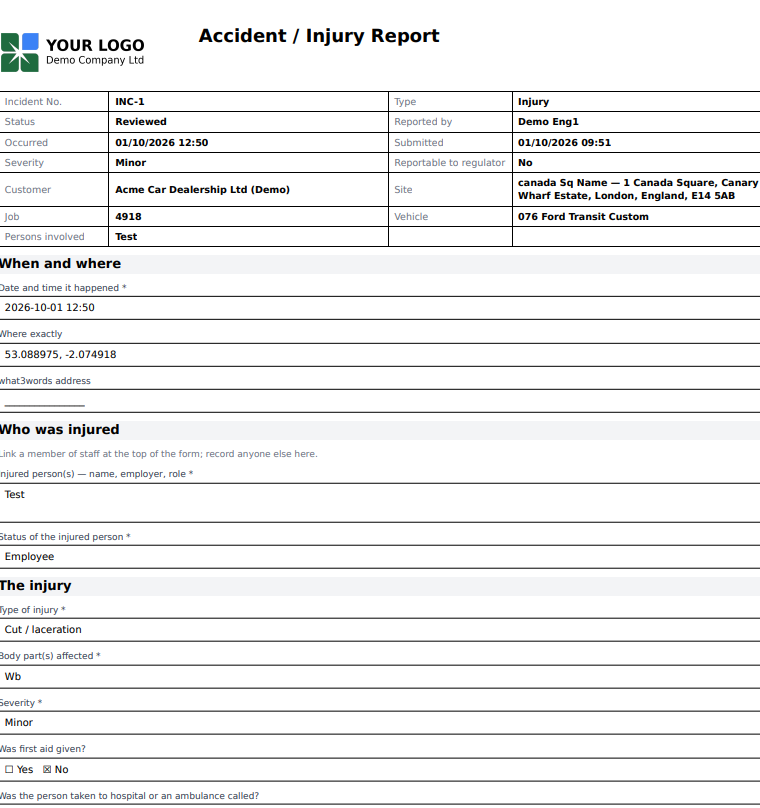
The PDF is your paper form, laid out: who reported it, when it happened, the answers, the photos, the signature. Manager review and the date reviewed are blank until someone in the office has actually reviewed it. After review, the PDF is rebuilt with that block filled in. You can email it again from the record. It does not send itself a second time.

The register columns are whatever you decide the form should fill: when it happened, how bad, whether it is reportable, the type, the people involved. A yearly count by type sits above the list. Export of the whole register to a spreadsheet is not built. You work from the list and the PDFs.

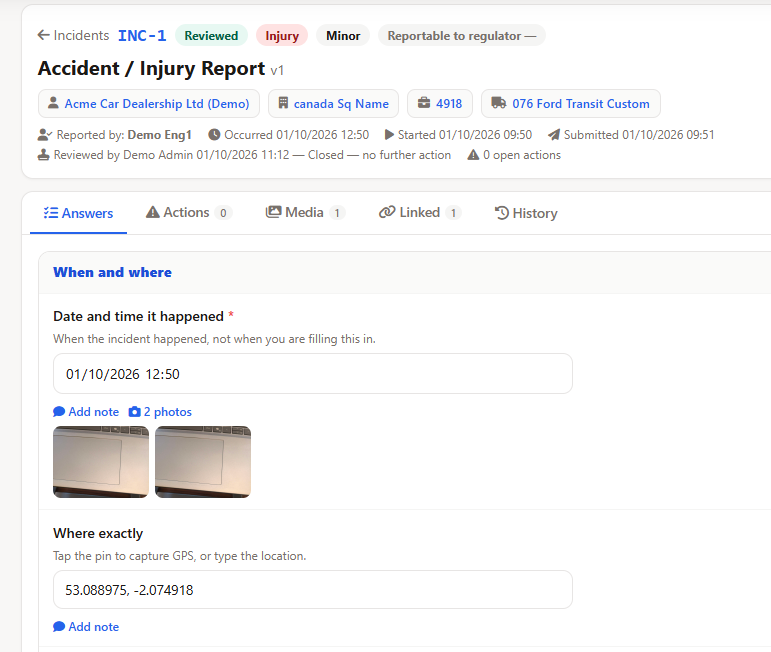
Reviewed injury report in the office, status Reviewed, outcome closed, with two photos attached
Screenshot pending: incident-reporting-software-review.png. Reviewed report, outcome closed, photos.
A reviewed report, with the outcome and the photos

Review it, send it back, or raise the work

A manager opens the report and picks an outcome: closed, investigation required, or escalated. They can add a note and, if the form demands it, a signature. That is the review. It is not a case file with an investigator, a timeline and a lessons-learned workshop. If you need that, you keep it in your own system and attach this PDF.

Return sends it back to the engineer with a reason they can read. They fix it and submit again. Reopen is there if a reviewed report needs editing. Both are office actions. The engineer who wrote it cannot review their own report.

If the form asks "is remedial action needed?" and the answer is yes, a tracked action is raised with a due date, assigned to the person who reported it. Closing that action can require a second person to agree, if you switch that on. The action can also become a ticket. It does not become a job on its own.

Your forms, and the word your regulator uses

Switch the module on in Setup and you get starter forms: near miss, injury, damage to plant or property, utility strike, environmental. Edit the questions. Add a type of your own. Accident reporting software, in this product, means those forms, not a fixed government template.

One setting is the name of your regulator. Leave it blank and the register says "reportable". Type the name you use and that name is the column heading and the line on the PDF. The product does not know which statute applies to you, and it will not file the report.

Customers do not get a login to these reports. A vehicle collision that belongs on a vehicle accident report stays there. RAMS is the risk assessment before the job. Toolbox talks are the briefing. This page is what you fill in after something nearly went wrong.

Injury report PDF, status Reviewed, with the answers filled in
Screenshot pending: incident-reporting-software-pdf.png. PDF of a reviewed injury report.
The PDF of a reviewed report

Questions we get before anyone files the first one

Does this file a RIDDOR report for us?

No. A question on the form can record whether the incident is reportable to your regulator, and you name that regulator yourself in Setup. Field Ascend does not submit anything to the HSE or any other authority. The PDF and the register are your internal record.

Can engineers report a near miss with no signal?

Yes. The report is written on the phone first. Photos and the signature wait on the device and upload when there is a connection. The office email goes out after the report has reached the server.

Is this the same as a site audit?

No. A site audit is a scored inspection of a site, van, piece of equipment or person, often on a schedule. An incident report is something that happened: a near miss, an injury, damage, a utility strike. It is not scored, and it is not sent to the customer.

Who receives the report?

On submit, the PDF is emailed to the addresses on that form, or to the company address under Setup, Incidents Setup, Notify the office. If neither is set, nobody is emailed. Admins who can manage incidents still get a notification, and the report sits on the register as Awaiting review.

Can we use our own near miss form?

Yes. Setup includes starter forms for a near miss, an injury, damage to plant, a utility strike and an environmental incident. You edit the questions, or build a new form. The date and time, what3words address, severity and whether it is reportable can be set to fill columns on the register.

Put the paper near miss form on the phone

Switch Incidents on, keep the starter or write your own questions, and set the office email. One engineer can file the first report the same day. From £10 per user per month, three users minimum, 30-day trial.

Start your free trial