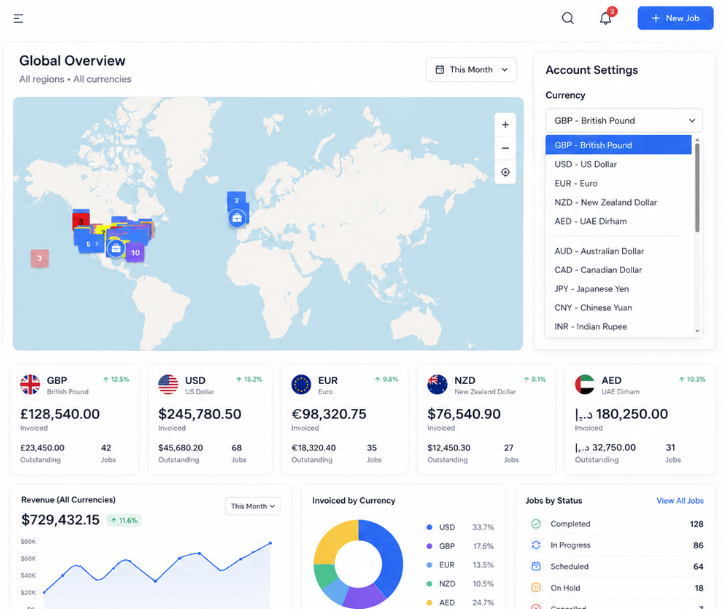
Short version: Field Ascend now supports 29 currencies, including USD, CAD, GBP, EUR, AUD, NZD, ZAR, SGD, HKD, AED, CHF and more. It is a practical step for U.S. service companies with international customers, multi-region contracts, global suppliers or plans to expand.
Modern field service management software has to support more than dispatch. Contractors and service businesses need connected scheduling, work orders, mobile job completion, inventory, estimates, invoices and accounting workflows that can handle how commercial work is actually sold.
For U.S. teams, that often means domestic operations with overseas suppliers, customers paying in local currency, or a parent company standardizing field operations across multiple countries.
What is now currency-aware?
Currency support is built into the main commercial workflow: customer records, estimates, work orders, invoices, credit notes, purchase orders, supplier defaults and inventory sell prices.
That means a customer can carry their own currency, an estimate or invoice can display the right symbol or code, and inventory items can hold separate sell prices for enabled currencies instead of relying on rough converted values.
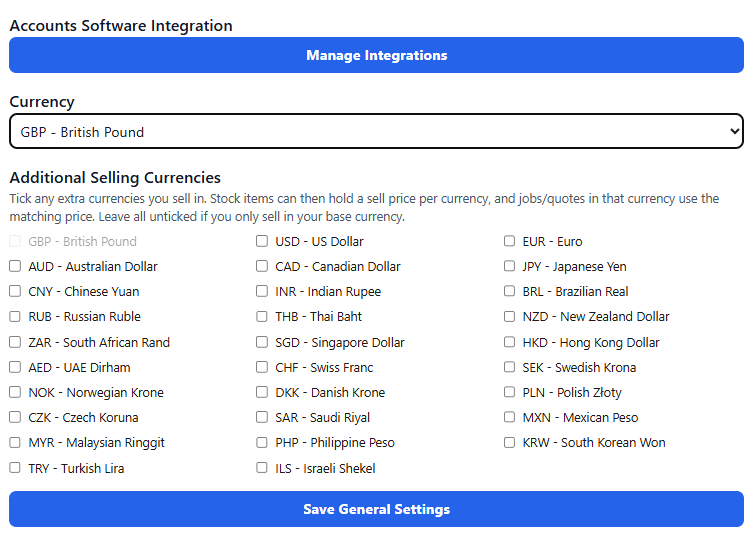
Estimates, work orders and invoices show totals in each customer's currency, from USD to CAD, EUR and beyond.
The 29 supported currencies
Why this matters for U.S. service businesses
Many teams start by searching for field service software for small business, then quickly realize they need more than a schedule. They need work order visibility, customer pricing, inventory, invoicing and accounting to stay aligned as the business grows.
Multi-currency support helps teams present more professional documents, keep customer pricing consistent, and reduce manual edits around estimates, purchase orders and invoices.
Part of a complete field service platform
Currency support sits alongside the operational tools U.S. buyers expect from a field service scheduling software platform: dispatch, work order management, mobile job completion, inventory, purchase orders, field service invoicing software and accounting integrations.
If you enable multi-currency inventory selling, items can hold sell prices per enabled currency. That is useful where your pricing is commercially set by market, not simply converted by exchange rate.
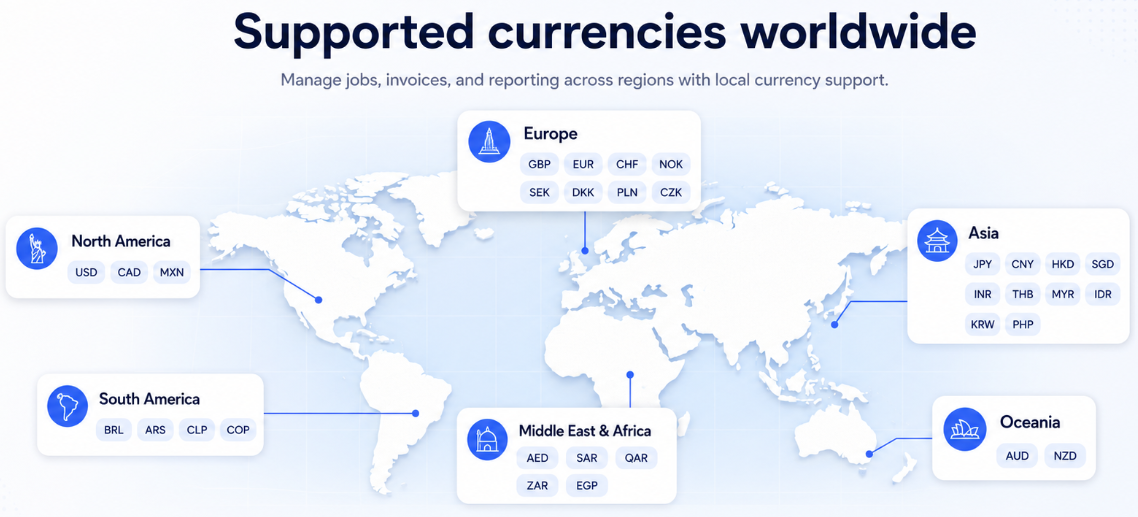
Field Ascend now covers 29 currencies across North America, Europe, the Middle East, Africa, Asia-Pacific and beyond.
Accounting integrations and currencies
Field Ascend passes currency codes through to supported accounting integrations, including QuickBooks, Zoho Books, Xero, Sage and other accounting workflows listed on our accounting integrations page.
There is one important finance note: Field Ascend handles currency selection and currency-aware display. It does not attempt to be an FX engine. Exchange rates, FX gains and losses, and accounting compliance should remain in your finance process or accounting platform.
Built for the full field service workflow
Currency support matters because field service software is rarely used for scheduling alone. A customer can move from an estimate to a job, through technician work orders, inventory, purchase orders and invoices without the finance detail being lost along the way.
For contractors, facilities teams and service businesses working across borders, that keeps work order management clearer for technicians and gives the office a cleaner commercial record from first request to final invoice.
Multi-currency FAQs
Does Field Ascend support multiple currencies?
Yes. Field Ascend supports 29 currency codes across customer currency settings, estimates, work orders, invoices, credit notes, purchase orders, suppliers and inventory sell prices.
Does Field Ascend convert exchange rates automatically?
No. Field Ascend stores and displays the selected currency for each customer or document. Exchange rates, FX gains and losses, and accounting compliance stay in your accounting platform or finance process.
Do accounting integrations support these currencies?
Field Ascend passes the document currency code to supported accounting integrations. The connected accounting product must also have that currency enabled for the business.