HR, site gates and training checks

Staff Photo ID Card Software

Field Ascend staff photo ID card software designs a credit-card size card (ISO/IEC 7810 ID-1, the CR80 size card printers already expect), puts the engineer photo and a QR on it, and lets a site manager scan that code to a public, read-only page. The page can show name, employer and the held training list. It cannot show the HR file.

This is your company card. It is not a CSCS card, and we do not issue scheme cards. A gate that wants CSCS still wants the real one.
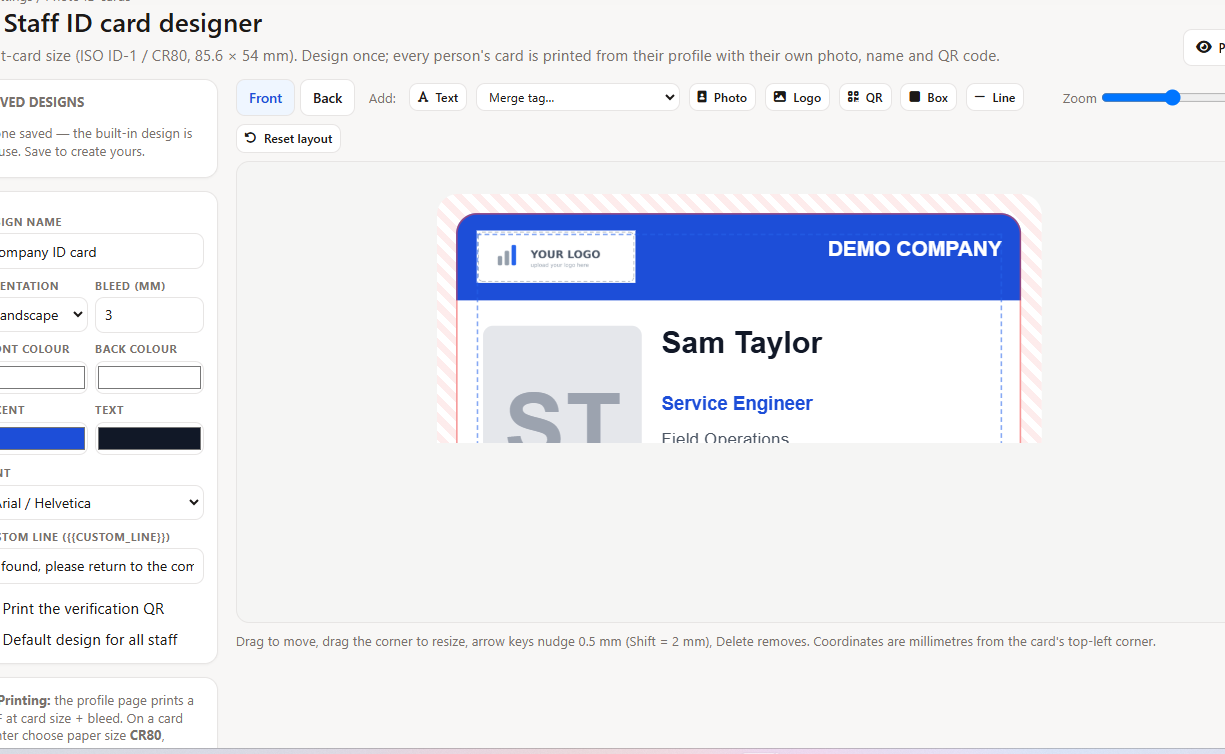
Screenshot: ID card designer
(front canvas, photo + QR + merge tags)
  • CR80 / credit-card size, front and back
  • Photo, name, role, logo and QR
  • Office issues, rotates or revokes the code
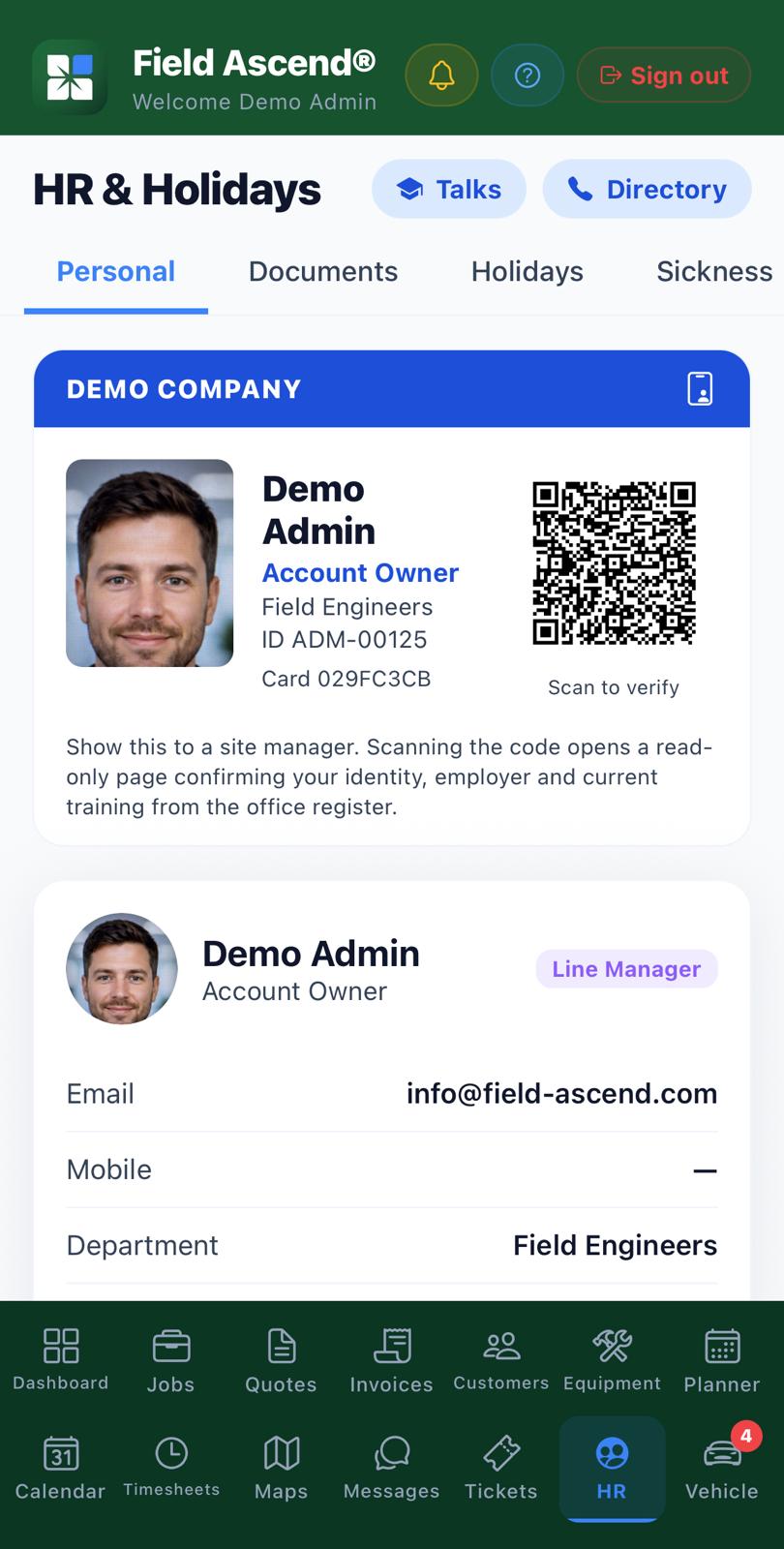
  • Same QR on the phone under HR → Personal
What staff photo ID card software actually prints

The designer is the same drag-and-drop layout as the job and quote PDF templates: place photo, logo, QR, text and boxes on an 85.6 × 54 mm card. Bleed is set in millimetres. What you place is what prints.

One design for the company

HR Settings opens the designer. Save a default layout and every staff profile uses it. Colours, font and a custom line (trade, depot, 'Authorised contractor') sit in settings, not in a Word file on someone's desktop.

Print from the profile

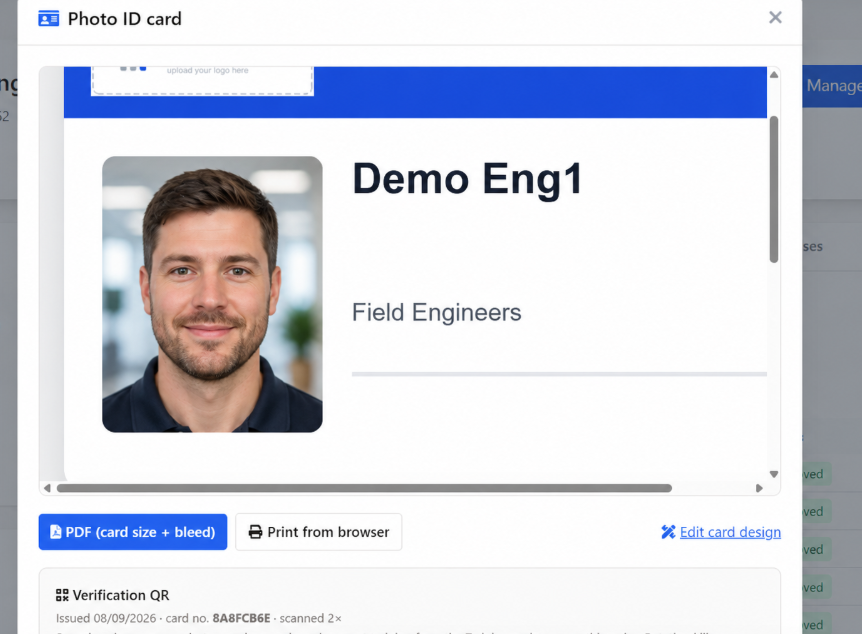
On the staff profile, ID Card opens preview, browser print and PDF. The PDF is the card size plus bleed, for a desktop card printer or a print shop. We do not post plastic to you.

A pack when you need fifty

Bulk print pack builds a ZIP of one PDF per person, plus a manifest CSV. Tick the people on Staff Profiles. Tokens can be issued in the same pass if the card shows a QR and they do not have one yet.

A QR a site manager can scan, not a public HR dump

The QR is engineer ID card software for the gate, not a link to the staff record. It opens a noindex page with a random 64-character code. There is no staff ID or company ID in the URL. Revoke the code and the old print dies.

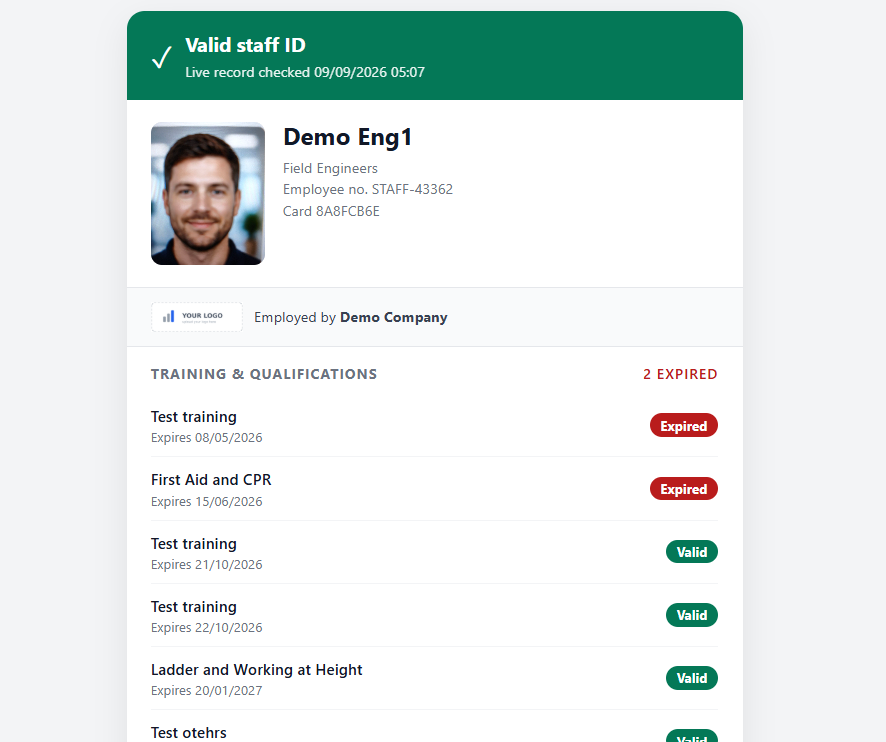
Screenshot: public verify page
(name, employer, held training list)
What a phone camera opens after a scan

You choose the staff training matrix QR contents

On the designer, the verification panel is an allowlist you can only narrow. Name and employer always show. Photo, position, department, employee number, the held training register, expired items, dates and certificate numbers are ticks. Certificate numbers start off.

The page never shows salary, home address, date of birth, phone, email, notes, costs or certificate files. Planned training does not appear. Only held items from staff training and certificates.

Untick Online verification on and every scan says checks are disabled by this employer. Nothing else leaks.

Issue, rotate, revoke. The office keeps the codes.

A lost wallet is a revoke, not a reprint of the same secret. The staff profile ID Card button issues a code, rotates it (old QR dies) or revokes it. Scan counts and last-scanned time sit on that token. The public page never explains why a code failed.

Photo ID card printer software, on your desk

Browser print uses a CSS page size of 85.6 × 54 mm so a CR80 tray can take it. PDF download asks the same millimetre size from the renderer. If the PDF box is down, print from the browser. That is the fallback, not a second product.

Screenshot: print preview
(front and back, CR80)
Preview before you send a pack to the printer

The same card on the phone

Engineers and office staff who use the apps get a digital card on HR → Personal. Photo, name, role and the same verification QR as the plastic. A site manager can scan the screen. It is not a second identity. The office still owns the token.

Screenshot: app HR → Personal
(digital card + QR)
Engineers app and admin app, same block

On by default, with a kill switch

The feature is on for every tenant. Public QR checks are on until you turn them off on the designer. The digital card can be hidden with a tenant setting if you do not want it on phones. We do not invent a second HR product for that switch.

The person still needs an active staff profile and a photo if you put a photo on the card. No profile, no card. Archived staff fail the public check the same way a revoked token does.

Tied to the people record you already keep

The card reads the staff profile and the held credential register. It does not invent a second training list. Design lives under HR. Print lives on the person. The check lives on a public URL that dies when you revoke it.

Independent reviews

Public review volume is still early, so the figures sit in crawlable HTML and should be refreshed when the profiles change.

Aggregate rating used in schema: 4.6/5 from 10 third-party reviews across G2, Capterra, and Trustpilot. Last checked: August 2, 2026.

Current ratings by source: Capterra 5.0/5 (1 review), G2 4.9/5 (5 reviews), Trustpilot 4.0/5 (4 reviews). Last checked: August 2, 2026.

Staff photo ID card FAQs

Is this a CSCS card?

No. Field Ascend lets you design and print your company photo ID. It is not a scheme card and we do not issue CSCS, CPCS or any other industry card. A site that wants those still needs the real card.

What does a QR scan show?

A public, read-only page. Name and employer always. Photo, job title, department, employee number and the held training list only if you tick them on the designer. Certificate numbers start off. Salary, address, date of birth, phone, notes and files never appear.

Can we turn the online check off?

Yes. On the ID card designer, untick Online verification on and save. Every scan then gets a generic 'checks disabled by this employer' page and shows nothing. Printed cards and the office print tools stay available.

Do you print and post the plastic cards?

No. You print from the browser or download a CR80 PDF for a card printer or an outside print shop. Field Ascend does not run a card bureau.

Where do engineers see a digital card?

On the engineers app and the admin app, under HR then Personal. The same verification QR as the plastic card. The office can still issue, rotate or revoke the code from the staff profile.

What does it cost?

Photo ID cards are part of the standard Field Ascend subscription, from £10 per user per month. See pricing for current plans and the free trial.

Put a checkable card on the next starter

Design it once, print from the staff profile, and let the gate scan a page you control. Try it on the people you already have in HR.

Start your free trial