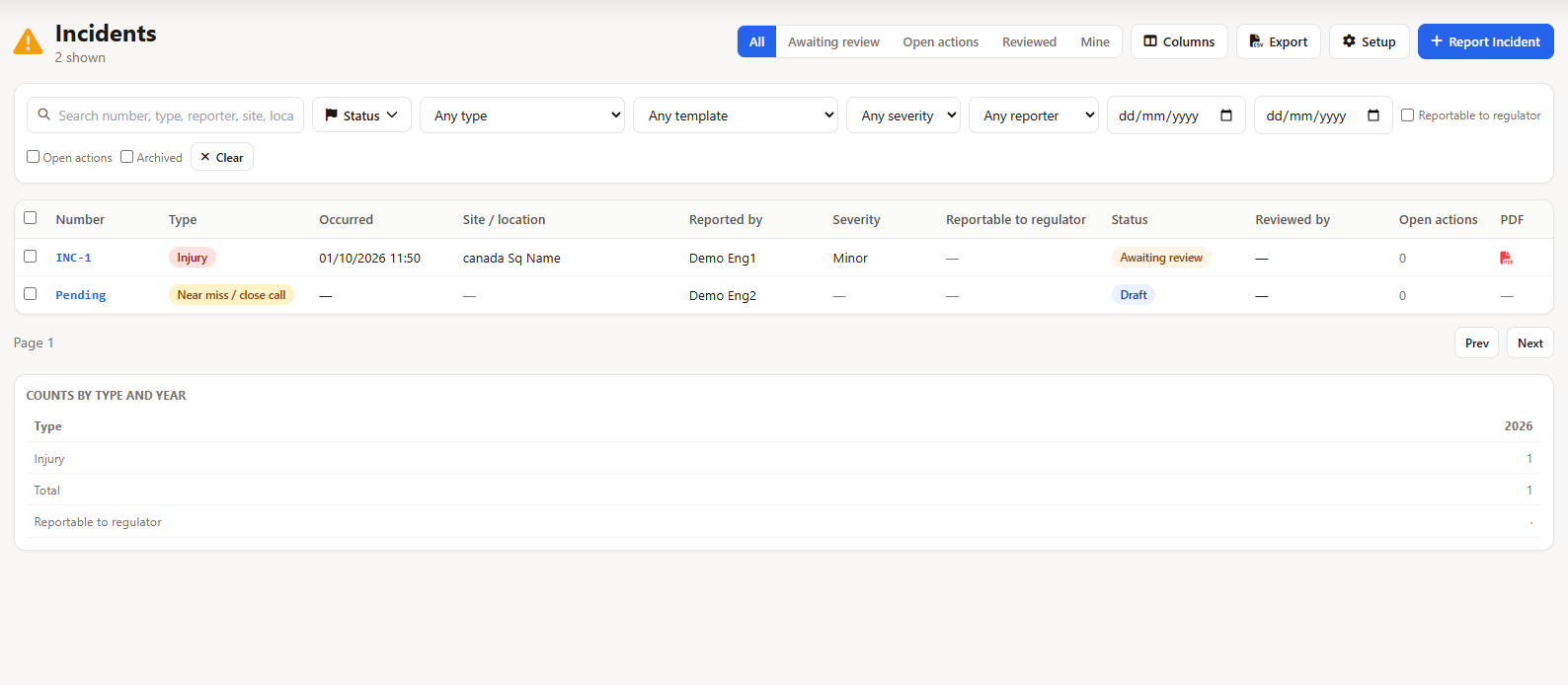
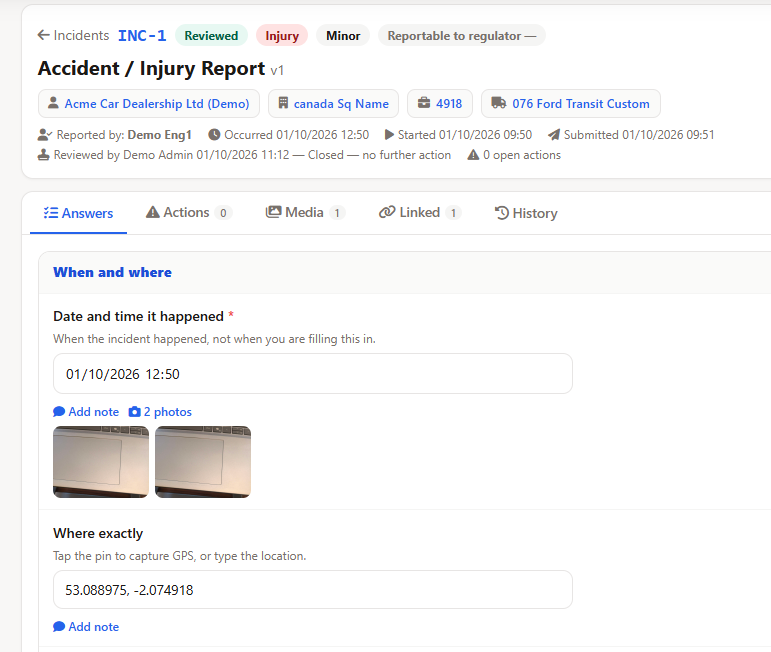
Field Ascend incident reporting software is for field service companies whose technicians still write a near miss on a paper sheet and hope it gets back to the office. They fill the form on the phone, sign it, and add photos. On submit, the office is emailed a PDF and the report shows on a register as awaiting review. A manager records the outcome. The customer does not see it.
This is a report of something that already happened. It is not a scored inspection. Job site, truck and equipment inspections live in field inspection software. The daily vehicle check stays with the vehicle. Safety incident reporting here means the near miss, the injury, and the damage.
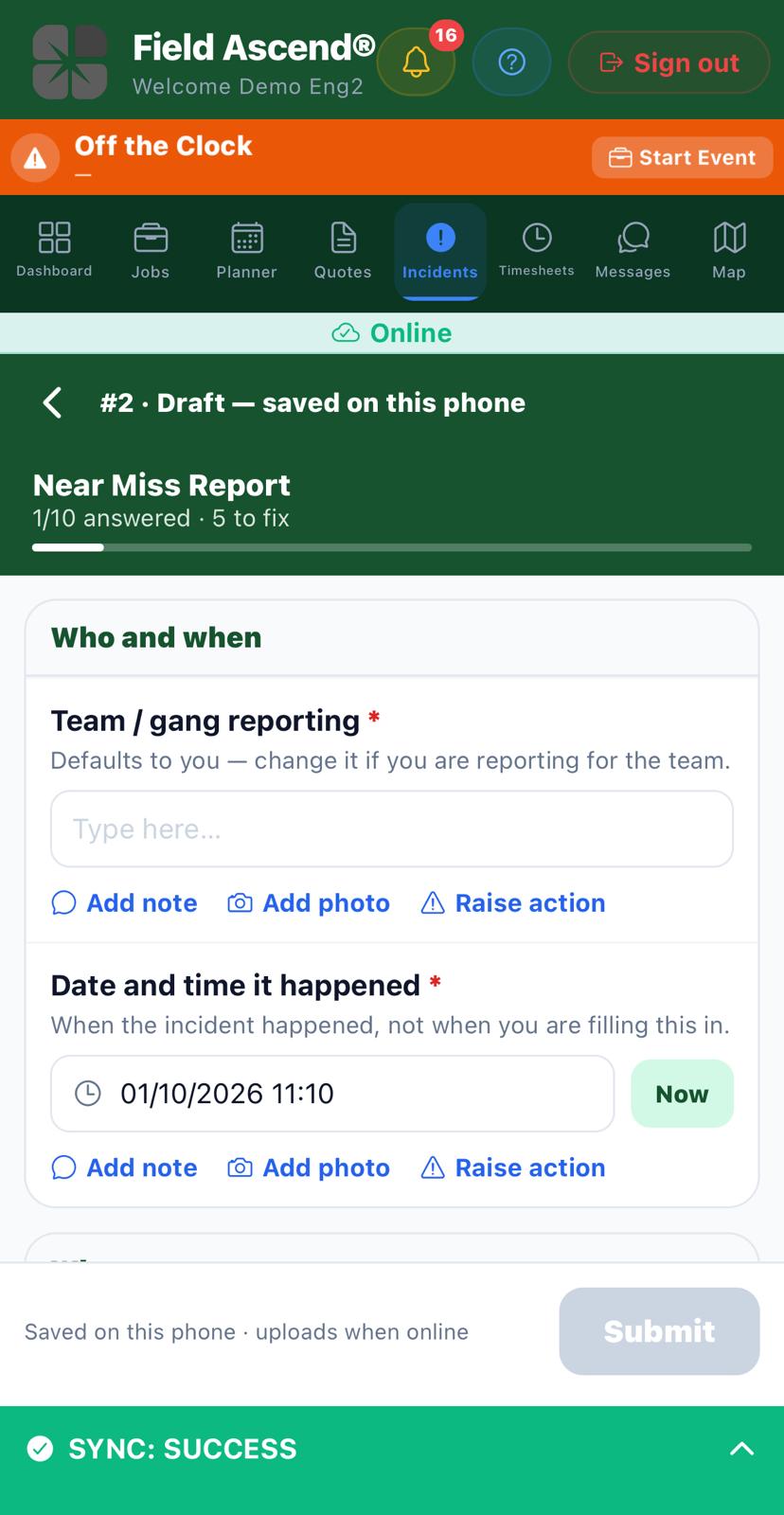
Open Incidents in the app, or tap Report incident on the job they are standing on. The form is yours. A typical near miss asks who is reporting, when it happened, a what3words address, the yard or site, what nearly happened, what was done at the time, whether more work is needed, and photos. Date and time start at now. Change them if the event was earlier in the shift.
They sign once, at the end. There is not a second signature field under another heading.
No signal is fine. The draft, the photos and the signature stay on the phone and upload later. The office email waits until that upload has arrived, so you are not sent a report that promises photos you cannot open. Each photo field has a cap, usually six.
A what3words address is typed. The product does not look it up.
Submit is when the office hears about it. The report is numbered (INC-7, or a prefix you choose), locked, and emailed as a PDF to the addresses on that form. If the form lists none, it uses the company list under Setup, Incidents Setup, Notify the office. Leave that blank and the email has nowhere to go. Admins who manage incidents still get a notification, and the row shows as Awaiting review either way.
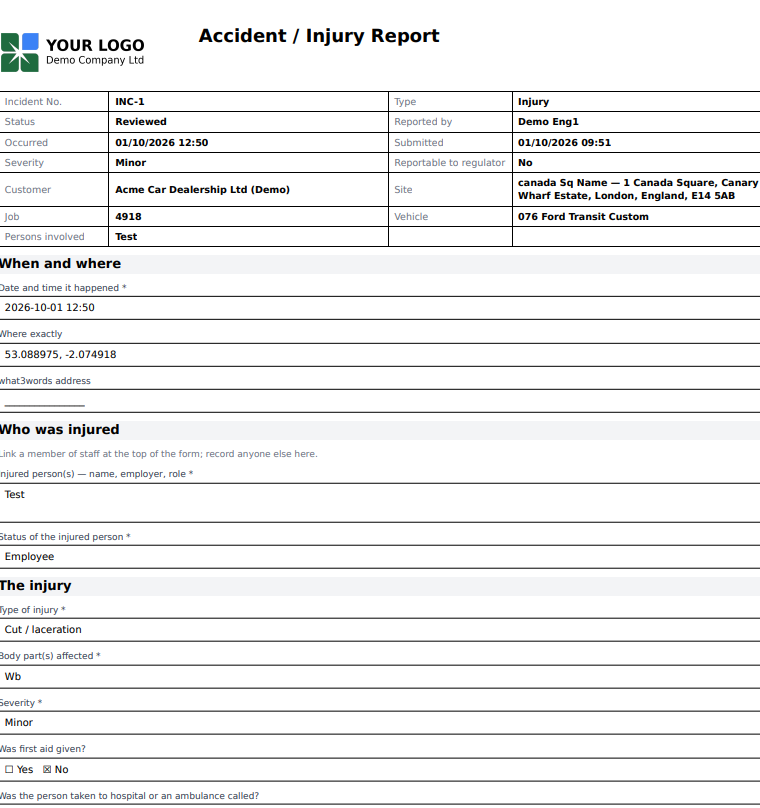
The PDF reads like the paper form: who reported it, when it happened, the answers, the photos, the signature. Manager review and the date reviewed stay empty until someone in the office has reviewed it. After review, the PDF is rebuilt with that block filled in. You can email it again from the record. It does not send itself a second time.
Register columns are the ones you tell the form to fill: when it happened, how serious, whether it is reportable, the type, the people involved. A yearly count by type sits above the list. A spreadsheet export of the whole register is not built. You work from the list and the PDFs.
A manager opens the report and picks an outcome: closed, investigation required, or escalated. They can add a note and, if the form requires it, a signature. That is the review. It is not a case file with an assigned investigator and a lessons-learned meeting. If you run that process elsewhere, this PDF is the attachment.
Return sends it back to the technician with a reason they can read on the phone. They correct it and submit again. Reopen is there when a reviewed report needs another edit. Both are office steps. The person who wrote the report cannot review it.
If the form asks whether corrective action is needed and the answer is yes, a tracked action is raised with a due date, assigned to the person who reported it. You can require a second person to agree before that action closes. The action can become a ticket. It does not create a job by itself.
Turn the module on in Setup and you get starter forms: near miss, injury, damage to equipment or property, utility strike, environmental. Edit the questions. Add a type of your own. Accident reporting software, here, means those forms. It is not a government template you cannot change.
One setting is your regulator's name. Leave it blank and the register says "reportable". Type the name you use and that name becomes the column heading and the line on the PDF. The product does not decide which rule applies to you, and it will not file the report.
Customers do not get a login to these reports. A vehicle collision that belongs on a vehicle accident report stays there. Job safety analysis is the plan before the work. Toolbox talks are the briefing. This page is what gets filled in after something nearly went wrong.
No. A question on the form can record whether the incident is reportable to your regulator, and you type that regulator's name yourself in Setup. Field Ascend does not submit anything to OSHA or any other authority. The PDF and the register are your internal record.
Yes. The report is written on the phone first. Photos and the signature stay on the device and upload when there is a connection. The office email goes out after the report has reached the server.
No. A field inspection is a scored check of a job site, truck, piece of equipment or person, often on a schedule. An incident report is something that happened: a near miss, an injury, damage, a utility strike. It is not scored, and the customer does not see it.
On submit, the PDF is emailed to the addresses on that form, or to the company address under Setup, Incidents Setup, Notify the office. If neither is set, nobody is emailed. Admins who can manage incidents still get a notification, and the report sits on the register as Awaiting review.
Yes. Setup includes starter forms for a near miss, an injury, damage to equipment or property, a utility strike and an environmental incident. You edit the questions, or build a new form. Date and time, a what3words address, severity and whether it is reportable can fill columns on the register.
Turn Incidents on, keep the starter or write your own questions, and set the office email. One technician can file the first report the same day. From $13 per user per month, three users minimum, 30-day trial. Billed in GBP.
Start your free trial